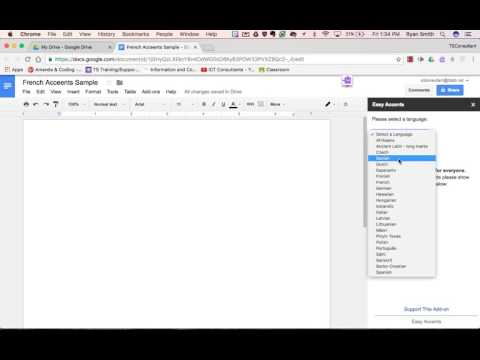
Playback starts YouTube’s embedded player (privacy-enhanced mode).
How to easily add accented letters in Google Docs
ChannelICT ConsultantsAbout this tutorial
ICT Consultants published this 3:38 video tutorial on October 25, 2017. It has been watched 183,310 times on YouTube.
- Channel
- ICT Consultants
- Category
- Education
- Duration
- 3:38
- Published
- October 25, 2017
- Views
- 183,310
- Likes
- 568
Share
Further reading
-
Top 5 Tips to Insert Special Characters in Google Docs
guidingtech.com
Whenever you want to insert a special character to a document, Google Docs is happy to oblige with its library of built-in symbols, emojis, and punctuations. But the whole process of adding them ...
-
How to add accents in Google Docs | Mrs. Geek Chic
mrsgeekchic.com
Try out the Google Add-on called “Easy Accents”! It’s very simple to use, open any Google Doc, go to “Add-ons” -> “Get add-on” Then type “Easy Accents” into the search bar: Click the blue “+ FREE” button to add the Easy…
-
How to Type Letters With Accents in Google Docs | Techwalla
techwalla.com
If typing accented letters in Google Docs is something you anticipate doing frequently, Google Input Tools is your best option. This free tool is available in the Google Chrome Web Store. Install it to your web browser…
This tutorial in other languages
- FRComment ajouter facilement des lettres accentuées dans Google Docs
- ESCómo agregar fácilmente las letras acentuadas en Google Docs
- PTComo adicionar facilmente letras acentuadas no Google Docs
- ITCome aggiungere facilmente le lettere accentate in Google Documenti
- DEWie leicht Umlaute in Google Text & Tabellen hinzufügen
- NLHoe gemakkelijk letters met accenten toe te voegen in Google Docs
- RUКак легко добавить акцентированные буквы в Google Docs
- PLJak łatwo dodać litery alfabetu w Dokumentach Google
- JA簡単にGoogleドキュメントにアクセント付き文字を追加する方法
- ARكيفية بسهولة إضافة خطابات معلمة في محرر مستندات Google
- HIकितनी आसानी से गूगल डॉक्स में उच्चारण चिह्न वाले अक्षरों को जोड़ने के लिए
- IDCara mudah menambahkan huruf beraksen di Google Docs