Playback starts YouTube’s embedded player (privacy-enhanced mode).
How to eSign on Computer with Adobe Reader
ChannelHeritage Insurance of Alabama, Inc.Description from the creator
Want to e-sign by computer? No problem.
1. Download Adobe here get.adobe.com/reader. The newest version of Adobe Reader can sign documents. Previous versions could not; at least not so easily.
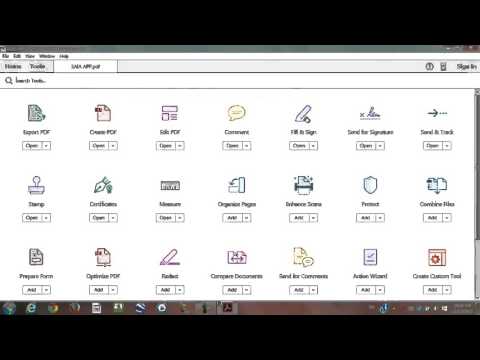
2. Open your PDF with Adobe Acrobad Reader DC. Select “Tools” at the top left of the screen. Click “Fill & Sign”. When your page loads, select the pen that says “sign” next to it. Select the top option “Add a Signature”. Draw your signature or select an image of your signature. Paste your signature and adjust as needed.
3. To type the date, click the “Ab” icon on the Fill & Sign bar. Click where you’d like the text to insert and type.
4. When you are ready to move onto the next page, click “Fill & Sign”, then “Back to Document”. Repeat until all pages are signed.
5. When done, click the save icon. Save the document and upload it to your email to send to your insurance agent.
For more info, see heritageins.net/how-to-esign
1. Download Adobe here get.adobe.com/reader. The newest version of Adobe Reader can sign documents. Previous versions could not; at least not so easily.
2. Open your PDF with Adobe Acrobad Reader DC. Select “Tools” at the top left of the screen. Click “Fill & Sign”. When your page loads, select the pen that says “sign” next to it. Select the top option “Add a Signature”. Draw your signature or select an image of your signature. Paste your signature and adjust as needed.
3. To type the date, click the “Ab” icon on the Fill & Sign bar. Click where you’d like the text to insert and type.
4. When you are ready to move onto the next page, click “Fill & Sign”, then “Back to Document”. Repeat until all pages are signed.
5. When done, click the save icon. Save the document and upload it to your email to send to your insurance agent.
For more info, see heritageins.net/how-to-esign
About this tutorial
Heritage Insurance of Alabama, Inc. published this 4:00 video tutorial on October 31, 2016. It has been watched 30,805 times on YouTube.
- Category
- Education
- Duration
- 4:00
- Published
- October 31, 2016
- Views
- 30,805
- Likes
- 62
Tags
Share
This tutorial in other languages
- FRComment eSign sur l'ordinateur avec Adobe Reader
- ESCómo eSign en equipo con Adobe Reader
- PTComo eSign no computador com o Adobe Reader
- ITCome eSign sul computer con Adobe Reader
- DEWie man eSign auf Computer mit Adobe Reader
- NLHoe te esign op Computer met Adobe Reader
- RUКак ESIGN на компьютере с Adobe Reader
- PLJak esign na komputerze program Adobe Reader
- JAどのようにAdobe Readerを持つコンピュータ上のESIGNへ
- ARكيفية ESIGN على الكمبيوتر مع برنامج Adobe Reader
- HIकैसे एडोब रीडर के साथ esign कंप्यूटर पर करने के लिए
- IDCara esign di Komputer dengan Adobe Reader