Playback starts YouTube’s embedded player (privacy-enhanced mode).
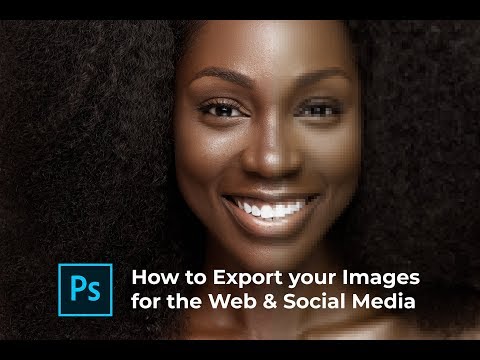
How to: Export Images for Web and Social Media
ChannelPhloshopDescription from the creator
Knowing how to Export your images for web and social media can affect the final output of your images. You might have spent hours crafting your images and after exporting you realise they look worse than how they appeared in photoshop.
Well, in this video I show how I go about exporting my images for web and for social media.
I hope you enjoy this video!
#phloshop #photoshop #export
My Instagram: instagram.com/phloshop
–
INSTAGRAM: instagram.com/phloshop
FACEBOOK: facebook.com/phloshop
SNAPCHAT: phloshop
Phloshop is a YouTube channel dedicated to creating Adobe Photoshop, Capture One tutorials and sharing Behind the Scenes (BTS) of some photoshoot sessions we have.
If you enjoy my videos, the best way to support is to purchase any of my courses when I start sharing them or simply subscribe to the YouTube channel by pressing the red button and turning on the notifications button so you’re among the first to know when a new video comes out.
For business inquiries: [email protected]
CHECK OUT MY NEW VIDEO
-~-~~-~~~-~~-~-
Please watch: "SHOOTING GLOBAL CAMPAIGN IMAGES AT HOME | A 2 light studio photoshoot & BTS with Canon EOS r6"
youtube.com/watch?v=5XcmdnFWWaA
-~-~~-~~~-~~-~-
Well, in this video I show how I go about exporting my images for web and for social media.
I hope you enjoy this video!
#phloshop #photoshop #export
My Instagram: instagram.com/phloshop
–
INSTAGRAM: instagram.com/phloshop
FACEBOOK: facebook.com/phloshop
SNAPCHAT: phloshop
Phloshop is a YouTube channel dedicated to creating Adobe Photoshop, Capture One tutorials and sharing Behind the Scenes (BTS) of some photoshoot sessions we have.
If you enjoy my videos, the best way to support is to purchase any of my courses when I start sharing them or simply subscribe to the YouTube channel by pressing the red button and turning on the notifications button so you’re among the first to know when a new video comes out.
For business inquiries: [email protected]
CHECK OUT MY NEW VIDEO
-~-~~-~~~-~~-~-
Please watch: "SHOOTING GLOBAL CAMPAIGN IMAGES AT HOME | A 2 light studio photoshoot & BTS with Canon EOS r6"
youtube.com/watch?v=5XcmdnFWWaA
-~-~~-~~~-~~-~-
About this tutorial
Phloshop published this 5:54 video tutorial on November 8, 2018. It has been watched 64,184 times on YouTube.
Tags
Share
This tutorial in other languages
- FRComment: Exporter des images pour le Web et les médias sociaux
- ESCómo: Exportar imágenes para la Web y medios de comunicación social
- PTComo: Exportar Imagens para Web e Mídia Social
- ITProcedura: Esportazione di immagini per il Web e Social Media
- DEGewusst wie: Export Bilder für Web und Social Media
- NLHow to: Export Images for Web en Social Media
- RUКак: Экспорт изображений для Web и социальных медиа
- PLJak: Eksport obrazów na potrzeby sieci i Mediów Społecznych
- JA方法:Webおよびソーシャルメディアのための画像の書き出し
- ARكيف: صور لتصدير الويب وسائل الاعلام الاجتماعية
- HIकैसे करें: के लिए वेब और सामाजिक मीडिया निर्यात छवियाँ
- IDCara: Gambar Ekspor untuk Web dan Media Sosial