Playback starts YouTube’s embedded player (privacy-enhanced mode).
How to Hack/Unlock a Locked Windows XP User Account
ChannelTyler IrvinDescription from the creator
1. Turn your tower or laptop completely off
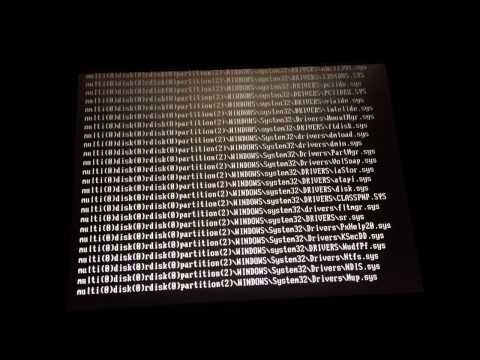
2. Hold F8 and turn the computer on
3. Keep holding F8 until you get to a screen where you can select "safe mode"
4. After selecting "safe mode", select "Windows XP media Center Edition"
5. Once the account option screen appears select the "administrator " user
6. Once the Home screen appears, press/click the "start" button/icon and select "control panel"
7. Then select the "user account" icon and select the user you want to change the password too.
8. Change the password, then hit the start and select "switch user" and switch the the user you changed the password to and your in!
Please thumbs up and subscribe!!!
2. Hold F8 and turn the computer on
3. Keep holding F8 until you get to a screen where you can select "safe mode"
4. After selecting "safe mode", select "Windows XP media Center Edition"
5. Once the account option screen appears select the "administrator " user
6. Once the Home screen appears, press/click the "start" button/icon and select "control panel"
7. Then select the "user account" icon and select the user you want to change the password too.
8. Change the password, then hit the start and select "switch user" and switch the the user you changed the password to and your in!
Please thumbs up and subscribe!!!
About this tutorial
Tyler Irvin published this 8:40 video tutorial on October 30, 2013. It has been watched 111,365 times on YouTube.
- Channel
- Tyler Irvin
- Category
- Education
- Duration
- 8:40
- Published
- October 30, 2013
- Views
- 111,365
- Likes
- 374
Tags
Share
This tutorial in other languages
- FRComment pirater / déverrouiller un compte utilisateur verrouillé Windows XP
- ESCómo Hack / desbloquear una cuenta de usuario bloqueada Windows XP
- PTComo Hack / desbloquear uma conta de usuário bloqueada Windows XP
- ITCome Hack / sbloccare un Windows XP account utente bloccato
- DEWie man Hack / Entsperren eines gesperrten Windows XP-Benutzerkonto
- NLHoe te Hack / ontgrendelen van een beveiligd Windows XP User Account
- RUКак Hack / разблокирование заблокированной Windows XP учетной записи пользователя
- PLJak Hack / odblokować zablokowany Windows XP Konta Użytkownika
- JAどのようにハック/ロック解除ロックされたWindows XPのユーザーアカウントへ
- ARكيفية هاك / فتح ويندوز XP في حساب المستخدم مغلق
- HIकैसे हैक करने के लिए / एक बंद Windows XP उपयोगकर्ता खाता अनलॉक
- IDCara Hack / Aktifkan Dikunci Windows XP User Account