Playback starts YouTube’s embedded player (privacy-enhanced mode).
How to Import a Reference into EndNote
ChannelPao Yue-kong LibraryDescription from the creator
This short video (1:23) shows you how to import a reference into EndNote. We demonstrate a search on OneSearch and import a book citation into EndNote. This strategy can be replicated in other platforms, including Library databases, Google Scholar and more. Script available. Audio optional.
Step 1
First, open EndNote on your desktop.
Click "File" and select "New" to create a new EndNote Library.
Give your EndNote Library a good name. Save.
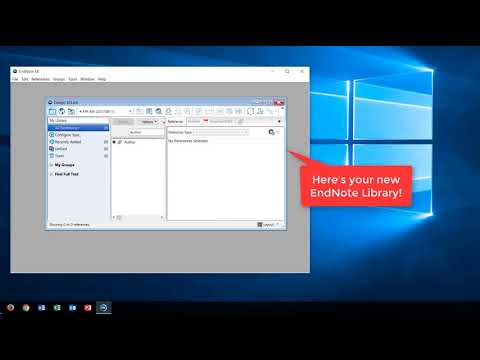
Here's your new EndNote Library! Now ready to import references.
Step 2
Searching for a book on OneSearch.
[ Select “Books + Media” search scope ]
[ Search using keywords "textile design" ]
[ The results page loads ]
This book looks interesting.
[ Click onto item record ]
How do I import this reference into EndNote?
Simple. Click "EndNote (RIS)"...
...select "UTF-8"...
...and download.
Now double-click the downloaded file.
[ Reference opens in EndNote ]
Step 3
Your reference is imported into EndNote.
[ Pan to EndNote preview pane ]
Preview it here.
Need more help?
From the Library homepage…
…click "Research Support"...
...and "EndNote & Others"...
...to get to the Library EndNote Guide!
Step 1
First, open EndNote on your desktop.
Click "File" and select "New" to create a new EndNote Library.
Give your EndNote Library a good name. Save.
Here's your new EndNote Library! Now ready to import references.
Step 2
Searching for a book on OneSearch.
[ Select “Books + Media” search scope ]
[ Search using keywords "textile design" ]
[ The results page loads ]
This book looks interesting.
[ Click onto item record ]
How do I import this reference into EndNote?
Simple. Click "EndNote (RIS)"...
...select "UTF-8"...
...and download.
Now double-click the downloaded file.
[ Reference opens in EndNote ]
Step 3
Your reference is imported into EndNote.
[ Pan to EndNote preview pane ]
Preview it here.
Need more help?
From the Library homepage…
…click "Research Support"...
...and "EndNote & Others"...
...to get to the Library EndNote Guide!
About this tutorial
Pao Yue-kong Library published this 1:24 video tutorial on October 29, 2017. It has been watched 138,950 times on YouTube.
- Channel
- Pao Yue-kong Library
- Category
- Education
- Duration
- 1:24
- Published
- October 29, 2017
- Views
- 138,950
- Likes
- 186
Tags
Share
This tutorial in other languages
- FRComment importer une référence dans EndNote
- ESCómo importar una referencia en la nota final
- PTComo importar uma referência para EndNote
- ITCome importare un riferimento in EndNote
- DEWie eine Referenz in EndNote Importieren
- NLHoe maak je een referentie in EndNote importeren
- RUКак импортировать ссылки в EndNote
- PLJak importować odniesienie do EndNote
- JAEndNoteのにリファレンスをインポートする方法
- ARكيفية استيراد مرجع في الحاشية
- HIएंडनोट में एक संदर्भ आयात करने के लिए कैसे
- IDCara Impor Referensi ke EndNote