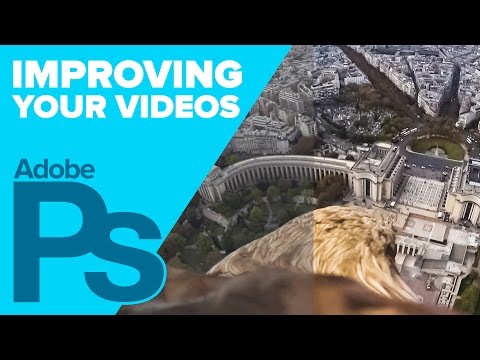
Playback starts YouTube’s embedded player (privacy-enhanced mode).
How to Improve Video Quality in PHOTOSHOP!
ChannelHoward PinskyDescription from the creator
Learn how to improve the quality of your videos in Photoshop using Camera Raw!
Tools used in this tutorial:
Camera Raw Filter: Introduced in Photoshop CC, the Camera Raw filter allows you to make many of the same adjustment you would make to your raw images or videos, such as Exposure, Contrast, Highlights, and Clarity. When using this filter, it's best to convert your layer into a Smart Object first, which will allow you to make changes to your adjustments at a later point.
When exporting videos from Photoshop, you'll likely want to use the H.264 codes, as that will leave you with a high quality video, and a relatively small file size.
This video is sponsored by Sony.
Make sure to check out my other Photoshop tutorials. Links below!
MORE FROM ICEFLOWSTUDIOS:
Subscribe!
youtube.com/subscription_center?add_user=iceflo…
Website!
iceflowstudios.com
Facebook!
facebook.com/iceflowstudios
Twitter!
twitter.com/pinsky
Howard Pinsky provides free #graphicdesign tutorials covering #CreativeCloud, Adobe #Photoshop, Lightroom, and Adobe XD to the graphic design and photography community. To date, the videos uploaded to this channel channel have been viewed over 80 million times.
No matter what you're looking to learn in Photoshop, you're bound to find it in our library of over 350 tutorials. Topics include: Text Effects in Photoshop, Photo Composition, Photo Retouching, The Basics of Photoshop, Designing in Photoshop, Special Effects, and more! While new videos will be taught using the latest version of Photoshop, you'll find videos covering Photoshop CC, Photoshop CS6, CS5, CS4, and CS3.
For more information on Adobe Photoshop, check out Adobe's website at: adobe.com/products/photoshop.html
For the written version of most of our tutorials, check out: iceflowstudios.com/
Tools used in this tutorial:
Camera Raw Filter: Introduced in Photoshop CC, the Camera Raw filter allows you to make many of the same adjustment you would make to your raw images or videos, such as Exposure, Contrast, Highlights, and Clarity. When using this filter, it's best to convert your layer into a Smart Object first, which will allow you to make changes to your adjustments at a later point.
When exporting videos from Photoshop, you'll likely want to use the H.264 codes, as that will leave you with a high quality video, and a relatively small file size.
This video is sponsored by Sony.
Make sure to check out my other Photoshop tutorials. Links below!
MORE FROM ICEFLOWSTUDIOS:
Subscribe!
youtube.com/subscription_center?add_user=iceflo…
Website!
iceflowstudios.com
Facebook!
facebook.com/iceflowstudios
Twitter!
twitter.com/pinsky
Howard Pinsky provides free #graphicdesign tutorials covering #CreativeCloud, Adobe #Photoshop, Lightroom, and Adobe XD to the graphic design and photography community. To date, the videos uploaded to this channel channel have been viewed over 80 million times.
No matter what you're looking to learn in Photoshop, you're bound to find it in our library of over 350 tutorials. Topics include: Text Effects in Photoshop, Photo Composition, Photo Retouching, The Basics of Photoshop, Designing in Photoshop, Special Effects, and more! While new videos will be taught using the latest version of Photoshop, you'll find videos covering Photoshop CC, Photoshop CS6, CS5, CS4, and CS3.
For more information on Adobe Photoshop, check out Adobe's website at: adobe.com/products/photoshop.html
For the written version of most of our tutorials, check out: iceflowstudios.com/
About this tutorial
Howard Pinsky published this 7:48 video tutorial on November 4, 2015. It has been watched 53,973 times on YouTube.
- Channel
- Howard Pinsky
- Category
- Education
- Duration
- 7:48
- Published
- November 4, 2015
- Views
- 53,973
- Likes
- 857
Tags
Share
This tutorial in other languages
- FRComment améliorer la qualité vidéo dans PHOTOSHOP!
- ESCómo mejorar la calidad de vídeo en Photoshop!
- PTComo melhorar a qualidade de vídeo no Photoshop!
- ITCome migliorare la qualità video in Photoshop!
- DEWie Video-Qualität in PHOTOSHOP zu verbessern!
- NLHoe te verbeteren Video Quality in Photoshop!
- RUКак улучшить качество видео в фотошопе!
- PLJak poprawić jakość wideo w Photoshopie!
- JAPHOTOSHOPでビデオ品質を向上させる方法!
- ARكيفية تحسين جودة الفيديو في فوتوشوب!
- HIकैसे फोटोशॉप में वीडियो की गुणवत्ता में सुधार करने के लिए!
- IDCara Meningkatkan Kualitas Video di PHOTOSHOP!