Playback starts YouTube’s embedded player (privacy-enhanced mode).
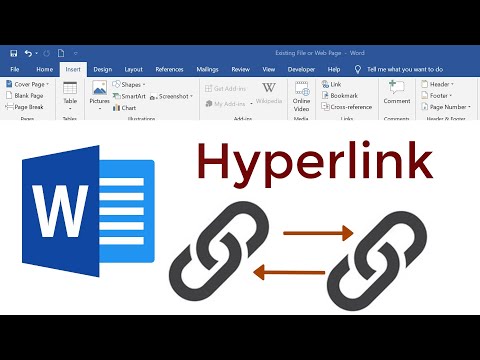
How to insert Hyperlink in Microsoft Word - Microsoft Word 2016: Hyperlink
ChannelLearning ComputerDescription from the creator
#LearningComputer
This Microsoft Word 2016 tutorial shows you how to add and insert hyperlink to your Word document. In the video, You can understand well if you follow my showing step by step.
After you watch this video, you can see more some interested tutorial.
1. Advanced Word: youtube.com/watch?v=UED_t...
2. Creating bookmark: youtube.com/watch?v=qwWWZ...
3. Footnote & Endnote: youtube.com/watch?v=eaoH6...
4. Microsoft Word reading article: youtube.com/watch?v=22wxC...
5. Translate a word document in Microsoft Word: youtube.com/watch?v=p70GL...
6. Calculating in Microsoft Word: youtube.com/watch?v=KcV7h...
7. Inserting Bullet and Numbering your own style: youtube.com/watch?v=-I8JL...
8. Save your documents to Google Drive: youtube.com/watch?v=ooOoY...
9. Inserting contents in Microsoft Word: youtube.com/watch?v=cCFKD...
10. Using Tab in Microsoft Word: youtube.com/watch?v=6G6sj...
11. Smartart to creating Diagram: youtube.com/watch?v=EFcXy...
12. Protect Microsoft Word by using password: youtube.com/watch?v=EvVSX...
13. Paragraph in Microsoft Word: youtube.com/watch?v=GmZvy...
14. Chart-Diagram in Microsoft Word: youtube.com/watch?v=SLK2N...
15. Borders and Shading in Microsoft Word: youtube.com/watch?v=uy7iE...
16. Header and Footer in Microsoft Word: youtube.com/watch?v=WrsF0...
This Microsoft Word 2016 tutorial shows you how to add and insert hyperlink to your Word document. In the video, You can understand well if you follow my showing step by step.
After you watch this video, you can see more some interested tutorial.
1. Advanced Word: youtube.com/watch?v=UED_t...
2. Creating bookmark: youtube.com/watch?v=qwWWZ...
3. Footnote & Endnote: youtube.com/watch?v=eaoH6...
4. Microsoft Word reading article: youtube.com/watch?v=22wxC...
5. Translate a word document in Microsoft Word: youtube.com/watch?v=p70GL...
6. Calculating in Microsoft Word: youtube.com/watch?v=KcV7h...
7. Inserting Bullet and Numbering your own style: youtube.com/watch?v=-I8JL...
8. Save your documents to Google Drive: youtube.com/watch?v=ooOoY...
9. Inserting contents in Microsoft Word: youtube.com/watch?v=cCFKD...
10. Using Tab in Microsoft Word: youtube.com/watch?v=6G6sj...
11. Smartart to creating Diagram: youtube.com/watch?v=EFcXy...
12. Protect Microsoft Word by using password: youtube.com/watch?v=EvVSX...
13. Paragraph in Microsoft Word: youtube.com/watch?v=GmZvy...
14. Chart-Diagram in Microsoft Word: youtube.com/watch?v=SLK2N...
15. Borders and Shading in Microsoft Word: youtube.com/watch?v=uy7iE...
16. Header and Footer in Microsoft Word: youtube.com/watch?v=WrsF0...
About this tutorial
Learning Computer published this 11:32 video tutorial on August 4, 2020. It has been watched 2,787 times on YouTube.
- Channel
- Learning Computer
- Category
- Education
- Duration
- 11:32
- Published
- August 4, 2020
- Views
- 2,787
- Likes
- 29
Tags
Share
This tutorial in other languages
- FRComment insérer un lien hypertexte dans Microsoft Word - Microsoft Word 2016: Hyperlink
- ES¿Cómo insertar hipervínculo en Microsoft Word - Microsoft Word 2016: hipervínculo
- PTComo inserir hiperlink no Microsoft Word - Microsoft Word 2016: Hyperlink
- ITCome inserire collegamento ipertestuale in Microsoft Word - Microsoft Word 2016: Hyperlink
- DEWie zum Einfügen von Hyperlinks in Microsoft Word - Microsoft Word 2016: Hyperlink
- NLHoe te voegen hyperlink in Microsoft Word - Microsoft Word 2016: Hyperlink
- RUКак вставить гиперссылку в Microsoft Word - Microsoft Word 2016: гиперссылке
- PLJak wstawić hiperłącze w programie Microsoft Word - Microsoft Word 2016: hiperłącze
- JAハイパーリンク:Microsoft Wordの2016 - Microsoft Wordでハイパーリンクを挿入する方法
- ARكيفية إدراج ارتباط تشعبي في Microsoft Word - مايكروسوفت وورد 2016: ارتباط تشعبي
- HIमाइक्रोसॉफ्ट वर्ड में हाइपरलिंक डालने के लिए कैसे - माइक्रोसॉफ्ट वर्ड 2016: हाइपरलिंक
- IDCara menyisipkan Hyperlink di Microsoft Word - Microsoft Word 2016: Hyperlink