Playback starts YouTube’s embedded player (privacy-enhanced mode).
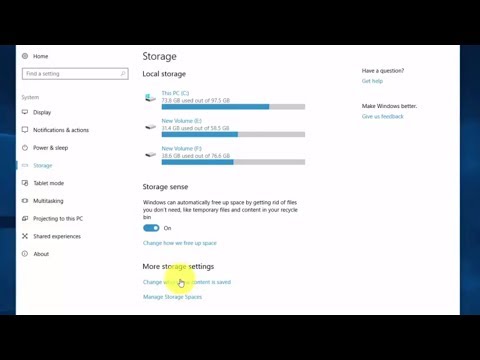
How to Install or Move Installed Apps to Another Drive on Windows 10
ChannelSoft SolutionsDescription from the creator
In this tutorial, i will show you how to install or move Apps to another storage drive on Windows 10. Windows 10 allows you to install apps from the Store on any drive you like. You can also move apps you’ve previously installed to a new location without uninstalling and reinstalling them. You can store apps on either an internal or external drive. You can also use this trick to store apps on an SD card or USB drive.
About this tutorial
Soft Solutions published this 3:34 video tutorial on November 9, 2017. It has been watched 203,952 times on YouTube.
- Channel
- Soft Solutions
- Category
- Education
- Duration
- 3:34
- Published
- November 9, 2017
- Views
- 203,952
- Likes
- 2,801
Tags
Share
This tutorial in other languages
- FRComment faire pour installer ou déplacer les applications installées sur un autre lecteur sur Windows 10
- ESCómo instalar o Mover las aplicaciones instaladas en otra unidad en Windows 10
- PTComo instalar ou Mover Apps instalada numa outra unidade do Windows 10
- ITCome installare o spostare installato delle applicazioni in un'altra unità di Windows 10
- DESo installieren oder auf ein anderes Laufwerk installierten Anwendungen auf Windows 10 verschieben
- NLHoe te installeren of Verplaatsen geïnstalleerde apps op een andere schijf op Windows 10
- RUКак установить или переместить установленные приложения на другой диск на Windows 10
- PLJak zainstalować lub Przenieś zainstalowanych aplikacji na inny dysk w systemie Windows 10
- JAインストールまたはWindows 10上の別のドライブにインストールされているアプリを移動する方法
- ARكيفية تثبيت أو نقل تثبيت تطبيقات لمحرك آخر على ويندوز 10
- HIस्थापित करें या Windows 10 पर एक और ड्राइव करने के लिए इंस्टॉल किए गए एप्लिकेशन ले जाएँ कैसे
- IDCara Instal atau Pindah Dipasang Aplikasi untuk lain Drive pada Windows 10