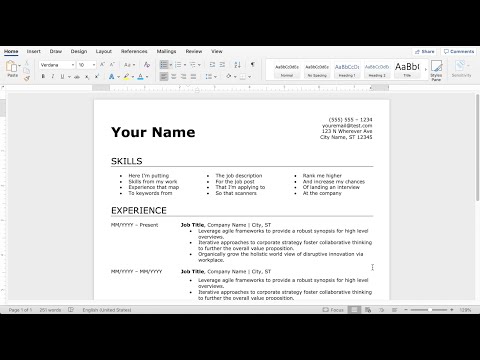
Playback starts YouTube’s embedded player (privacy-enhanced mode).
How to Make an Easy Resume in Microsoft Word (2020)
ChannelXamplioIn brief
You’ll create a clean, chronological resume in Microsoft Word 2020—ideal for mid-career professionals but adaptable to any experience level. David Ross guides you through a simple, scannable template that works across Word versions, helping you stand out to hiring managers.
Questions & answers
Does this template work in Word versions other than 2020?
Yes—the method and layout apply to most Word versions, including 2010.
Is this resume format best for entry-level candidates?
It’s designed for mid-career job seekers but can be adapted for any experience level.
Description from the creator
Template is available for download: xamplio.com/career-resources
Want me to edit your resume? Head to xamplio.com/resume-services
This video shows how to make an easy resume using Microsoft Word. This format works great for making a chronological resume and is best for mid-career job seekers, but it will work at all experience levels. Follow this template to help rank better and get more interviews!
Want to learn how to write a cover letter? Check out my video: youtube.com/watch?v=wRo26Gth7u0
This video shows how to make a simple, fast resume in Microsoft Word 2010, but the method and layout will work in just about any version of Word.
The resume created in this video is flexible, easy to use, and easy for employers to scan.
If you want to learn how to write the actual content of the resume, please check out my other video: youtube.com/watch?v=fL5yAlqMU84
Also, if you have any questions, feel free to post them below. I am more than happy to answer them for you! Otherwise, feel free to ask questions on Twitter:
twitter.com/xamplio
----------
Download my free resume templates online:
xamplio.com/career-resources
All Xamplio videos and Xamplio.com are created and maintained by David Ross. Follow David on LinkedIn: www.linkedin.com/in/david-ross-32a17221
Want me to edit your resume? Head to xamplio.com/resume-services
This video shows how to make an easy resume using Microsoft Word. This format works great for making a chronological resume and is best for mid-career job seekers, but it will work at all experience levels. Follow this template to help rank better and get more interviews!
Want to learn how to write a cover letter? Check out my video: youtube.com/watch?v=wRo26Gth7u0
This video shows how to make a simple, fast resume in Microsoft Word 2010, but the method and layout will work in just about any version of Word.
The resume created in this video is flexible, easy to use, and easy for employers to scan.
If you want to learn how to write the actual content of the resume, please check out my other video: youtube.com/watch?v=fL5yAlqMU84
Also, if you have any questions, feel free to post them below. I am more than happy to answer them for you! Otherwise, feel free to ask questions on Twitter:
twitter.com/xamplio
----------
Download my free resume templates online:
xamplio.com/career-resources
All Xamplio videos and Xamplio.com are created and maintained by David Ross. Follow David on LinkedIn: www.linkedin.com/in/david-ross-32a17221
About this tutorial
Xamplio published this 8:38 video tutorial on June 27, 2020. It has been watched 2,878,791 times on YouTube.
Tags
Share
This tutorial in other languages
- FRComment faire un CV facile dans Microsoft Word (2020)
- ESCómo hacer un curriculum vitae Fácil en Microsoft Word (2020)
- PTComo fazer um currículo Fácil no Microsoft Word (2020)
- ITCome fare un curriculum Facile nel Microsoft Word (2020)
- DEWie man eine einfache Zusammenfassung in Microsoft Word (2020)
- NLHoe kan ik een Easy Resume maken in Microsoft Word (2020)
- RUКак сделать Easy Резюме в Microsoft Word (2020)
- PLJak zrobić łatwe wznawianie w programie Microsoft Word (2020)
- JAMicrosoft Wordで(2020)簡単再開を作る方法
- ARكيفية تقديم استئناف سهلة في مايكروسوفت وورد (2020)
- HIमाइक्रोसॉफ्ट वर्ड में एक आसान फिर से शुरू बनाने के लिए कैसे (2020)
- IDCara Membuat Lanjutkan Mudah di Microsoft Word (2020)