Playback starts YouTube’s embedded player (privacy-enhanced mode).
How to Move the My Documents Folder in Windows XP
ChannelAvoidErrorsDescription from the creator
avoiderrors.net/
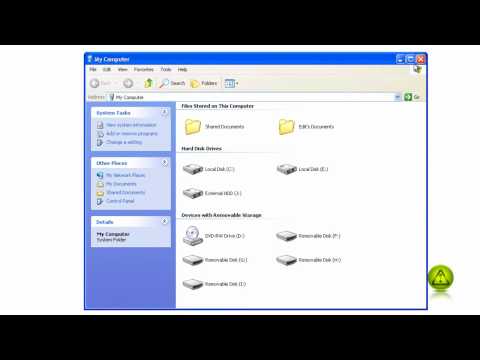
By default, the My Documents folder is located on the C: drive, the same hard drive that contains the Windows XP operating system. It is not a good idea to store your data on the same hard drive as Windows. Your data keeps growing in size, taking up more and more room on your C: drive, filling it up.
You will find yourself having to delete some personal files to make more room, or having to perform the complex task of expanding your primary disk partition. Filling up the primary disk partition or hard drive also tends to degrade Windows' performance over time.
Combining your data with the Windows operating system can also complicate your backups, causing your drive images to become larger and larger, and having to create them more frequently. Drive images of the operating system don't usually need to be made as often as backups of data as they don't change as often. Therefore, your data should be stored separately from the operating system.
The need to defrag your C: drive also increases and the defrag runs slower.
If you have two or more partitions on your hard drive, or if you have more than one hard drive, it is easy to move your My Documents folder to another partition or hard drive, thus separating your data from the Windows operating system.
Before moving your My Documents folder, be sure you have enough free space on the second partition or hard drive to accommodate all your data and some extra for future storage needs.
By default, the My Documents folder is located on the C: drive, the same hard drive that contains the Windows XP operating system. It is not a good idea to store your data on the same hard drive as Windows. Your data keeps growing in size, taking up more and more room on your C: drive, filling it up.
You will find yourself having to delete some personal files to make more room, or having to perform the complex task of expanding your primary disk partition. Filling up the primary disk partition or hard drive also tends to degrade Windows' performance over time.
Combining your data with the Windows operating system can also complicate your backups, causing your drive images to become larger and larger, and having to create them more frequently. Drive images of the operating system don't usually need to be made as often as backups of data as they don't change as often. Therefore, your data should be stored separately from the operating system.
The need to defrag your C: drive also increases and the defrag runs slower.
If you have two or more partitions on your hard drive, or if you have more than one hard drive, it is easy to move your My Documents folder to another partition or hard drive, thus separating your data from the Windows operating system.
Before moving your My Documents folder, be sure you have enough free space on the second partition or hard drive to accommodate all your data and some extra for future storage needs.
About this tutorial
AvoidErrors published this 3:28 video tutorial on November 6, 2010. It has been watched 14,391 times on YouTube.
- Channel
- AvoidErrors
- Category
- Education
- Duration
- 3:28
- Published
- November 6, 2010
- Views
- 14,391
- Likes
- 53
Tags
Share
This tutorial in other languages
- FRComment déplacer le dossier Mes documents dans Windows XP
- ESCómo mover la carpeta Mis documentos en Windows XP
- PTComo mover a pasta Meus documentos no Windows XP
- ITCome spostare cartella Documenti in Windows XP
- DESo verschieben Sie den Ordner Eigene Dateien in Windows XP
- NLHoe de My Documents Map verplaatsen in Windows XP
- RUКак переместить Мои документы папки в Windows XP
- PLJak przenieść folder Moje dokumenty w systemie Windows XP
- JAWindows XPでマイドキュメントフォルダを移動する方法
- ARكيفية نقل المستندات مجلد في نظام التشغيل Windows XP
- HIले जाएँ कैसे Windows XP में मेरे दस्तावेज़ फ़ोल्डर
- IDCara Pindahkan My Documents Folder pada Windows XP