Playback starts YouTube’s embedded player (privacy-enhanced mode).
How To... Perform a one-way ANOVA Test in Excel 2010
ChannelEugene O'LoughlinDescription from the creator
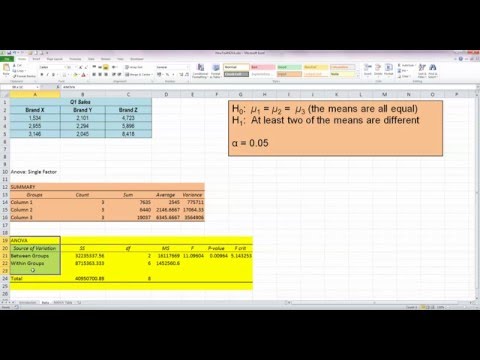
Learn how to use Excel to generate an ANOVA table to test if there is a significant difference (or not) between the means of three or more samples. This method uses Excel's "Analysis Toolpak" Add-In which needs to be added (how to do this is shown in the video).
About this tutorial
Eugene O'Loughlin published this 8:30 video tutorial on November 8, 2013. It has been watched 72,210 times on YouTube.
- Channel
- Eugene O'Loughlin
- Category
- Education
- Duration
- 8:30
- Published
- November 8, 2013
- Views
- 72,210
- Likes
- 379
Tags
Share
This tutorial in other languages
- FRComment faire pour ... Effectuer un test ANOVA dans Excel 2010
- ESCómo ... Realizar una prueba de ANOVA de una sola vía en Excel 2010
- PTComo ... Realizar um one-way ANOVA teste no Excel 2010
- ITCome ... Eseguire un one-way ANOVA test in Excel 2010
- DEHow To ... Führen Sie einen Einweg-ANOVA-Test in Excel 2010
- NLHow To ... Voer een one-way ANOVA Test in Excel 2010
- RUКак ... Выполните одностороннюю ANOVA тест с в Excel 2010
- PLJak ... Wykonaj jeden test ANOVA w programie Excel 2010
- JAどのようにするためには...エクセル2010で一方向ANOVAテストの実行
- ARكيفية إجراء ... في اتجاه واحد ANOVA اختبار في Excel 2010
- HIकैसे करने के लिए ... Excel 2010 में एक-तरफ़ा एनोवा टेस्ट प्रदर्शन
- IDCara ... Lakukan satu arah ANOVA Uji di Excel 2010