Playback starts YouTube’s embedded player (privacy-enhanced mode).
How to Prepare your PC for Skyrim: Graphics Drivers, Virtual Memory, Monitoring Software (Part 1)
ChannelCulveyhouseDescription from the creator
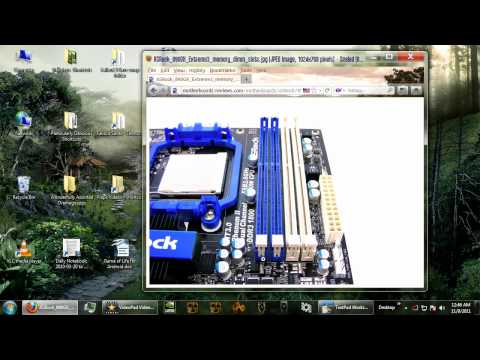
Hello everybody! If you're a PC gamer and you're planning to play Skyrim, then these videos are for you. I take you through a series of critical optimizations in order for your PC to totally own Elder Scrolls V: Skyrim at higher graphics settings and higher framerates. This is a two part series, and it's important that you complete my recommendations in BOTH videos, since every PC gamer should be familiar with all of these procedures.
In this Part 1, I give you advice on:
1. Updating Your Video Drivers
2. Conducting Windows Vista / 7 Memory Test
3. Installing More RAM (8GB)
4. Changing Virtual Memory Settings
5. Installing MSI Afterburner
Stay tuned for Part 2 very soon! In Part 2, I will give you advice on setting up System Restore Points, completing a large malware removal procedure, overclocking your GPU, and defragmenting your hard drives.
Thanks for watching, and share this with all of your friends who will be playing Skyrim on the PC.
Links mentioned in this video:
Video Drivers: geforce.com/Drivers and support.amd.com/us/gpudownload/Pages/index.aspx
Memory test: sevenforums.com/tutorials/715-memory-diagnostic…
Memory test command: msched
MSI Afterburner: event.msi.com/vga/afterburner/download.htm
Click Here for Part 2! youtube.com/watch?v=h0nUzL6E8bo
In this Part 1, I give you advice on:
1. Updating Your Video Drivers
2. Conducting Windows Vista / 7 Memory Test
3. Installing More RAM (8GB)
4. Changing Virtual Memory Settings
5. Installing MSI Afterburner
Stay tuned for Part 2 very soon! In Part 2, I will give you advice on setting up System Restore Points, completing a large malware removal procedure, overclocking your GPU, and defragmenting your hard drives.
Thanks for watching, and share this with all of your friends who will be playing Skyrim on the PC.
Links mentioned in this video:
Video Drivers: geforce.com/Drivers and support.amd.com/us/gpudownload/Pages/index.aspx
Memory test: sevenforums.com/tutorials/715-memory-diagnostic…
Memory test command: msched
MSI Afterburner: event.msi.com/vga/afterburner/download.htm
Click Here for Part 2! youtube.com/watch?v=h0nUzL6E8bo
About this tutorial
Culveyhouse published this 15:48 video tutorial on October 28, 2012. It has been watched 70,065 times on YouTube.
- Channel
- Culveyhouse
- Category
- Education
- Duration
- 15:48
- Published
- October 28, 2012
- Views
- 70,065
- Likes
- 876
Share
This tutorial in other languages
- FRComment préparer votre PC pour Skyrim: Pilotes graphiques, mémoire virtuelle, logiciel de surveillance (Partie 1)
- ESCómo preparar su PC para Skyrim: controladores de gráficos, memoria virtual, Software de Monitoreo (Parte 1)
- PTComo preparar seu PC para Skyrim: Drivers gráficos, memória virtual, software de monitoramento (Parte 1)
- ITCome preparare il vostro PC per Skyrim: driver grafici, memoria virtuale, Software di monitoraggio (Parte 1)
- DEWie Sie Ihren PC vorbereitet für Skyrim: Grafiktreiber, virtuellen Speicher, Monitoring Software (Teil 1)
- NLHoe kunt u uw PC voor Skyrim Bereid: grafische drivers, virtueel geheugen, Monitoring Software (Part 1)
- RUКак подготовить свой компьютер для Skyrim: драйверов графической подсистемы, виртуальной памяти, программного обеспечения мониторинга (Часть 1)
- PLJak przygotować komputer do Skyrim: grafika sterowniki, pamięci wirtualnej, oprogramowanie monitorujące (część 1)
- JASkyrimのためのあなたのPCを準備する方法:グラフィックス・ドライバー、仮想メモリ、ソフトウェアの監視(パート1)
- ARكيفية إعداد جهاز الكمبيوتر الخاص بك لSkyrim: برامج تشغيل الرسومات، الذاكرة الظاهرية، برنامج الرصد (الجزء 1)
- HIकैसे Skyrim के लिए अपने पीसी को तैयार करने के लिए: ग्राफिक्स ड्राइवर, वर्चुअल मेमोरी, निगरानी सॉफ्टवेयर (भाग 1)
- IDBagaimana Mempersiapkan PC Anda untuk Skyrim: Graphics Driver, Virtual Memory, Software Pemantauan (Bagian 1)