Playback starts YouTube’s embedded player (privacy-enhanced mode).
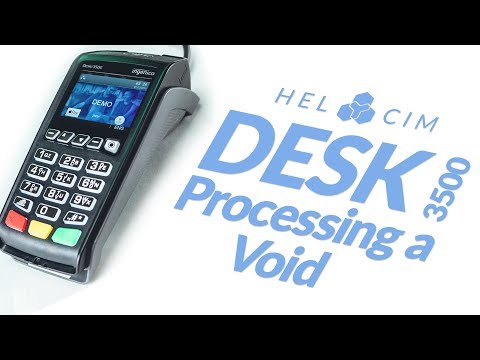
How to Process a Void on the Ingenico Desk 3500 Credit Card Terminal
ChannelHelcimDescription from the creator
This video reviews how to process a void on the Ingenico Desk 2500
1.) Press 3 for Search Menu
2.) Select the Reference # option using the arrow keys
3.) Enter in the approval code from the original transaction
4.) Hit the OK key
5.) Select the transaction by hitting the green key
6.) Confirm the void by selecting “yes” or “no”
7.) Select “yes” or “no” for customer copy
-
For more information and pricing on our merchant services, please visit our website: helcim.com/us/credit-and-debit-machines/
1.) Press 3 for Search Menu
2.) Select the Reference # option using the arrow keys
3.) Enter in the approval code from the original transaction
4.) Hit the OK key
5.) Select the transaction by hitting the green key
6.) Confirm the void by selecting “yes” or “no”
7.) Select “yes” or “no” for customer copy
-
For more information and pricing on our merchant services, please visit our website: helcim.com/us/credit-and-debit-machines/
About this tutorial
Helcim published this 0:59 video tutorial on October 29, 2019. It has been watched 7,022 times on YouTube.
Tags
Share
This tutorial in other languages
- FRComment traiter un vide sur le bureau 3500 INGENICO carte de crédit Terminal
- ESCómo procesar un vacío en el escritorio Ingenico 3500 Credit Card Terminal
- PTComo processar um vazio na mesa Ingenico 3500 Credit Card Terminal
- ITCome elaborare un vuoto sulla scrivania Ingenico 3500 Credit Card Terminal
- DEWie ein Void auf dem Schreibtisch Ingenico 3500 Kreditkartenterminal verarbeiten
- NLHoe maak je een Void op de Ingenico Desk 3500 Credit Card terminalproces
- RUКак обрабатывать Пустота на Ingenico Desk 3500 Credit Card Terminal
- PLJak przetwarzać pustkę na biurku Ingenico 3500 Credit card terminal
- JAインジェニコ・グループデスク3500クレジットカード端末にボイドを処理する方法
- ARكيفية معالجة الفراغ على مكتب Ingenico 3500 محطة بطاقة الائتمان
- HIIngenico डेस्क 3500 क्रेडिट कार्ड टर्मिनल पर एक शून्य प्रक्रिया कैसे
- IDBagaimana Proses Sebuah Void pada Ingenico Meja 3500 Kartu Kredit Terminal