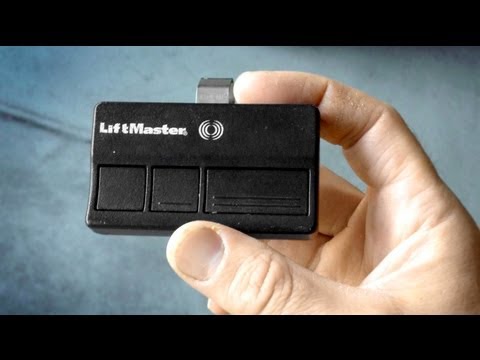
Playback starts YouTube’s embedded player (privacy-enhanced mode).
How to program a Garage Door Remote & change battery LiftMaster Chamberlain
ChannelAdamDIYIn brief
You’ll program a LiftMaster or Chamberlain garage door remote and replace its battery in under three minutes. This quick guide covers the exact button presses and timing needed, whether your opener has indicator lights or not.
Key steps
- Press and release the Learn button on the garage door opener (not the remote).
- Wait 30 seconds for the light to glow—this is your programming window.
- Press and hold the remote button until the opener’s light blinks (or makes two clicks).
- Release the remote button once the opener confirms with blinking lights or sounds.
Questions & answers
How do I know if my opener has indicator lights?
If the light glows or blinks, it does. If not, the opener will make two clicking sounds instead.
Description from the creator
Here's the link for the battery→ goo.gl/3uJDl7
STEP BY STEP PROGRAMMING DIRECTIONS
1 Press and release the "learn" button on the garage opener (Not the remote).
A light will glow for 30 seconds, that's the window of time you will have to do the next step...
2. Press and hold the button on the remote
3. Release the button when the Garage Door Opener lights blink. Congratulations you did it! Go celebrate with a Jamba Juice or something. If your light bulbs are burned out or you have a unit without them your opener will make two clicking sounds.
SUBSCRIBE→ youtube.com/c/AdamDIY?sub_confirmation=1
•••••••••••••••••••••••••••••••••••
For those who offer to buy me a drink, thank you! I have Venmo and CashApp.
Venmo: AdamCash
CashApp: $AdamDIY
•••••••••••••••••••••••••••••••••••
Business Inquiries: please email:
youtube.com/c/AdamDIY/about
STEP BY STEP PROGRAMMING DIRECTIONS
1 Press and release the "learn" button on the garage opener (Not the remote).
A light will glow for 30 seconds, that's the window of time you will have to do the next step...
2. Press and hold the button on the remote
3. Release the button when the Garage Door Opener lights blink. Congratulations you did it! Go celebrate with a Jamba Juice or something. If your light bulbs are burned out or you have a unit without them your opener will make two clicking sounds.
SUBSCRIBE→ youtube.com/c/AdamDIY?sub_confirmation=1
•••••••••••••••••••••••••••••••••••
For those who offer to buy me a drink, thank you! I have Venmo and CashApp.
Venmo: AdamCash
CashApp: $AdamDIY
•••••••••••••••••••••••••••••••••••
Business Inquiries: please email:
youtube.com/c/AdamDIY/about
About this tutorial
AdamDIY published this 2:56 video tutorial on November 7, 2013. It has been watched 4,050,076 times on YouTube.
Tags
Share
This tutorial in other languages
- FRComment programmer une porte de garage à distance et changer la batterie Chamberlain LiftMaster
- ESCómo programar una puerta de garaje a distancia y batería cambio LiftMaster Chamberlain
- PTComo programar uma porta da garagem remoto e bateria mudança LiftMaster Chamberlain
- ITCome programmare una porta di garage remoto e batteria cambiamento LiftMaster Chamberlain
- DEWie ein Garagentor Fernbedienung & Batteriewechsel Liftmaster Chamberlain programmieren
- NLHoe maak je een garagedeur Afstandsbediening en verandering batterij LiftMaster Chamberlain programmeren
- RUКак запрограммировать дверь гаража Remote и изменить батарею LiftMaster Чемберлен
- PLJak zaprogramować garażowa Remote & wymiana baterii LiftMaster Chamberlain
- JAガレージドアのリモート&チェンジバッテリーLiftMasterチェンバレンをプログラムする方法
- ARكيفية برمجة باب المرآب عن بعد وتغيير البطارية LiftMaster تشامبرلين
- HIकैसे इस कार्यक्रम के लिए एक गैराज डोर रिमोट और परिवर्तन बैटरी लिफ्टमास्टर चेम्बरलेन
- IDBagaimana program Pintu Garasi remote & baterai perubahan LIFTMASTER Chamberlain