Playback starts YouTube’s embedded player (privacy-enhanced mode).
How to read PDF files on your iphone like a book
ChanneldreamartistfilmsDescription from the creator
Why are PDF files such a pain to read on the iPhone
at omarel.com/index.php/how-to-read-pdf-files-on-y…
UPDATE: (it seems fictionwise closed for new users. Here's a direct link to the registration page: store.fictionwise.com/servlet/mw?&t=registe…
But it seems login no longer works. Can anyone report back on their experience)
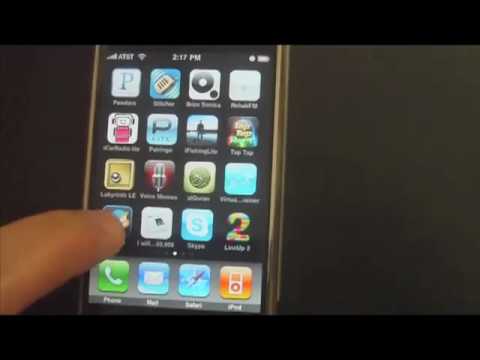
With so many ebooks being published in PDF format, it's been such a dilemma that you can't truly read PDf files like Epub books on your iPhone. I was finally able to figure out how to move PDf files right into the Stanza App on the iPhone and make the files readable like any other Stanza Ebook. This is pure awesome and has saved me such a headache since I'm an avid reader and like to take my time while reading. I like to leave text and come back to it which you can do with Stanza.
The problem
The problem with PDF files now is that you have to email them to yourself, then login to your email and find the email everytime you wanted to continue reading. The problems are even worse, the file just keeps scrolling down forever making a 100 page PDF ebook nearly impossible to read. You never know where you left off. The PDF file is small on the screen and very difficult to zoom in and out of.
How to read PDF files on your iphone in book format in 10 easy steps
3 resources you'll need:
1. Stanza app downloaded to your iPhone (where you'll read the ebooks)
2. Register for a free account at stanza.fictionwise.com (where you'll store the files)
3. Access to epub2go.com to do the free converting (where you'll convert PDF to Epub)
Quick tutorial in 10 easy steps
1. Upload your PDF file to Epub2Go.com
2. Send the file to your email.
3. Check your email, click the link sent by Epub2Go.
4. Save the converted file to your computer.
5. Rename the extension from .EPUB to .PDB
6. Sign in to stanza.fictionwise.com and access Personal Content for iPhone and iPod Touch.
7. Upload the file.
8. Load the Stanza App on your iPhone
9. Go to "Fictionwise Book Store" under the Catalog tab and go to My Bookshelf
10. Sign in to your Fictionwise account, Download your book and click Read.
Now you can read your pdf ebook like any other Stanza book with the same options such as changing font type, size and so much more!
at omarel.com/index.php/how-to-read-pdf-files-on-y…
UPDATE: (it seems fictionwise closed for new users. Here's a direct link to the registration page: store.fictionwise.com/servlet/mw?&t=registe…
But it seems login no longer works. Can anyone report back on their experience)
With so many ebooks being published in PDF format, it's been such a dilemma that you can't truly read PDf files like Epub books on your iPhone. I was finally able to figure out how to move PDf files right into the Stanza App on the iPhone and make the files readable like any other Stanza Ebook. This is pure awesome and has saved me such a headache since I'm an avid reader and like to take my time while reading. I like to leave text and come back to it which you can do with Stanza.
The problem
The problem with PDF files now is that you have to email them to yourself, then login to your email and find the email everytime you wanted to continue reading. The problems are even worse, the file just keeps scrolling down forever making a 100 page PDF ebook nearly impossible to read. You never know where you left off. The PDF file is small on the screen and very difficult to zoom in and out of.
How to read PDF files on your iphone in book format in 10 easy steps
3 resources you'll need:
1. Stanza app downloaded to your iPhone (where you'll read the ebooks)
2. Register for a free account at stanza.fictionwise.com (where you'll store the files)
3. Access to epub2go.com to do the free converting (where you'll convert PDF to Epub)
Quick tutorial in 10 easy steps
1. Upload your PDF file to Epub2Go.com
2. Send the file to your email.
3. Check your email, click the link sent by Epub2Go.
4. Save the converted file to your computer.
5. Rename the extension from .EPUB to .PDB
6. Sign in to stanza.fictionwise.com and access Personal Content for iPhone and iPod Touch.
7. Upload the file.
8. Load the Stanza App on your iPhone
9. Go to "Fictionwise Book Store" under the Catalog tab and go to My Bookshelf
10. Sign in to your Fictionwise account, Download your book and click Read.
Now you can read your pdf ebook like any other Stanza book with the same options such as changing font type, size and so much more!
About this tutorial
dreamartistfilms published this 4:14 video tutorial on November 6, 2010. It has been watched 266,665 times on YouTube.
- Channel
- dreamartistfilms
- Category
- Education
- Duration
- 4:14
- Published
- November 6, 2010
- Views
- 266,665
- Likes
- 178
Tags
Share
This tutorial in other languages
- FRComment lire les fichiers PDF sur votre iphone comme un livre
- ESCómo leer archivos PDF en tu iPhone como un libro
- PTComo ler arquivos PDF no seu iPhone como um livro
- ITCome leggere i file PDF sul vostro iPhone come un libro
- DEWie PDF-Dateien auf Ihrem iPhone wie ein Buch lesen
- NLHoe PDF-bestanden te lezen op je iPhone als een boek
- RUКак читать PDF-файлы на вашем Iphone, как книгу
- PLJak czytać pliki PDF na iPhone jak w książce
- JA本のようにあなたのiPhone上でPDFファイルを読み取る方法
- ARكيفية قراءة ملفات PDF على اي فون الخاص بك مثل كتاب
- HIकैसे एक किताब की तरह अपने iPhone पर पीडीएफ फाइलों को पढ़ने के लिए
- IDBagaimana membaca file PDF pada iphone Anda seperti sebuah buku