Playback starts YouTube’s embedded player (privacy-enhanced mode).
How to Register your Imports under the Steel Import Management System(SIMS)
ChannelDirectorate General of Foreign TradeDescription from the creator
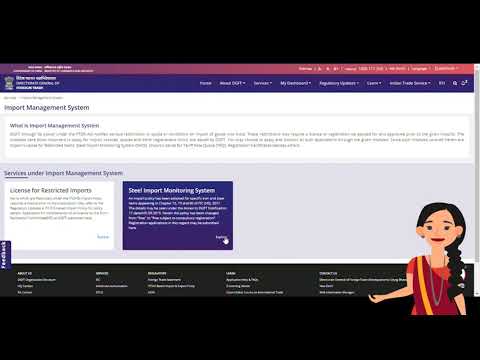
This video is developed by the Directorate General of Foreign Trade to guide importers on how to register under Steel Import Management System(SIMS) on the DGFT e-platform.
A step by step guide on filing an online application for registration under the Steel Import management system is outlined in this video. It also narrates steps to check the previous registrations and how to verify your Unique Registration Number(URN) on the DGFT website.
Disclaimer:: This video is for information and educational purposes only. For the detailed procedure, you should refer to the Foreign Trade policy, the Handbook of Procedures and the associated Notifications, Public Notices & Circulars available on dgft.gov.in
A step by step guide on filing an online application for registration under the Steel Import management system is outlined in this video. It also narrates steps to check the previous registrations and how to verify your Unique Registration Number(URN) on the DGFT website.
Disclaimer:: This video is for information and educational purposes only. For the detailed procedure, you should refer to the Foreign Trade policy, the Handbook of Procedures and the associated Notifications, Public Notices & Circulars available on dgft.gov.in
About this tutorial
Directorate General of Foreign Trade published this 6:51 video tutorial on November 12, 2020. It has been watched 69,176 times on YouTube.
- Category
- Education
- Duration
- 6:51
- Published
- November 12, 2020
- Views
- 69,176
- Likes
- 219
Tags
Share
This tutorial in other languages
- FRComment enregistrer vos importations dans le cadre du système de gestion des importations d'acier (SIMS)
- ESCómo registrar sus importaciones en el marco del Sistema de Gestión de las importaciones de acero (SIMS)
- PTComo registrar suas importações no âmbito do Sistema de Gestão de importação de aço (SIMS)
- ITCome registrare le importazioni nell'ambito dei Importa Management System in acciaio (SIMS)
- DEWie Sie Ihre Importe unter dem Stahl Import Management System (SIMS) registrieren
- NLHoe kunt u uw invoer in het kader van de Steel Import Management System (SIMS) Registreer
- RUКак зарегистрировать импорт в рамках системы управления импортом Steel (SIMS)
- PLJak zarejestrować swój przywóz w ramach Systemu Zarządzania importu Stali (SIMS)
- JA鉄鋼輸入管理システム(SIMS)の下で、あなたの輸入を登録する方法
- ARكيفية التسجيل واردات الخاص تحت نظام إدارة استيراد الصلب (SIMS)
- HIकैसे स्टील आयात प्रबंधन प्रणाली के तहत अपने आयात (एस) रजिस्टर करने के लिए
- IDCara Daftar Impor Anda di bawah Sistem Manajemen Impor Baja (SIMS)