Playback starts YouTube’s embedded player (privacy-enhanced mode).
How to remove email conversation view in Gmail
ChannelSMMcastDescription from the creator
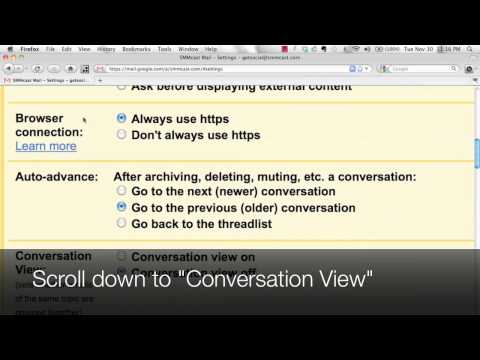
Are you using Gmail or Google Apps and having a hard time viewing emails because they stack together? Gmail calls this the "conversation" view, which can sometimes be annoying and hard to find emails. Especially if you're used to Hotmail, Yahoo! or AOL emails, then you might want to turn this feature off. This video shows how to easily turn off that features by clicking on the Settings tab in Gmail or Google Apps and just fill in the button that says Conversation View off.
About this tutorial
SMMcast published this 0:51 video tutorial on November 10, 2011. It has been watched 2,960 times on YouTube.
Tags
Share
This tutorial in other languages
- FRComment supprimer vue conversation email dans Gmail
- ES¿Cómo eliminar correo electrónico vista de conversación en Gmail
- PTComo remover email Ver conversa no Gmail
- ITCome rimuovere email visualizzazione per conversazione in Gmail
- DEWie E-Mail-Konversation Ansicht in Google Mail entfernen
- NLHoe kan ik e-mail conversatie view te verwijderen in Gmail
- RUКак удалить адрес электронной вид беседы в Gmail
- PLJak usunąć e-mail widok konwersacji w Gmailu
- JAGmailでメールの会話ビューを削除する方法
- ARكيفية إزالة البريد الإلكتروني عرض المحادثة في Gmail
- HIकैसे ईमेल वार्तालाप दृश्य को हटाने के लिए Gmail में
- IDCara menghapus email tampilan percakapan di Gmail