Playback starts YouTube’s embedded player (privacy-enhanced mode).
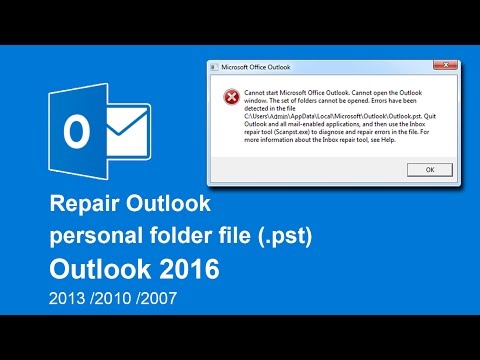
How to repair Outlook Data Files (.pst) in Outlook 2016 / 2013 / 2010 / 2007
ChannelE Angkor TechDescription from the creator
How to fix or solve cannot start microsoft outlook. Cannot open the outlook windows. The set of folders cannot be opened. Errors have been detected in the file. Quit outlook and all mail-enabled applications, and then inbox repair tool (Scanpst.exe) to diagnose and repair errors in the file.
About this tutorial
E Angkor Tech published this 4:48 video tutorial on October 25, 2017. It has been watched 162,235 times on YouTube.
- Channel
- E Angkor Tech
- Category
- Education
- Duration
- 4:48
- Published
- October 25, 2017
- Views
- 162,235
- Likes
- 278
Share
This tutorial in other languages
- FRComment réparer fichiers de données Outlook (.pst) dans Outlook 2016/2013 / 2010/2007
- ES¿Cómo reparar archivos de Outlook de datos (.pst) en Outlook 2016/2013/2010/2007
- PTComo reparar o Outlook arquivos de dados (.pst) no Outlook 2016/2013/2010/2007
- ITCome riparare i file di dati di Outlook (pst) in Outlook 2016/2013/2010/2007
- DEWie Outlook-Datendatei (PST) in Outlook 2016/2013/2010/2007 reparieren
- NLOutlook-gegevensbestanden (PST) herstellen in Outlook 2016/2013/2010/2007
- RUКак восстановить данные Outlook файлов (PST) в Outlook, 2016/2013/2010/2007
- PLJak naprawić plików danych programu Outlook (.pst) w programie Outlook 2016/2013/2010/2007
- JA/ 2010/2007見通し2016/2013でOutlookデータファイル(.pstファイル)を修復する方法
- ARكيفية إصلاح ملفات بيانات Outlook (.pst) في برنامج Outlook 2016/2013/2010/2007
- HIआउटलुक 2016/2013/2010/2007 में Outlook डेटा फ़ाइलों (.pst) की मरम्मत के लिए कैसे
- IDCara memperbaiki Outlook data file (.pst) di Outlook 2016/2013/2010/2007