Playback starts YouTube’s embedded player (privacy-enhanced mode).
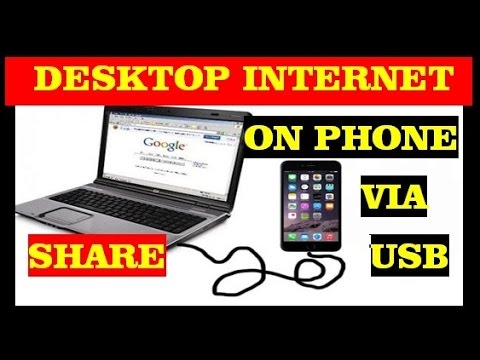
how to share internet connection from pc to mobile phone via usb cable
ChannelMy Smart SupportDescription from the creator
how to share internet connection from pc or laptop to android mobile via usb cable without rooting . this only works with windows 8 , 7 , and xp with android phone only This is the easiest procedure to share your desktop internet on mobile . The steps are following:
1 . Connect your desktop or laptop to internet.
2. Connect your android mobile phone to your pc using usb data cable.
3.In your android phone go to settings , and under wireless and network settings , you find an option called - usb internet sharing. , check the box. once you tick the box automatically a driver will install on your desktop and it will create a network connection in your network settings in control panel of pc.
4.Now go to the properties of the network connection which is active on your desktop and chick on sharing tab , there you need to turn on network devices sharing , and select the usb mobile connection from the drop down button
1 . Connect your desktop or laptop to internet.
2. Connect your android mobile phone to your pc using usb data cable.
3.In your android phone go to settings , and under wireless and network settings , you find an option called - usb internet sharing. , check the box. once you tick the box automatically a driver will install on your desktop and it will create a network connection in your network settings in control panel of pc.
4.Now go to the properties of the network connection which is active on your desktop and chick on sharing tab , there you need to turn on network devices sharing , and select the usb mobile connection from the drop down button
About this tutorial
My Smart Support published this 4:25 video tutorial on November 2, 2015. It has been watched 1,958,272 times on YouTube.
- Channel
- My Smart Support
- Category
- Education
- Duration
- 4:25
- Published
- November 2, 2015
- Views
- 1,958,272
- Likes
- 5,334
Tags
Share
This tutorial in other languages
- FRcomment partager la connexion Internet du PC au téléphone mobile via un câble USB
- ESCómo compartir la conexión a Internet desde el PC al teléfono móvil a través del cable USB
- PTComo compartilhar a conexão de internet do PC para o celular via cabo USB
- ITCome condividere la connessione internet dal PC al telefono cellulare tramite cavo USB
- DEwie Internet-Verbindung vom PC zum Handy über USB-Kabel teilen
- NLhoe je internet verbinding van pc naar mobiele telefoon via USB-kabel te delen
- RUкак совместно использовать подключение к Интернету с компьютера на мобильный телефон через USB-кабель
- PLJak udostępnić połączenie internetowe z komputera do telefonu komórkowego za pomocą kabla USB
- JAUSBケーブルを介して携帯電話にPCからのインターネット接続を共有する方法
- ARكيفية مشاركة اتصال الإنترنت من جهاز الكمبيوتر إلى الهاتف المحمول عن طريق كابل الناقل التسلسلي العام
- HIकैसे USB केबल के माध्यम मोबाइल फोन के लिए पीसी से इंटरनेट कनेक्शन साझा करने के लिए
- IDcara berbagi koneksi internet dari pc ke ponsel melalui kabel usb