Playback starts YouTube’s embedded player (privacy-enhanced mode).
How to stop participants from removing or muting others in Microsoft Teams
ChannelFlipped Classroom TutorialsDescription from the creator
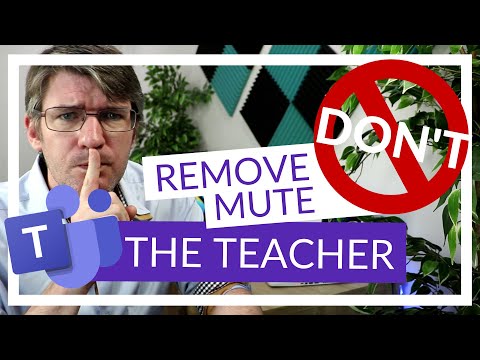
If you are using Microsoft Teams for online teaching, you want to make sure your participants and attendees can not remove the teacher or each other during your meeting. In addition to this you can make sure they do not mute each other and all settings are working as you expect.
For even more Tips and tricks in addition to the YouTube content, consider joining my Patreon here: patreon.com/eduflip 💚
➡️➡️➡️ Don't forget to SUBSCRIBE today for more videos!
bit.ly/FlippedYT ✅✅✅
❤️Share this video with a friend: youtu.be/WuMap5vWqNg❤️
My videos are made with Techsmith Camtasia.
Get this amazing software here: tools.eduflip.net/Techsmith
✅✅ CHECK out MY PRE-SELECTED list of my ALL-TIME Favourite EDTECH TOOLS:
amazon.com/shop/flippedclassroomtutorials
Disclaimer: Some of these links are affiliate links where I'll earn a small commission if you make a purchase at no additional cost to you. Some links will link out to one of my websites. These videos have been made for educational purposes and all views or opinions expressed are my own.
c
🔴 get CLASSROOM RESOURCES today:
My TPT Store: teacherspayteachers.com/Store/Eduflip
For even more Tips and tricks in addition to the YouTube content, consider joining my Patreon here: patreon.com/eduflip 💚
➡️➡️➡️ Don't forget to SUBSCRIBE today for more videos!
bit.ly/FlippedYT ✅✅✅
❤️Share this video with a friend: youtu.be/WuMap5vWqNg❤️
My videos are made with Techsmith Camtasia.
Get this amazing software here: tools.eduflip.net/Techsmith
✅✅ CHECK out MY PRE-SELECTED list of my ALL-TIME Favourite EDTECH TOOLS:
amazon.com/shop/flippedclassroomtutorials
Disclaimer: Some of these links are affiliate links where I'll earn a small commission if you make a purchase at no additional cost to you. Some links will link out to one of my websites. These videos have been made for educational purposes and all views or opinions expressed are my own.
c
🔴 get CLASSROOM RESOURCES today:
My TPT Store: teacherspayteachers.com/Store/Eduflip
About this tutorial
Flipped Classroom Tutorials published this 3:36 video tutorial on May 14, 2020. It has been watched 159,277 times on YouTube.
- Channel
- Flipped Classroom Tutorials
- Category
- Education
- Duration
- 3:36
- Published
- May 14, 2020
- Views
- 159,277
- Likes
- 1,477
Tags
Share
This tutorial in other languages
- FRComment arrêter les participants de retirer ou d'autres dans les équipes mise en sourdine Microsoft
- ESCómo dejar de participantes de la eliminación o el silencio de los demás equipos de Microsoft
- PTComo parar de participantes de remover ou silenciar outros no Microsoft Teams
- ITCome fermare i partecipanti di rimuovere o muting altri in Microsoft Squadre
- DEWie Teilnehmer aus dem Entfernen oder Muting andere in Microsoft Teams zu stoppen
- NLHet toevoegen van deelnemers stoppen met het verwijderen of dempen anderen in Microsoft Teams
- RUКак остановить участник от удаления или отключения звука других в Microsoft команде
- PLJak zatrzymać uczestników z demontażem lub wyciszanie innych w Microsoft Zespoły
- JAマイクロソフトチームで他人を削除するかミュートからの参加を停止する方法
- ARكيفية وقف المشاركون من إزالة أو كتم آخرين في فرق مايكروسوفت
- HIकैसे माइक्रोसॉफ्ट टीमों में दूर करने या दूसरों को म्यूट करने से प्रतिभागियों को रोकने के लिए
- IDBagaimana menghentikan peserta dari menghapus atau mematikan orang lain dalam Microsoft Tim