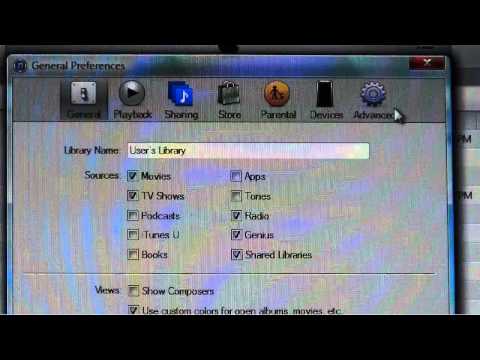
Playback starts YouTube’s embedded player (privacy-enhanced mode).
How to transfer, copy, backup, move an iTunes Library EASY STEPS
Channel1929fordhotrodDescription from the creator
A short 7 minute high definition video of how to transfer, copy, backup, or move an iTunes library from one computer to another, backup to a hard drive or other portable storage device, or move it with clear and easy instructions. This is useful especially if you just purchased a new computer. The method shown with copy the entire music library / playlist, including audio books and whatever else is in the iTunes library. Having a backup of your iTunes library in an second location is handy if the unthinkable happens to your computer. Go to johnansons.com and 1929fordhotrod.com for more interesting information.
Subscribe to my YouTube channel at youtube.com/user/1929fordhotrod
Please visit my website at 1929fordhotrod.com for more great hot rod build ideas.
Like me on Facebook at facebook.com/pages/1929fordhotrodcom/1461530254…
Follow me on Twitter at twitter.com/1929fordhotrod
Subscribe to my RSS feed at feeds.feedburner.com/1929fordhotrodcom
Subscribe to my YouTube channel at youtube.com/user/1929fordhotrod
Please visit my website at 1929fordhotrod.com for more great hot rod build ideas.
Like me on Facebook at facebook.com/pages/1929fordhotrodcom/1461530254…
Follow me on Twitter at twitter.com/1929fordhotrod
Subscribe to my RSS feed at feeds.feedburner.com/1929fordhotrodcom
About this tutorial
1929fordhotrod published this 7:06 video tutorial on November 9, 2014. It has been watched 17,676 times on YouTube.
- Channel
- 1929fordhotrod
- Category
- Education
- Duration
- 7:06
- Published
- November 9, 2014
- Views
- 17,676
- Likes
- 51
Tags
Share
This tutorial in other languages
- FRComment transférer, copier, sauvegarder, déplacer une bibliothèque iTunes ETAPES FACILES
- ESCómo transferir, copiar, copia de seguridad, mover una biblioteca de iTunes PASOS FÁCILES
- PTComo transferir, copiar, backup, mover um PASSOS iTunes Biblioteca FÁCIL
- ITCome trasferire, copiare, backup, spostare una libreria di iTunes semplice passi
- DEWie zu übertragen, kopieren, Backup, eine iTunes-Bibliothek EINFACHE SCHRITTE bewegen
- NLHoe te dragen, te kopiëren, back-up, te verplaatsen van een iTunes-bibliotheek eenvoudige stappen
- RUКак передавать, копировать, резервное копирование, перемещение ШАГОВ ITunes библиотеки ЛЕГКИХ
- PLJak przenosić, kopiować, backup, przenieść KROKI iTunes Library EASY
- JA転送する方法、コピー、バックアップ、iTunesのライブラリEASYステップを移動
- ARكيفية نقل، نسخ، والنسخ الاحتياطي، نقل خطوات مكتبة اي تيونز EASY
- HIकैसे स्थानांतरण करने के लिए, कॉपी, बैकअप, ले जाने के लिए एक आईट्यून पुस्तकालय आसान कदम
- IDBagaimana untuk mentransfer, menyalin, backup, memindahkan LANGKAH iTunes Library MUDAH