Playback starts YouTube’s embedded player (privacy-enhanced mode).
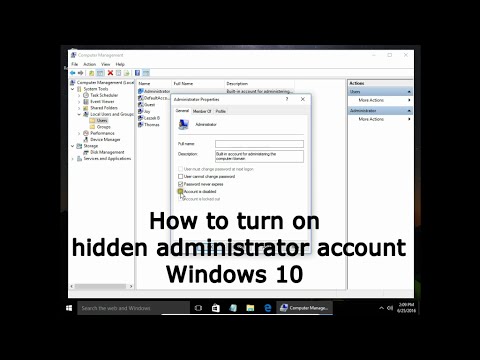
How to turn on hidden administrator account Windows 10
ChannelLeszek BurdaDescription from the creator
How to turn on hidden administrator account Windows 10
During Windows installation user creates first account. It is main account, admin account by default. Windows creates two additional, built-in accounts. Guest account and administrator account. They are inactive by default.
There are easy way to activate administrator and guest account. To do that open your main user account, right click on start button and choose Command Prompt (Admin) and type:
net user administrator /active:yes
to turn off admin account
net user administrator /active:no
You can do that also in Computer Management, Local Users and Groups, Users. Right click on Administrator, choose Properties, and here you can disable or enable administrator account.
You can do the same to guest account.
During Windows installation user creates first account. It is main account, admin account by default. Windows creates two additional, built-in accounts. Guest account and administrator account. They are inactive by default.
There are easy way to activate administrator and guest account. To do that open your main user account, right click on start button and choose Command Prompt (Admin) and type:
net user administrator /active:yes
to turn off admin account
net user administrator /active:no
You can do that also in Computer Management, Local Users and Groups, Users. Right click on Administrator, choose Properties, and here you can disable or enable administrator account.
You can do the same to guest account.
About this tutorial
Leszek Burda published this 3:36 video tutorial on November 4, 2016. It has been watched 2,268 times on YouTube.
- Channel
- Leszek Burda
- Category
- Education
- Duration
- 3:36
- Published
- November 4, 2016
- Views
- 2,268
- Likes
- 6
Tags
Share
This tutorial in other languages
- FRComment faire pour activer compte administrateur caché de Windows 10
- ESCómo activar la cuenta de administrador de Windows 10 oculta
- PTComo ativar conta de administrador oculto Windows 10
- ITCome attivare account amministratore nascosto di Windows 10
- DEWie Sie Windows auf verstecktes Administratorkonto aktivieren 10
- NLHet inschakelen van verborgen administrator account Windows 10
- RUКак включить скрытый учетную запись администратора для Windows 10
- PLJak włączyć ukryte konto administratora systemu Windows 10
- JA隠された管理者アカウントのWindows 10をオンにする方法
- ARكيفية تشغيل حساب المسؤول مخفية ويندوز 10
- HIकैसे छिपा व्यवस्थापक खाते को चालू करने के लिए Windows 10
- IDCara mengaktifkan akun administrator tersembunyi Windows 10