Playback starts YouTube’s embedded player (privacy-enhanced mode).
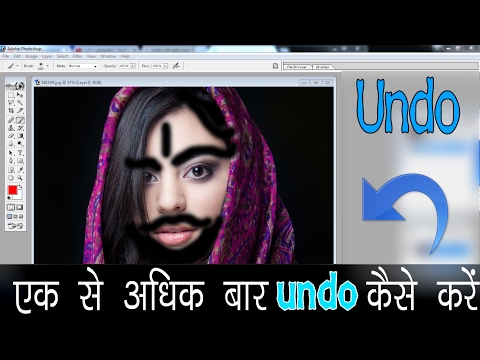
How to undo more than once in photoshop training.
Channelsupportme rajDescription from the creator
Best and easy photoshop training.
---------------------------------------------------------------------------------------------
Info source :
dezigningeye.com/photoshop-shortcut-for-multipl…
_________________________________________________________________
Photoshop's default to undo a previous action is command+Z (Ctrl+Z on windows). This takes you back one step. If you press it again however, it will redo what you have just done. Frustrating when you need to step backwards more than once, as most people want to do.
All you need to do is change the keyboard shortcut. The default to step backwards more than once is Option+command+Z (Ctrl+Alt+Z). If you're fine with that than you can stop reading now. If you want to change it to command+Z than follow these steps:
In this video content useful for phoshop beginners.
welcome to photoshop training.
-----------------------------------------------------------------------------------------------------------
Related Videos.
How to drawing in photoshop -
youtube.com/watch?v=3efsf_tMkBw
How to make a good photo on hindi photoshop -
youtube.com/watch?v=kik5H1LcITU
How remove acne pimple photoshop 7.0
youtube.com/watch?v=Vrz_rRDmdSg
How to make action movie poster art prints and print to poster -
youtube.com/watch?v=Sg4zRypQrFg
How To Make Black And White Photo Color in Photoshop -
youtube.com/watch?v=07kjcPbIDtw
_____________________________________________________________
Contact Us
supportmeraj.com/p/contact-us.html
Follow us on -
Site - www.supportmeraj.com
Facebook - facebook.com/supportmeraaj
FB page - facebook.com/supportmeraj
Twitter - twitter.com/Bijendrakushwa5
---------------------------------------------------------------------------------------------
Info source :
dezigningeye.com/photoshop-shortcut-for-multipl…
_________________________________________________________________
Photoshop's default to undo a previous action is command+Z (Ctrl+Z on windows). This takes you back one step. If you press it again however, it will redo what you have just done. Frustrating when you need to step backwards more than once, as most people want to do.
All you need to do is change the keyboard shortcut. The default to step backwards more than once is Option+command+Z (Ctrl+Alt+Z). If you're fine with that than you can stop reading now. If you want to change it to command+Z than follow these steps:
In this video content useful for phoshop beginners.
welcome to photoshop training.
-----------------------------------------------------------------------------------------------------------
Related Videos.
How to drawing in photoshop -
youtube.com/watch?v=3efsf_tMkBw
How to make a good photo on hindi photoshop -
youtube.com/watch?v=kik5H1LcITU
How remove acne pimple photoshop 7.0
youtube.com/watch?v=Vrz_rRDmdSg
How to make action movie poster art prints and print to poster -
youtube.com/watch?v=Sg4zRypQrFg
How To Make Black And White Photo Color in Photoshop -
youtube.com/watch?v=07kjcPbIDtw
_____________________________________________________________
Contact Us
supportmeraj.com/p/contact-us.html
Follow us on -
Site - www.supportmeraj.com
Facebook - facebook.com/supportmeraaj
FB page - facebook.com/supportmeraj
Twitter - twitter.com/Bijendrakushwa5
About this tutorial
supportme raj published this 3:52 video tutorial on October 29, 2017. It has been watched 104,490 times on YouTube.
- Channel
- supportme raj
- Category
- Education
- Duration
- 3:52
- Published
- October 29, 2017
- Views
- 104,490
- Likes
- 1,404
Tags
Share
This tutorial in other languages
- FRComment annuler plus d'une fois dans la formation photoshop.
- ESCómo deshacer más de una vez en la formación photoshop.
- PTComo desfazer mais de uma vez no treinamento photoshop.
- ITPer annullare più di una volta in allenamento photoshop.
- DEWie rückgängig zu machen mehr als einmal in Photoshop Training.
- NLHoe kan ik meer dan eens in photoshop training ongedaan te maken.
- RUКак отменить более чем один раз в обучении Photoshop.
- PLJak cofnąć więcej niż raz w szkoleniu Photoshop.
- JAPhotoshopのトレーニングで複数回の解除方法。
- ARكيفية التراجع أكثر من مرة واحدة في التدريب فوتوشوب.
- HIकैसे फ़ोटोशॉप प्रशिक्षण में एक बार से अधिक पूर्ववत करने के लिए।
- IDCara membatalkan lebih dari sekali dalam pelatihan photoshop.