Playback starts YouTube’s embedded player (privacy-enhanced mode).
How To Upgrade CPU and RAM on any PC
ChannelCauchypotatoDescription from the creator
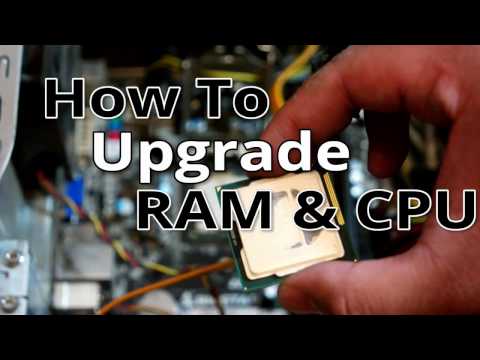
Upgraded the RAM and CPU on my old PC. Recorded it and added step by step commentary(voice and screen text) on the process. Generally speaking the process for upgrading the RAM and CPU is identical for both AMD and Intel based hardware.
The video consists of upgrading the RAM and CPU on an older 2nd generation intel motherboard. Going from an i3-2100 to an i5-2500 and 4gb of ram to 8gb.
Despite the age of the hardware, the upgrade process is still literally the same with modern hardware 2017 and beyond.
The only thing I did not dive into too much detail on was the re-installation of the CPU heatsink. That's because there are so many different ones out there and what I do here may not be the same for your CPU heatsink.
My bitcoin green address: GU9aQ1ossgQdmD4qXXfGCzhLPuajQ9sweu
The video consists of upgrading the RAM and CPU on an older 2nd generation intel motherboard. Going from an i3-2100 to an i5-2500 and 4gb of ram to 8gb.
Despite the age of the hardware, the upgrade process is still literally the same with modern hardware 2017 and beyond.
The only thing I did not dive into too much detail on was the re-installation of the CPU heatsink. That's because there are so many different ones out there and what I do here may not be the same for your CPU heatsink.
My bitcoin green address: GU9aQ1ossgQdmD4qXXfGCzhLPuajQ9sweu
About this tutorial
Cauchypotato published this 12:46 video tutorial on November 4, 2017. It has been watched 241,813 times on YouTube.
- Channel
- Cauchypotato
- Category
- Education
- Duration
- 12:46
- Published
- November 4, 2017
- Views
- 241,813
- Likes
- 2,636
Tags
Share
This tutorial in other languages
- FRMise à niveau CPU et la RAM sur un PC
- ESCómo actualizar CPU y la RAM en cualquier PC
- PTComo fazer o upgrade de CPU e memória RAM em qualquer PC
- ITCome aggiornare la CPU e RAM su qualsiasi PC
- DEHow To CPU-Upgrade und RAM auf jedem PC
- NLHow To CPU Upgrade en RAM op elke PC
- RUКак обновить процессор и оперативную память на любом компьютере
- PLJak uaktualnić CPU i RAM na dowolnym komputerze
- JA任意のPC上でCPUとRAMをアップグレードする方法
- ARكيفية ترقية وحدة المعالجة المركزية وذاكرة الوصول العشوائي على أي جهاز كمبيوتر
- HIसीपीयू अपग्रेड और किसी भी पीसी पर राम कैसे
- IDCara Upgrade CPU dan RAM di PC manapun