Playback starts YouTube’s embedded player (privacy-enhanced mode).
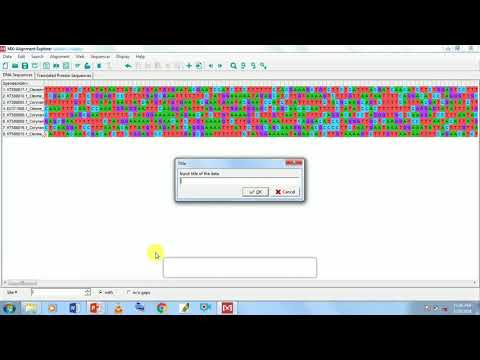
How to use Molecular evolutionary Genetic Analysis (MEGA) software
ChannelGenomics LabDescription from the creator
Sophisticated and user-friendly software suite for analyzing DNA and protein sequence data from species and populations.
MEGA can be used with either a graphical user interface (useful for visual exploration of data and results) or a command-line interface (useful for batch or scripted execution). The graphical user interface (GUI) is run in one of two modes. The first mode is the Analyze mode in which all GUI tools in MEGA are enabled and visual results explorers are available for tasks such as editing sequence alignments and viewing phylogenies. This is the mode that most MEGA users are familiar with. The second mode is the Prototype mode which is used solely for generating MEGA Analysis Options (.mao) files that specify analysis settings when using MEGA from a command shell
The command-line interface of MEGA is accessed by opening a command shell and executing the megacc command. The megacc command requires several options, including the path to a .mao file and paths to input data file(s) to be analyzed
MEGA can be used with either a graphical user interface (useful for visual exploration of data and results) or a command-line interface (useful for batch or scripted execution). The graphical user interface (GUI) is run in one of two modes. The first mode is the Analyze mode in which all GUI tools in MEGA are enabled and visual results explorers are available for tasks such as editing sequence alignments and viewing phylogenies. This is the mode that most MEGA users are familiar with. The second mode is the Prototype mode which is used solely for generating MEGA Analysis Options (.mao) files that specify analysis settings when using MEGA from a command shell
The command-line interface of MEGA is accessed by opening a command shell and executing the megacc command. The megacc command requires several options, including the path to a .mao file and paths to input data file(s) to be analyzed
About this tutorial
Genomics Lab published this 4:33 video tutorial on October 27, 2018. It has been watched 170,105 times on YouTube.
- Channel
- Genomics Lab
- Category
- Education
- Duration
- 4:33
- Published
- October 27, 2018
- Views
- 170,105
- Likes
- 1,509
Tags
Share
This tutorial in other languages
- FRComment utiliser le logiciel d'analyse génétique (MEGA) Molecular
- ESCómo utilizar el software molecular evolutiva análisis genético (MEGA)
- PTComo usar (MEGA) software Molecular evolutiva Análise Genética
- ITCome utilizzare il software molecolare evolutivo analisi genetica (MEGA)
- DEWie erfolgt die molekulare Evolutions Genetic Analysis (MEGA) Software
- NLHoe kan Moleculaire evolutionaire Genetic Analysis (MEGA) software te gebruiken
- RUКак использовать Молекулярный эволюционные генетический анализ (MEGA) программное обеспечение
- PLJak korzystać z oprogramowania (Mega) Molecular ewolucyjny analiza genetyczna
- JA分子進化の遺伝子解析(MEGA)ソフトウェアを使用する方法
- ARكيفية استخدام تحليل الوراثية الجزيئية التطورية (MEGA) البرمجيات
- HIकैसे आण्विक विकासवादी जेनेटिक विश्लेषण (मेगा) सॉफ्टवेयर का उपयोग करने
- IDCara menggunakan Molekuler evolusi Analisis genetik (MEGA) software