Playback starts YouTube’s embedded player (privacy-enhanced mode).
How to use PULS - for international program students at the University of Potsdam
ChannelUniversität PotsdamChapters
Description from the creator
* English & German subtitles available*
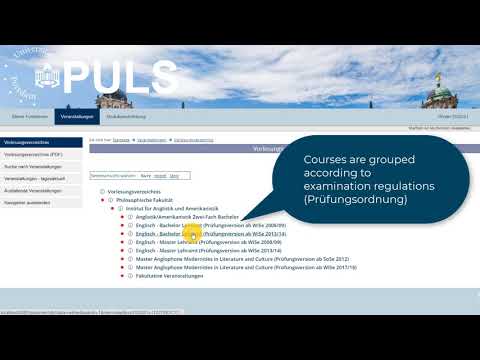
This video will offer international program students a brief overview on how to use PULS. PULS stands for Potsdamer Universitätslehr- und Studienorganisationsportal which roughly translates to the University of Potsdam’s portal for organizing teaching and studies.
The video will show you:
00:00 An Introduction
00:53 How to log in
01:27 How to navigate PULS
02:10 How to check your personal information
02:57 Which dates and deadlines to consider
03:23 Where to find courses
04:58 What an individual course looks like
05:45 How to reserve a course
06:21 How to read your course schedule
07:21 How to register for a course
07:54 How to use your iTANs
08:24 How to generate a new iTAN list
08:43 How course admission works at the University of Potsdam
09:03 How to withdraw from courses
09:28 Particular features of being an international program student
10:01 Where to find important documents
Link: puls.uni-potsdam.de
The video is available with English and German subtitles.
This video will offer international program students a brief overview on how to use PULS. PULS stands for Potsdamer Universitätslehr- und Studienorganisationsportal which roughly translates to the University of Potsdam’s portal for organizing teaching and studies.
The video will show you:
00:00 An Introduction
00:53 How to log in
01:27 How to navigate PULS
02:10 How to check your personal information
02:57 Which dates and deadlines to consider
03:23 Where to find courses
04:58 What an individual course looks like
05:45 How to reserve a course
06:21 How to read your course schedule
07:21 How to register for a course
07:54 How to use your iTANs
08:24 How to generate a new iTAN list
08:43 How course admission works at the University of Potsdam
09:03 How to withdraw from courses
09:28 Particular features of being an international program student
10:01 Where to find important documents
Link: puls.uni-potsdam.de
The video is available with English and German subtitles.
About this tutorial
Universität Potsdam published this 10:29 video tutorial on October 13, 2020. It has been watched 3,705 times on YouTube.
- Channel
- Universität Potsdam
- Category
- Education
- Duration
- 10:29
- Published
- October 13, 2020
- Views
- 3,705
- Likes
- 44
Tags
Share
This tutorial in other languages
- FRComment utiliser PULS - pour les étudiants du programme international à l'Université de Potsdam
- ESCómo utilizar PULS - para los estudiantes internacionales del programa de la Universidad de Potsdam
- PTComo usar PULS - para estudantes internacionais do programa na Universidade de Potsdam
- ITCome utilizzare PULS - per gli studenti dei programmi internazionali presso l'Università di Potsdam
- DEWie PULS verwenden - für internationale Programmstudierende an der Universität Potsdam
- NLHoe te PULS gebruiken - voor internationaal programma studenten aan de Universiteit van Potsdam
- RUКак использовать PULS - для иностранных студентов по программе в Университете Потсдама
- PLJak korzystać PULS - dla studentów międzynarodowych programów na Uniwersytecie w Poczdamie
- JAポツダム大学の国際プログラムの学生のための - PULSの使い方
- ARكيفية استخدام PULS - للطلاب البرنامج الدولي في جامعة بوتسدام
- HIपॉट्सडैम विश्वविद्यालय में अंतरराष्ट्रीय कार्यक्रम के छात्रों के लिए - PULS का उपयोग कैसे करें
- IDCara menggunakan PULSA - bagi mahasiswa program internasional di University of Potsdam