Playback starts YouTube’s embedded player (privacy-enhanced mode).
How to use Similarity Checker in Microsoft Word
ChannelMicrosoft EducationDescription from the creator
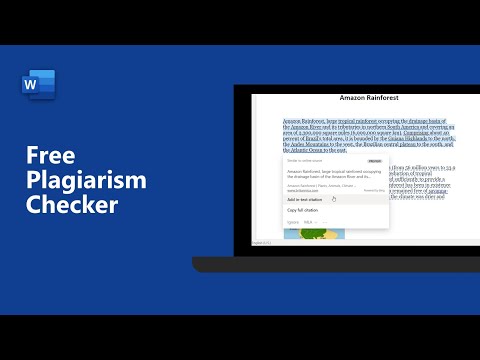
Microsoft Editor includes a similarity checker, which helps you create original work and cite the work of others. The similarity checker shows you how much content in your document is original, and it makes it easy to insert citations when necessary. With the mechanics of citations taken care of, you are freed up to focus on your writing. Your reader can tell what material originates with you, and the people you cite get credit where it's due.
More information, visit: support.microsoft.com/en-us/office/check-your-d…
👇 Additional Microsoft Word for Education Resources 👇
🎓 Check out this free course to learn about Microsoft Word and how it can be used in classrooms and schools: aka.ms/WordEDUMEC
✅ Introduction to Microsoft Word: aka.ms/WordPP
✅ Microsoft Word support: aka.ms/WordEDUSOC
✅ More Microsoft Word quick tip videos: aka.ms/WordEDUplaylist
✅ Microsoft Education webinars: aka.ms/MicrosoftEDUwebinars
✅ Get connected with Microsoft Store trainers for Remote Learning Support: aka.ms/MicrosoftStoreEDUTraining
----
Subscribe to #MicrosoftEDU on YouTube here: youtube.com/user/Microsoftedu
Follow us on social!
Twitter: twitter.com/MicrosoftEDU
Facebook: facebook.com/microsoftineducation
Instagram: instagram.com/microsoftedu/
LinkedIn: linkedin.com/showcase/microsoft-in-education
Pinterest: pinterest.com/microsoftedu/
For more about Microsoft Education, our technology, and our mission, visit education.microsoft.com/
More information, visit: support.microsoft.com/en-us/office/check-your-d…
👇 Additional Microsoft Word for Education Resources 👇
🎓 Check out this free course to learn about Microsoft Word and how it can be used in classrooms and schools: aka.ms/WordEDUMEC
✅ Introduction to Microsoft Word: aka.ms/WordPP
✅ Microsoft Word support: aka.ms/WordEDUSOC
✅ More Microsoft Word quick tip videos: aka.ms/WordEDUplaylist
✅ Microsoft Education webinars: aka.ms/MicrosoftEDUwebinars
✅ Get connected with Microsoft Store trainers for Remote Learning Support: aka.ms/MicrosoftStoreEDUTraining
----
Subscribe to #MicrosoftEDU on YouTube here: youtube.com/user/Microsoftedu
Follow us on social!
Twitter: twitter.com/MicrosoftEDU
Facebook: facebook.com/microsoftineducation
Instagram: instagram.com/microsoftedu/
LinkedIn: linkedin.com/showcase/microsoft-in-education
Pinterest: pinterest.com/microsoftedu/
For more about Microsoft Education, our technology, and our mission, visit education.microsoft.com/
About this tutorial
Microsoft Education published this 3:01 video tutorial on October 27, 2020. It has been watched 97,043 times on YouTube.
- Channel
- Microsoft Education
- Category
- Education
- Duration
- 3:01
- Published
- October 27, 2020
- Views
- 97,043
- Likes
- 529
Tags
Share
This tutorial in other languages
- FRComment utiliser similarité Checker dans Microsoft Word
- ESCómo utilizar Similitud Checker en Microsoft Word
- PTComo utilizar o Verificador de Similaridade em Microsoft Word
- ITCome utilizzare somiglianza Checker in Microsoft Word
- DEWie Ähnlichkeit Checker in Microsoft Word verwenden
- NLHoe te Gelijkenis Checker te gebruiken in Microsoft Word
- RUКак использовать схожесть Checker в Microsoft Word
- PLJak korzystać Podobieństwo Checker w programie Microsoft Word
- JAMicrosoft Wordで類似度チェッカーを使用する方法
- ARكيفية استخدام التشابه مدقق في Microsoft Word
- HIमाइक्रोसॉफ्ट वर्ड में समानता परीक्षक का उपयोग कैसे करें
- IDCara menggunakan Kesamaan Checker di Microsoft Word