Playback starts YouTube’s embedded player (privacy-enhanced mode).
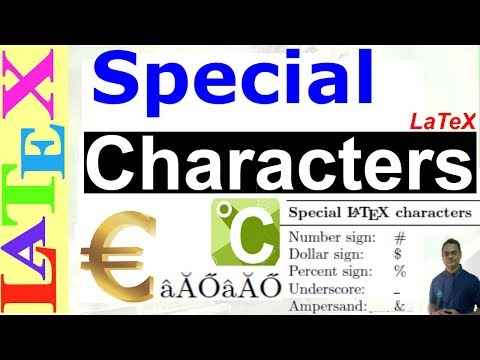
How to use Special Characters/Symbols in LaTeX (LaTeX: Tips/Solution-19)
ChannelChandra HasDescription from the creator
In this tutorial, we will tackle matters related to input encoding, typesetting diacritics, and special characters/symbols.
%===============Symbols by Chas============
\documentclass[a4paper,12pt]{article}
\usepackage[T1]{fontenc}
\usepackage[utf8x]{inputenc}
\usepackage{textcomp}
\usepackage{amssymb}
\title{Special Characters in \LaTeX}
\author{Chandra Has\\ \small [email protected]}\date{}
\begin{document}\maketitle\vskip-8mm\hrule\vskip8mm
1. =, +, -, *, @, !, ., :, ;, `, ( ), [ ], | \\
2. \#, \$, \%, \&, \~, \_, \^, \{, \}, $\backslash$ \\
3. The range of 100–300 nm.\\
4. °C, £, §, ®, ©, †, ™, ±, Ỹ \\
5. \u{c}, \texteuro, $\eta$, $\maltese$
\end{document}
-----------------------------------------------------------------------
Sample file:
-----------------------------------------------------------------------
If this worked and helped you
► Do not forget to Like, Comment, and Subscribe!
=================================================
► To Watch all our videos, click here - goo.gl/aCCrzi
► Subscribe to our channel, click here - goo.gl/9QCQhC
%===============Symbols by Chas============
\documentclass[a4paper,12pt]{article}
\usepackage[T1]{fontenc}
\usepackage[utf8x]{inputenc}
\usepackage{textcomp}
\usepackage{amssymb}
\title{Special Characters in \LaTeX}
\author{Chandra Has\\ \small [email protected]}\date{}
\begin{document}\maketitle\vskip-8mm\hrule\vskip8mm
1. =, +, -, *, @, !, ., :, ;, `, ( ), [ ], | \\
2. \#, \$, \%, \&, \~, \_, \^, \{, \}, $\backslash$ \\
3. The range of 100–300 nm.\\
4. °C, £, §, ®, ©, †, ™, ±, Ỹ \\
5. \u{c}, \texteuro, $\eta$, $\maltese$
\end{document}
-----------------------------------------------------------------------
Sample file:
-----------------------------------------------------------------------
If this worked and helped you
► Do not forget to Like, Comment, and Subscribe!
=================================================
► To Watch all our videos, click here - goo.gl/aCCrzi
► Subscribe to our channel, click here - goo.gl/9QCQhC
About this tutorial
Chandra Has published this 5:00 video tutorial on October 28, 2018. It has been watched 43,174 times on YouTube.
- Channel
- Chandra Has
- Category
- Education
- Duration
- 5:00
- Published
- October 28, 2018
- Views
- 43,174
- Likes
- 239
Tags
Share
This tutorial in other languages
- FRComment utiliser des caractères / symboles spéciaux dans LATEX (LaTeX: Conseils / Solution-19)
- ESCómo utilizar especiales Caracteres / símbolos de látex (látex: Consejos / Solución-19)
- PTComo usar especiais Personagens / Símbolos em LaTeX (LaTeX: Dicas / Solution-19)
- ITCome utilizzare i caratteri speciali / simboli in LaTeX (LaTeX: Consigli / Soluzione-19)
- DEWie Sonderzeichen / Symbole in LaTeX (LaTeX: Tipps / Lösung-19) verwenden,
- NLHoe Speciale tekens / symbolen te gebruiken in latex (LaTeX: Tips / Solution-19)
- RUКак использовать специальные символы / Символы в LaTeX (LaTeX: Советы / Solution-19)
- PLJak używać specjalnych znaków / symboli w LaTeX (LaTeX: Tips / Solution-19)
- JAラテックス中の特殊文字/記号を使用する方法(ラテックス:ヒント/ソリューション-19)
- ARكيفية استخدام الأحرف الخاصة / الرموز في اللثي (مطاط: نصائح / الحل-19)
- HIकैसे LaTeX में विशेष वर्ण / प्रतीकों का उपयोग करने के (LaTeX: नुस्खे / समाधान-19)
- IDCara menggunakan khusus Karakter / Simbol di LaTeX (LaTeX: Tips / Solusi-19)