Playback starts YouTube’s embedded player (privacy-enhanced mode).
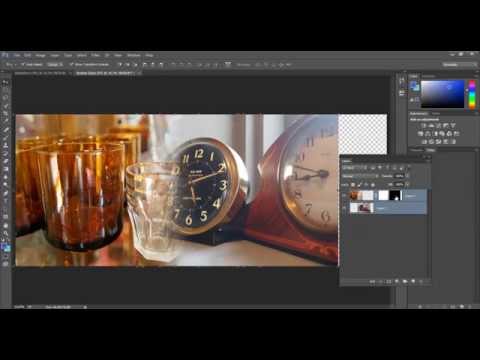
How to use the Gradient tool in Photoshop to merge images together
ChannelMark WilliamsDescription from the creator
All online courses only £5 with voucher code FIVER
creativestudios.thinkific.com/courses/indesign-…
creativestudios.thinkific.com/courses/photoshop…
creativestudios.thinkific.com/courses/illustrat…
To buy or upgrade InDesign check out the latest offers and plans bit.ly/2KpTEHf
creativestudios.thinkific.com/courses/indesign-…
creativestudios.thinkific.com/courses/photoshop…
creativestudios.thinkific.com/courses/illustrat…
To buy or upgrade InDesign check out the latest offers and plans bit.ly/2KpTEHf
About this tutorial
Mark Williams published this 6:11 video tutorial on November 1, 2014. It has been watched 102,813 times on YouTube.
- Channel
- Mark Williams
- Category
- Education
- Duration
- 6:11
- Published
- November 1, 2014
- Views
- 102,813
- Likes
- 938
Tags
Share
This tutorial in other languages
- FRComment utiliser l'outil Dégradé dans Photoshop pour les images de fusion ensemble
- ESCómo utilizar la herramienta de degradado en Photoshop para imágenes se fusionan
- PTComo usar a ferramenta Gradiente no Photoshop para imagens se fundem
- ITCome utilizzare lo strumento Sfumatura in Photoshop per le immagini si fondono
- DEWie man das Verlaufswerkzeug in Photoshop zu merge Bildern verwendet zusammen
- NLHoe kan ik het gereedschap Verloop samen te gebruiken in Photoshop om merge beelden
- RUКак использовать инструмент Градиент в Photoshop для слияния изображений вместе
- PLJak korzystać z narzędzia Gradient w Photoshopie do scalenia obrazów
- JA一緒に画像をマージするPhotoshopでグラデーションツールの使用方法
- ARكيفية استخدام أداة التدرج في فوتوشوب لصور دمج معا
- HIकैसे एक साथ मर्ज छवियों में फ़ोटोशॉप ढाल उपकरण का उपयोग करने
- IDCara menggunakan alat Gradient di Photoshop gambar merge bersama-sama