Playback starts YouTube’s embedded player (privacy-enhanced mode).
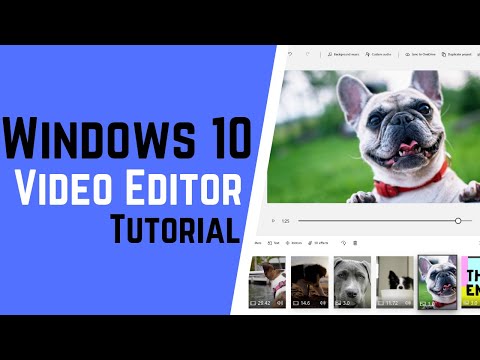
How to Use Windows 10 FREE Video Editor
ChannelTeacher's TechDescription from the creator
3 Best Video Editors for YouTube Beginners: youtu.be/5vc0EZrisZE
Read about Windows 10 Video Editor here: teachers.tech/how-to-use-windows-10-free-video-…
Stay up to date, subscribe to Teacher's Tech: bit.ly/Subscribe_TeachersTech
Windows 10 has a FREE video editor built-in and it is super simple to use. This video tutorial will show you the basics of Windows 10 video editor and have you creating videos in no time! Use the timestamps below to jump to different parts of the video.
Best FREE video editors for Mac and Windows: youtu.be/fMlnRTkTX_U
Best Free Photoshop Alternatives: youtu.be/xAwmNiNeY38
1:09 Starting Windows Video Editor
2:08 Add media (photos and video)
3:24 Add title card
4:32 Add media to storyboard
4:59 Trim and split video in Windows Video Editor
6:11 Change picture duration
6:30 Resize clip
7:02 Add text to clips
7:48 Add filters in Windows Video Editor
8:19 Add motion to clips
8:53 Add background music and custom audio
10:44 Adding 3D effects
13:14 Exporting project when finished
Get a FREE DOMAIN NAME and 50% Off Web Hosting For Your Website: bluehost.com/track/teacherstech/
I use Camtasia to create my video tutorials:
Use this coupon code: TEACHCAM10
Camtasia purchase with 10% OFF code applied: techsmith.z6rjha.net/c/1264585/701976/5161
Camtasia EDU 10% OFF with code applied: "techsmith.z6rjha.net/c/1264585/704928/5161
Camtasia Download page: techsmith.z6rjha.net/c/1264585/489271/5161DISCL…:
DISCLAIMER: This video and description contains affiliate links, which means that if you click on one of the product links and end up purchasing it, I’ll receive a small commission. This helps support the channel and allows us to continue to make videos like this. Thank you for the support!
Read about Windows 10 Video Editor here: teachers.tech/how-to-use-windows-10-free-video-…
Stay up to date, subscribe to Teacher's Tech: bit.ly/Subscribe_TeachersTech
Windows 10 has a FREE video editor built-in and it is super simple to use. This video tutorial will show you the basics of Windows 10 video editor and have you creating videos in no time! Use the timestamps below to jump to different parts of the video.
Best FREE video editors for Mac and Windows: youtu.be/fMlnRTkTX_U
Best Free Photoshop Alternatives: youtu.be/xAwmNiNeY38
1:09 Starting Windows Video Editor
2:08 Add media (photos and video)
3:24 Add title card
4:32 Add media to storyboard
4:59 Trim and split video in Windows Video Editor
6:11 Change picture duration
6:30 Resize clip
7:02 Add text to clips
7:48 Add filters in Windows Video Editor
8:19 Add motion to clips
8:53 Add background music and custom audio
10:44 Adding 3D effects
13:14 Exporting project when finished
Get a FREE DOMAIN NAME and 50% Off Web Hosting For Your Website: bluehost.com/track/teacherstech/
I use Camtasia to create my video tutorials:
Use this coupon code: TEACHCAM10
Camtasia purchase with 10% OFF code applied: techsmith.z6rjha.net/c/1264585/701976/5161
Camtasia EDU 10% OFF with code applied: "techsmith.z6rjha.net/c/1264585/704928/5161
Camtasia Download page: techsmith.z6rjha.net/c/1264585/489271/5161DISCL…:
DISCLAIMER: This video and description contains affiliate links, which means that if you click on one of the product links and end up purchasing it, I’ll receive a small commission. This helps support the channel and allows us to continue to make videos like this. Thank you for the support!
About this tutorial
Teacher's Tech published this 14:19 video tutorial on November 7, 2019. It has been watched 762,608 times on YouTube.
- Channel
- Teacher's Tech
- Category
- Education
- Duration
- 14:19
- Published
- November 7, 2019
- Views
- 762,608
- Likes
- 12,018
Tags
Share
This tutorial in other languages
- FRComment utiliser Windows 10 FREE Video Editor
- ESCómo Utilizar Windows 10 GRATIS Video Editor
- PTComo usar o Windows 10 Grátis Video Editor
- ITCome utilizzare Windows 10 Free Video Editor
- DEZur Verwendung von Windows 10 FREE Video Editor
- NLHoe te gebruiken Windows 10 GRATIS Video Editor
- RUКак использовать Windows 10 Free Video Editor
- PLJak korzystać z systemu Windows 10 Free Video Editor
- JAどのように使うのWindows 10無料ビデオエディタへ
- ARكيفية استخدام Windows 10 محرر فيديو مجانية
- HIकैसे विंडोज उपयोग 10 मुफ्त वीडियो संपादक के लिए
- IDCara Gunakan Windows 10 GRATIS Video Editor