Playback starts YouTube’s embedded player (privacy-enhanced mode).
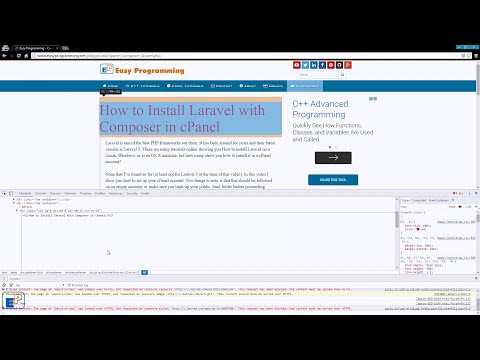
How to use your browser's Developer Tools - The Element Inspector
ChannelNazmus NasirDescription from the creator
Welcome to a special tutorial from EasyProgramming.net. Today, I want to lay some groundwork for a future tutorial series in JavaScript. One thing that you will most definitely need to know is how to use the developer tools in your browser, more specifically, the element inspector, and the JavaScript console. Today, I'll cover three parts of the element inspector and go a little over the JavaScript console, more on the console will come later!
So what is the element inspector? The element (or page) inspector is part of a browser which allows you to see the view and even modify the DOM, or the document object model. This means you can use it to create, edit, and delete DOM elements on the page in HTML. you can also create, modify, and delete CSS. And with the JavaScript console, you can run JavaScript commands to do your bidding.
All major browsers have the element inspector and I'll be using the one on Chrome. You can do this in Firefox, Opera, or whatever browser you prefer. The inspector will look similar. You can also use plugins like firebug. The inspector allows you to troubleshoot items on web pages every easily with help from the sources or network tab, or by debugging a script. something I'll briefly go over today and cover more in depth in another tutorial.
I hope you learn something new today and if you have any questions, please ask in the comments below and please subscribe for future tutorials.
Remember to visit my site EasyProgramming.net to view my other programming tutorials! If you have any suggestions for future videos, feel free to comment and let me know.
#DevTools #Chrome
-----------
Subscribe on YouTube: youtube.com/c/nazmusnasir
Support me on Patreon: patreon.com/nazmus
Follow me on Twitter: twitter.com/Nazteroid
Like me on Facebook: facebook.com/EasyProgrammingNet
Follow me on Google+: plus.google.com/+NazmusNasir
Check out my Github: github.com/naztronaut
So what is the element inspector? The element (or page) inspector is part of a browser which allows you to see the view and even modify the DOM, or the document object model. This means you can use it to create, edit, and delete DOM elements on the page in HTML. you can also create, modify, and delete CSS. And with the JavaScript console, you can run JavaScript commands to do your bidding.
All major browsers have the element inspector and I'll be using the one on Chrome. You can do this in Firefox, Opera, or whatever browser you prefer. The inspector will look similar. You can also use plugins like firebug. The inspector allows you to troubleshoot items on web pages every easily with help from the sources or network tab, or by debugging a script. something I'll briefly go over today and cover more in depth in another tutorial.
I hope you learn something new today and if you have any questions, please ask in the comments below and please subscribe for future tutorials.
Remember to visit my site EasyProgramming.net to view my other programming tutorials! If you have any suggestions for future videos, feel free to comment and let me know.
#DevTools #Chrome
-----------
Subscribe on YouTube: youtube.com/c/nazmusnasir
Support me on Patreon: patreon.com/nazmus
Follow me on Twitter: twitter.com/Nazteroid
Like me on Facebook: facebook.com/EasyProgrammingNet
Follow me on Google+: plus.google.com/+NazmusNasir
Check out my Github: github.com/naztronaut
About this tutorial
Nazmus Nasir published this 13:44 video tutorial on November 8, 2016. It has been watched 26,527 times on YouTube.
- Channel
- Nazmus Nasir
- Category
- Education
- Duration
- 13:44
- Published
- November 8, 2016
- Views
- 26,527
- Likes
- 90
Share
This tutorial in other languages
- FRComment utiliser les outils de développement de votre navigateur - L'élément Inspecteur
- ESCómo utilizar herramientas de desarrollo del navegador - El Elemento Inspector
- PTComo usar ferramentas de desenvolvedor do seu navegador - The Element Inspector
- ITCome utilizzare strumenti di sviluppo del browser - The Element Inspector
- DEDas Element Inspector - Wie das Browser Developer Tools verwenden
- NLHoe maak je van je browser Developer Tools - The Element Inspector
- RUКак использовать инструменты разработчика вашего браузера - Элемент инспектор
- PLJak używać Developer Tools w przeglądarce - element Inspector
- JA要素インスペクタを - ブラウザの開発者ツールを使用する方法
- ARكيفية استخدام المتصفح أدوات المطور - العنصر المفتش
- HIकैसे अपने ब्राउज़र के डेवलपर उपकरण का उपयोग करने के लिए - तत्व निरीक्षक
- IDCara menggunakan Alat Pengembang browser Anda - The Element Inspektur