Playback starts YouTube’s embedded player (privacy-enhanced mode).
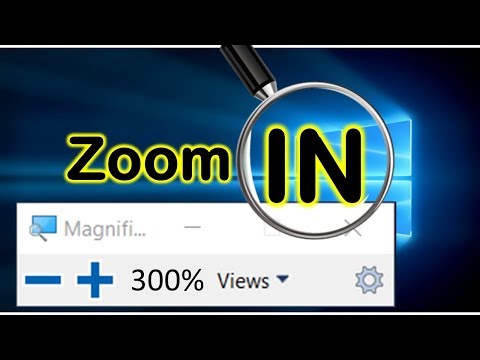
How to zoom in windows 10 - Magnifier tool
ChannelE Micro TechDescription from the creator
Windows 10 tip: Use the Magnifier tool to zoom in on text or objects:
Magnifier app already includes into windows 10. To enable it:
hold windows key then press plus sign.
the maximum size is up to 1600%
there is a trick for zoom in or out when using this screen record with zoom function:
you need press windows key and + key to open the magnifier function first.
then minimum it
then you can use ctrl + Alt + wheel on your mouse to adjust the zoom.
additional option:
Ctrl+Alt+F: This is the default, full-screen view.
Ctrl+Alt+L: Press this combination to turn the Magnifier into a lens that zooms only the portion of the screen directly under the mouse pointer.
Ctrl+Alt+D: Use this option to dock the magnifier window to the top of the screen.
Ctrl+Alt+Space bar: Pressing this combination when you're zoomed in temporarily shows you the entire display, with the zoomed portion highlighted.
Magnifier app already includes into windows 10. To enable it:
hold windows key then press plus sign.
the maximum size is up to 1600%
there is a trick for zoom in or out when using this screen record with zoom function:
you need press windows key and + key to open the magnifier function first.
then minimum it
then you can use ctrl + Alt + wheel on your mouse to adjust the zoom.
additional option:
Ctrl+Alt+F: This is the default, full-screen view.
Ctrl+Alt+L: Press this combination to turn the Magnifier into a lens that zooms only the portion of the screen directly under the mouse pointer.
Ctrl+Alt+D: Use this option to dock the magnifier window to the top of the screen.
Ctrl+Alt+Space bar: Pressing this combination when you're zoomed in temporarily shows you the entire display, with the zoomed portion highlighted.
About this tutorial
E Micro Tech published this 1:54 video tutorial on October 29, 2019. It has been watched 156,032 times on YouTube.
- Channel
- E Micro Tech
- Category
- Education
- Duration
- 1:54
- Published
- October 29, 2019
- Views
- 156,032
- Likes
- 1,010
Tags
Share
This tutorial in other languages
- FRComment zoomer Windows 10 - outil Loupe
- ESCómo hacer zoom en Windows 10 - Herramienta de lupa
- PTComo para fazer zoom e Windows 10 - ferramenta Magnifier
- ITCome ingrandire le finestre 10 - strumento Magnifier
- DEWie 10 in Fenster vergrößern - Zoomwerkzeug
- NLHoe kan ik in Windows 10 te zoomen - Vergrootglas
- RUКак увеличить в окнах 10 - Лупа инструмент
- PLJak powiększyć okna 10 - narzędzie Lupa
- JA拡大鏡ツール - 窓10にズームする方法
- ARكيفية تكبير النوافذ 10 - أداة المكبر
- HIविंडोज़ 10 ज़ूम करने के लिए कैसे - आवर्धक उपकरण
- IDCara memperbesar jendela 10 - alat Magnifier