Playback starts YouTube’s embedded player (privacy-enhanced mode).
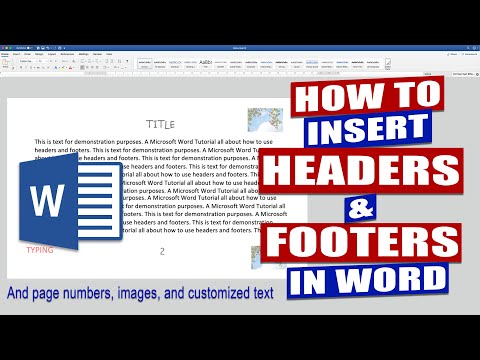
In Word how to insert HEADERS and FOOTERS | Microsoft Word Tutorials
ChannelLisa DoeDescription from the creator
In Word how to insert HEADERS and FOOTERS. In this Microsoft Word Tutorial I demonstrate how to put information, text, images and page numbers into the headers and footers of your document.
I show you how to start your headers and footers on the second page of your document as well as how to edit the font, font size and colour of text.
In WORD How to start PAGE NUMBERS on different page - youtu.be/ev8-JV4_MLE
Microsoft Word Tutorials
Within all my tutorials I aim to help you develop your skills working within Word, Excel and Powerpoint as well as further your knowledge about the tools which are available within the Microsoft Office Software.
Throughout this channel I aim to cover simple subjects such as page numbers, margins, headers and footers, image, pictures and fonts as well as more advanced themes such as tables, mail merge, table of contents and electronic signatures.
Sharing tips and tricks which I discover along my journey is also an important aspect of this channel. I love the idea of giving people the solution to a problem they’ve been struggling with in Microsoft Word, Excel or Powerpoint.
The channel began all because of a problem I had when I had to insert images into a Word Document. I couldn’t find a way to drag and drop multiple images into a table without them expanding across the page, being cropped or interfering with the rest of the text. It wasn’t until I finally sat down one day, determined to find the solution and developed a way to solve the problem. Having found the problem quite difficult to solve without knowing how to do it I decided to make a You Tube video about it. Never once believing that many people would watch it, let alone be so grateful.
After discovering how helpful a simple tutorial could be I decided to make further videos with the aim of once again helping as many people as possible.
DOCUMENT EXAMPLES
Marketing literature, dissertation, thesis, college paper, reports, assignments, essays, articles, letters, invoices, presentations, school work, posters, flyers, cards, greeting cards, artwork, invitations, certificates, legal papers, etc.
I show you how to start your headers and footers on the second page of your document as well as how to edit the font, font size and colour of text.
In WORD How to start PAGE NUMBERS on different page - youtu.be/ev8-JV4_MLE
Microsoft Word Tutorials
Within all my tutorials I aim to help you develop your skills working within Word, Excel and Powerpoint as well as further your knowledge about the tools which are available within the Microsoft Office Software.
Throughout this channel I aim to cover simple subjects such as page numbers, margins, headers and footers, image, pictures and fonts as well as more advanced themes such as tables, mail merge, table of contents and electronic signatures.
Sharing tips and tricks which I discover along my journey is also an important aspect of this channel. I love the idea of giving people the solution to a problem they’ve been struggling with in Microsoft Word, Excel or Powerpoint.
The channel began all because of a problem I had when I had to insert images into a Word Document. I couldn’t find a way to drag and drop multiple images into a table without them expanding across the page, being cropped or interfering with the rest of the text. It wasn’t until I finally sat down one day, determined to find the solution and developed a way to solve the problem. Having found the problem quite difficult to solve without knowing how to do it I decided to make a You Tube video about it. Never once believing that many people would watch it, let alone be so grateful.
After discovering how helpful a simple tutorial could be I decided to make further videos with the aim of once again helping as many people as possible.
DOCUMENT EXAMPLES
Marketing literature, dissertation, thesis, college paper, reports, assignments, essays, articles, letters, invoices, presentations, school work, posters, flyers, cards, greeting cards, artwork, invitations, certificates, legal papers, etc.
About this tutorial
Lisa Doe published this 13:19 video tutorial on March 2, 2020. It has been watched 8,614 times on YouTube.
Tags
Share
This tutorial in other languages
- FRDans Word comment insérer et bas de page | Microsoft Word Tutoriels
- ESEn Word cómo insertar encabezados y pies | Microsoft Word tutoriales
- PTNo Word como inserir cabeçalhos e rodapés | Microsoft Word Tutoriais
- ITIn Word come inserire intestazioni e piè | Microsoft Word Tutorial
- DEIn Word, wie Kopf- und Fußzeilen einfügen | Microsoft Word Tutorials
- NL| In Word hoe je kop- en voetteksten invoegen Microsoft Word Tutorials
- RUВ Word, как вставить верхние и нижние колонтитулы | Microsoft Word Учебники
- PLW programie Word jak wstawić nagłówki i stopki | Microsoft Word Poradniki
- JA| Wordでヘッダーとフッターを挿入する方法Microsoft Wordのチュートリアル
- ARفي Word كيفية إدراج الرؤوس والتذييلات | مايكروسوفت وورد دروس
- HI| वर्ड में शीर्षलेख और पादलेख सम्मिलित करने के लिए कैसे माइक्रोसॉफ्ट वर्ड ट्यूटोरियल
- IDDalam Word cara memasukkan header dan footer | Microsoft Word Tutorial