Playback starts YouTube’s embedded player (privacy-enhanced mode).
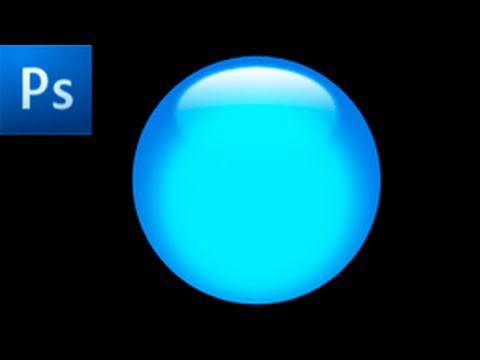
Photoshop Tutorial: Create a Glossy Button -HD-
ChannelRiverCityGraphixDescription from the creator
In this tutorial, you will learn how to create a glossy button in Photoshop CS4.
Be sure to SUBSCRIBE because there will be a new tutorial every week.
Follow me on Twitter @RiverCityGraphx
Like us on on facebook: on.fb.me/i8UQpt
Suggest tutorials at rivercitygraphix.com
For project files, help forums, and more check out the website at rivercitygraphix.com
For business related inquires contact us at [email protected]
Be sure to SUBSCRIBE because there will be a new tutorial every week.
Follow me on Twitter @RiverCityGraphx
Like us on on facebook: on.fb.me/i8UQpt
Suggest tutorials at rivercitygraphix.com
For project files, help forums, and more check out the website at rivercitygraphix.com
For business related inquires contact us at [email protected]
About this tutorial
RiverCityGraphix published this 4:17 video tutorial on November 11, 2010. It has been watched 80,637 times on YouTube.
- Channel
- RiverCityGraphix
- Category
- Education
- Duration
- 4:17
- Published
- November 11, 2010
- Views
- 80,637
- Likes
- 390
Share
This tutorial in other languages
- FRTutoriel Photoshop: Créer un bouton brillant -HD-
- ESTutorial de Photoshop: Crear un botón brillante -HD-
- PTPhotoshop Tutorial: Criar um botão Glossy -HD-
- ITTutorial Photoshop: Creare un pulsante lucido -HD-
- DEPhotoshop Tutorial: Erstellen Sie ein Glossy Button -HD-
- NLPhotoshop Tutorial: Maak een Glanzende Knoop -HD-
- RUPhotoshop Tutorial: Создание Глянцевая кнопки -HD-
- PLPhotoshop Tutorial: Tworzenie błyszczący przycisk -HD-
- JAPhotoshopのチュートリアル:光沢のあるボタンを作成-HD-
- ARدروس فوتوشوب: إنشاء زر لامع -HD-
- HIफ़ोटोशॉप ट्यूटोरियल: एक चमकदार बटन बनाएं -HD-
- IDPhotoshop Tutorial: Buat Tombol Glossy -HD-