Playback starts YouTube’s embedded player (privacy-enhanced mode).
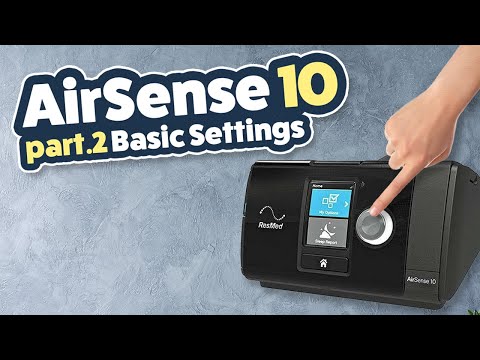
ResMed AirSense10 Series Review / Tutorial Part 2 of 3 - Basic Settings
ChannelCPAP ReviewsChapters
Description from the creator
try.sleephq.com/ is my online cpap support community & cpap reporting platform. Master your therapy and improve your sleep with our powerful cloud-based platform.
Create a FREE account and download your detailed therapy report today!
Features Include -
1. High-resolution 'breath-by-breath' analysis - View every apnea and every breath in full detail.
2. Sleep Journal - Track how changes to device settings influence your sleep & therapy results.
3. Custom PDF reports - Detailed therapy reports complete with journal entries.
4. Therapy Trends - Monitor changes to your apnea control over time.
5. Support - Access to the SleepHQ Community Forum
6. Education - From CPAP novice to therapy PRO. Master your device and settings with the SleepHQ Academy course
7. Blood Oxygen, Heart Rate & Movement Data - Connect a SleepHQ O2 Ring to your account to view additional data sources and take your therapy to the next level.
8. Access to exclusive, member-only discounts on the latest and greatest CPAP gear
And much more!
SleepHQ O2 Ring - sleephq.com/o2-ring/
SleepHQ Magic Uploader - sleephq.com/magic-uploader/
Join My Facebook Community - cpap.review/facebook
My Monthly Newsletter - cpap.review/newsletter
Thanks for all the love & support!
Uncle Nicko
New 2022 ResMed AirSense11 Video Out Now! - youtu.be/4bWBILnuJlw
Subscribe to my channel and you'll have a friend for life!
cpap.review/subscribe
00:00 Introduction to Part 2 of 3 - AirSense 10 Basic Settings Tutorial
01:05 Ramp Settings
01:50 Climate Control - Changing Heated Tube & Humidifier settings
04:40 Pressure Relief - Changing EPR which reduces the back pressure as you exhale
05:25 Smart Start - Machine will start pumping automatically when you put on your mask
05:55 Mask - Setting your mask type
06:05 Run Mask Fit Mode - To check that your mask is sealing well at different pressures
06:50 Run Warmup - This will heat your humidifier up before you start using the therapy
07:20 Airplane Mode - If you are using your device on a plane
08:00 Sleep Report - Your sleep therapy data
In part 2 of this 3 part series we look at menu system of the ResMed AirSense10 and how to change these basic patient settings. This carries on from part 1 which looked at basic setup. Part 3 will look at the more advanced settings like changing pressure levels etc.
Part 3 Link - youtu.be/qIfHud8ZhDE
Part 1 Link - youtu.be/3QolH2H9Ovo
New - ResMed P30i Nasal Pillow CPAP Mask - Link Below
remsleep.com.au/cpap-masks/resmed-airfit-p30i/
Create a FREE account and download your detailed therapy report today!
Features Include -
1. High-resolution 'breath-by-breath' analysis - View every apnea and every breath in full detail.
2. Sleep Journal - Track how changes to device settings influence your sleep & therapy results.
3. Custom PDF reports - Detailed therapy reports complete with journal entries.
4. Therapy Trends - Monitor changes to your apnea control over time.
5. Support - Access to the SleepHQ Community Forum
6. Education - From CPAP novice to therapy PRO. Master your device and settings with the SleepHQ Academy course
7. Blood Oxygen, Heart Rate & Movement Data - Connect a SleepHQ O2 Ring to your account to view additional data sources and take your therapy to the next level.
8. Access to exclusive, member-only discounts on the latest and greatest CPAP gear
And much more!
SleepHQ O2 Ring - sleephq.com/o2-ring/
SleepHQ Magic Uploader - sleephq.com/magic-uploader/
Join My Facebook Community - cpap.review/facebook
My Monthly Newsletter - cpap.review/newsletter
Thanks for all the love & support!
Uncle Nicko
New 2022 ResMed AirSense11 Video Out Now! - youtu.be/4bWBILnuJlw
Subscribe to my channel and you'll have a friend for life!
cpap.review/subscribe
00:00 Introduction to Part 2 of 3 - AirSense 10 Basic Settings Tutorial
01:05 Ramp Settings
01:50 Climate Control - Changing Heated Tube & Humidifier settings
04:40 Pressure Relief - Changing EPR which reduces the back pressure as you exhale
05:25 Smart Start - Machine will start pumping automatically when you put on your mask
05:55 Mask - Setting your mask type
06:05 Run Mask Fit Mode - To check that your mask is sealing well at different pressures
06:50 Run Warmup - This will heat your humidifier up before you start using the therapy
07:20 Airplane Mode - If you are using your device on a plane
08:00 Sleep Report - Your sleep therapy data
In part 2 of this 3 part series we look at menu system of the ResMed AirSense10 and how to change these basic patient settings. This carries on from part 1 which looked at basic setup. Part 3 will look at the more advanced settings like changing pressure levels etc.
Part 3 Link - youtu.be/qIfHud8ZhDE
Part 1 Link - youtu.be/3QolH2H9Ovo
New - ResMed P30i Nasal Pillow CPAP Mask - Link Below
remsleep.com.au/cpap-masks/resmed-airfit-p30i/
About this tutorial
CPAP Reviews published this 10:58 video tutorial on November 15, 2017. It has been watched 220,851 times on YouTube.
- Channel
- CPAP Reviews
- Category
- Education
- Duration
- 10:58
- Published
- November 15, 2017
- Views
- 220,851
- Likes
- 2,253
Tags
Share
This tutorial in other languages
- FRResMed AirSense10 Série Revue / Tutoriel Partie 2 de 3 - Réglages de base
- ESResMed AirSense10 Review Series / Tutorial Parte 2 de 3 - Configuración básica
- PTResMed AirSense10 Série Review / Tutorial Parte 2 de 3 - Basic Settings
- ITResMed AirSense10 Serie Review / Tutorial Parte 2 di 3 - Impostazioni di base
- DEResMed AirSense10 Series Überprüfungs- / Tutorial Teil 2 von 3 - Grundeinstellungen
- NLResMed AirSense10 Series Evaluatie- / Tutorial Deel 2 van 3 - basisinstellingen
- RUResMed AirSense10 серии Обзор / Учебник Часть 2 из 3 - Основные настройки
- PLResMed AirSense10 Series przeglądu / Tutorial Part 2 of 3 - Ustawienia podstawowe
- JA3のResMed社AirSense10シリーズレビュー/チュートリアルパート2 - 基本設定
- ARResMed AirSense10 استعراض سلسلة / دروس الجزء 2 من 3 - الإعدادات الأساسية
- HIरेसमेड AirSense10 सीरीज समीक्षा करें / 3 के 2 ट्यूटोरियल भाग - मूल सेटिंग्स
- IDResMed AirSense10 Seri Ulasan / Tutorial Bagian 2 dari 3 - Pengaturan Dasar