Playback starts YouTube’s embedded player (privacy-enhanced mode).
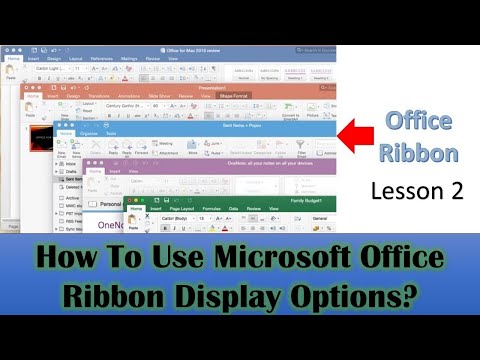
Ribbon Bar Display Options in Microsoft Office 2016 / 2019 Tutorial - Lesson 2
ChannelThe TeacherDescription from the creator
Many users accidentally hide their commands or struggle with the ribbon's behavior. This video will demystify the process and show you exactly how to control your workspace.
About this Office Ribbon Display Options Tutorial:
Understanding Default Behavior: Learn how the Office Ribbon typically displays tabs and commands.
Three Key Options: A detailed breakdown of "Auto-Hide Ribbon," "Show Tabs," and "Show Tabs and Commands."
Enhance Productivity: Discover how to customize your ribbon to suit your workflow, providing more screen real estate when needed or ensuring commands are always visible.
The Hidden Trick: Learn the simple double-click shortcut to quickly toggle between showing only tabs and showing tabs with their commands – a common pain point for many!
Universal Application: These settings are consistent across Microsoft Word, Excel, and PowerPoint.
Mastering the ribbon will streamline your daily tasks and make your Office experience much smoother. Stop struggling with hidden commands and take control of your workspace today!
📝 Resources & Next Steps:
Explore more PowerPoint tutorials:
youtube.com/playlist?list=PLwBNdcufIBPu_Q9nBW7K…
Visit our website for articles and tips:
theteacherpoint.com
💞 Support Our Channel:
Join us on Patreon: patreon.com/TheTeacher
👌 Follow Us:
Twitter: twitter.com/TheTeacherPoint
Facebook: facebook.com/TheTeacher
#OfficeRibbon #MicrosoftOffice #PowerPointTutorial #ProductivityTips #OfficeTips #TheTeacher
About this tutorial
The Teacher published this 4:34 video tutorial on October 25, 2019. It has been watched 33,398 times on YouTube.
- Channel
- The Teacher
- Category
- Education
- Duration
- 4:34
- Published
- October 25, 2019
- Views
- 33,398
- Likes
- 230
Tags
Share
Further reading
-
ESSENTIAL MICROSOFT OFFICE 2016
pitt.edu
newly installed version of Office 2016, or if the version you are using does not show the Ribbons at the top of the page, you need to turn them on before working your way through the remainder of this tutorial. Towards…
-
Show or hide the ribbon in Office - Office Support
support.microsoft.com
The ribbon is a set of toolbars at the top of the window in Office programs designed to help you quickly find the commands that you need to complete a task. Show Ribbon options. At the top-right corner, select the Ribbo…
-
Show the ribbon - Excel - support.microsoft.com
support.microsoft.com
The Ribbon has multiple display options to fit your preferences, but with an errant click, you can unintentionally hide your Ribbon. To quickly show the Ribbon, click any tab, for example, the Home or Insert tab. To sho…
This tutorial in other languages
- FRRuban Bar Options d'affichage dans Microsoft Office 2016/2019 Tutorial - Leçon 2
- ESCinta barra de opciones de visualización en Microsoft Office 2016/2019 Tutorial - Lección 2
- PTOpções de exibição da barra de fita em Microsoft Office 2016/2019 Tutorial - Lição 2
- ITRibbon Bar Opzioni di visualizzazione in Microsoft Office 2016/2019 Tutorial - Lezione 2
- DERibbon Bar Anzeigeoptionen in Microsoft Office 2016/2019 Tutorial - Lektion 2
- NLRibbon Bar Opties Display in Microsoft Office 2016/2019 Tutorial - Les 2
- RUПараметры отображения ленты Бар в Microsoft Office 2016/2019 Учебник - Урок 2
- PLBar wstążka Opcje wyświetlania w programie Microsoft Office 2016/2019 Tutorial - Lekcja 2
- JAMicrosoft Officeのリボンバーの表示オプション2019分の2016チュートリアル - レッスン2
- ARبار الشريط خيارات العرض في Microsoft Office 2016/2019 البرنامج التعليمي - الدرس 2
- HIमाइक्रोसॉफ्ट ऑफिस 2016/2019 ट्यूटोरियल में रिबन बार प्रदर्शन विकल्प - पाठ 2
- IDRibbon Bar Pilihan Tampilan di Microsoft Office 2016/2019 Tutorial - Pelajaran 2