Playback starts YouTube’s embedded player (privacy-enhanced mode).
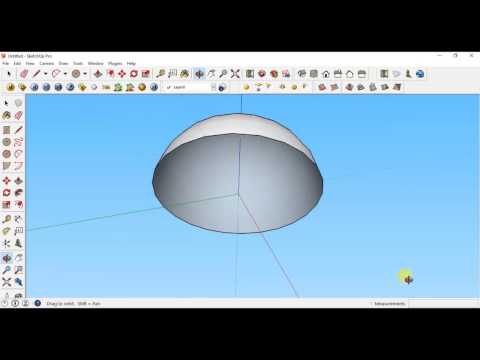
Sketchup tutorial - How to make a dome/hemisphere using "Follow Me" in sketchup
ChannelPragmatic MedleyDescription from the creator
This video shows you step by step with narration in the simplest way how you can make a dome or a hemisphere in sketchup..
About this tutorial
Pragmatic Medley published this 2:17 video tutorial on November 10, 2017. It has been watched 186,372 times on YouTube.
- Channel
- Pragmatic Medley
- Category
- Education
- Duration
- 2:17
- Published
- November 10, 2017
- Views
- 186,372
- Likes
- 959
Tags
Share
This tutorial in other languages
- FRtutoriel Sketchup - Comment faire un dôme / hémisphère en utilisant « Follow Me » dans SketchUp
- ESSketchup tutorial - Cómo hacer una cúpula / hemisferio usando "Follow Me" en SketchUp
- PTtutorial Sketchup - Como fazer uma cúpula / hemisfério usando "Follow Me" no SketchUp
- ITTutorial Sketchup - Come fare una cupola / emisfero usando "Follow Me" in SketchUp
- DESketchup Tutorial - Wie eine Kuppel / Hemisphäre mit "Follow Me" in SketchUp machen
- NLSketchup Tutorial - Hoe maak je een dome / halfrond met behulp van "Follow Me" in SketchUp maken
- RUSketchup учебник - Как сделать купол / полусферу с помощью «Follow Me» в SketchUp
- PLSketchUp Tutorial - Jak zrobić kopuły / półkulę przy użyciu „Follow Me” w programie SketchUp
- JASketchUpのチュートリアル - SketchUpで「フォローミー」を使用してドーム/半球にする方法
- ARالبرنامج التعليمي سكتشب - كيفية جعل قبة / نصف الكرة باستخدام "اتبعني" في SketchUp
- HISketchup ट्यूटोरियल - एक गुंबद / गोलार्द्ध का उपयोग कर "मुझे का पालन करें" स्केचअप में बनाने के लिए कैसे
- IDtutorial sketchup - Cara membuat kubah / belahan menggunakan "Follow Me" di sketchup