Playback starts YouTube’s embedded player (privacy-enhanced mode).
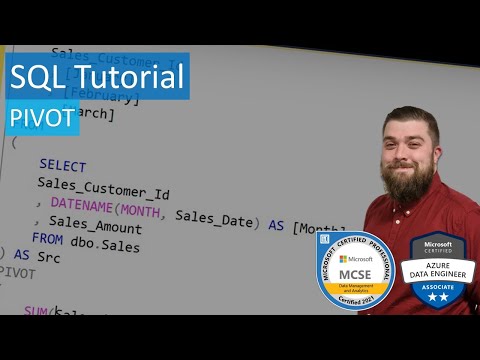
SQL Tutorial - PIVOT
ChannelBeardedDevDescription from the creator
Another video brought to you by BeardedDev, bringing you tutorials on Business Intelligence, SQL Programming and Data Analysis.
In this video I talk about using PIVOT in Microsoft SQL Server.
T-SQL Querying
amazon.com/gp/product/0735685045/ref=as_li_tl?i…
T-SQL Fundamentals
amazon.com/gp/product/150930200X/ref=as_li_tl?i…
Microsoft SQL Server 2012 High-Performance T-SQL Using Window Functions
amazon.com/gp/product/0735658366/ref=as_li_tl?i…
Using PIVOT allows us rotate data from rows to columns making the data more readable. PIVOT is ideal for reporting in SQL Server and can be used as a starting point to visualise trends.
In this PIVOT tutorial I demonstrate the difference between how data is presented compared to GROUP BY.
PIVOT Syntax
SELECT [columns] FROM
(
[source_query]
)
PIVOT
(
[aggr_function]([aggr_column]
FOR [spreading_column] IN ([spreading_elements]))
SQL Queries in the video:
Results using GROUP BY statement
SELECT
Sales_Customer_Id
, DATENAME(MONTH, Sales_Date) AS [Month]
, Sales_Amount
FROM dbo.Sales
GROUP BY
Sales_Customer_Id
, DATENAME(MONTH, Sales_Date)
Results using PIVOT statement
SELECT
Sales_Customer_Id
, [January]
, [February]
, [March]
FROM
(
SELECT
Sales_Customer_Id
, DATENAME(MONTH, Sales_Date) AS [Month]
, Sales_Amount
FROM dbo.Sales
) AS Src
PIVOT
(
SUM(Sales_Amount)
FOR [Month] IN ([January], [February], [March])
) AS Pvt
Alternative PIVOT statement
SELECT
[Month]
, [1]
, [2]
, [3]
, [4]
, [5]
, [6]
, [7]
, [8]
FROM
(
SELECT
Sales_Customer_Id
, DATENAME(MONTH, Sales_Date) AS [Month]
, Sales_Amount
FROM dbo.Sales
) AS Src
PIVOT
(
SUM(Sales_Amount) FOR Sales_Customer_Id IN ([1], [2], [3], [4], [5], [6], [7], [8])
) AS Pvt
Please feel free to post comments.
In this video I talk about using PIVOT in Microsoft SQL Server.
T-SQL Querying
amazon.com/gp/product/0735685045/ref=as_li_tl?i…
T-SQL Fundamentals
amazon.com/gp/product/150930200X/ref=as_li_tl?i…
Microsoft SQL Server 2012 High-Performance T-SQL Using Window Functions
amazon.com/gp/product/0735658366/ref=as_li_tl?i…
Using PIVOT allows us rotate data from rows to columns making the data more readable. PIVOT is ideal for reporting in SQL Server and can be used as a starting point to visualise trends.
In this PIVOT tutorial I demonstrate the difference between how data is presented compared to GROUP BY.
PIVOT Syntax
SELECT [columns] FROM
(
[source_query]
)
PIVOT
(
[aggr_function]([aggr_column]
FOR [spreading_column] IN ([spreading_elements]))
SQL Queries in the video:
Results using GROUP BY statement
SELECT
Sales_Customer_Id
, DATENAME(MONTH, Sales_Date) AS [Month]
, Sales_Amount
FROM dbo.Sales
GROUP BY
Sales_Customer_Id
, DATENAME(MONTH, Sales_Date)
Results using PIVOT statement
SELECT
Sales_Customer_Id
, [January]
, [February]
, [March]
FROM
(
SELECT
Sales_Customer_Id
, DATENAME(MONTH, Sales_Date) AS [Month]
, Sales_Amount
FROM dbo.Sales
) AS Src
PIVOT
(
SUM(Sales_Amount)
FOR [Month] IN ([January], [February], [March])
) AS Pvt
Alternative PIVOT statement
SELECT
[Month]
, [1]
, [2]
, [3]
, [4]
, [5]
, [6]
, [7]
, [8]
FROM
(
SELECT
Sales_Customer_Id
, DATENAME(MONTH, Sales_Date) AS [Month]
, Sales_Amount
FROM dbo.Sales
) AS Src
PIVOT
(
SUM(Sales_Amount) FOR Sales_Customer_Id IN ([1], [2], [3], [4], [5], [6], [7], [8])
) AS Pvt
Please feel free to post comments.
About this tutorial
BeardedDev published this 13:11 video tutorial on October 27, 2018. It has been watched 148,401 times on YouTube.
- Channel
- BeardedDev
- Category
- Education
- Duration
- 13:11
- Published
- October 27, 2018
- Views
- 148,401
- Likes
- 1,897