Playback starts YouTube’s embedded player (privacy-enhanced mode).
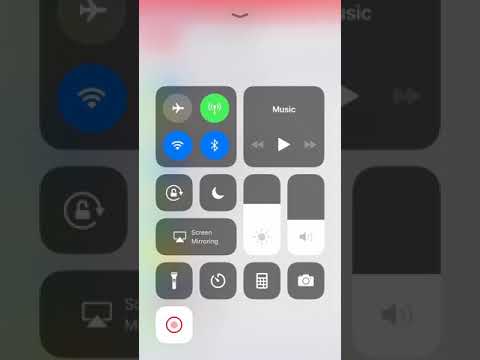
HOW TO add shortcuts to your swipe up screen on iPhone iOS
ChannelThe Spark AngelsDescription from the creator
Adding, removing and rearranging shortcuts on the bottom of your quick access screen when you swipe up on your iPhone is the perfect way of getting to your frequently used apps.
About this tutorial
The Spark Angels published this 1:47 video tutorial on November 9, 2018. It has been watched 402,526 times on YouTube.
- Channel
- The Spark Angels
- Category
- Entertainment
- Duration
- 1:47
- Published
- November 9, 2018
- Views
- 402,526
- Likes
- 2,312
Tags
Share
This tutorial in other languages
- FRCOMMENT ajouter des raccourcis à votre balayez vers le haut sur l'écran iPhone iOS
- ESCómo agregar accesos directos a su golpe arriba de la pantalla en el iPhone iOS
- PTComo adicionar atalhos para o seu furto acima da tela no iPhone iOS
- ITCome aggiungere i collegamenti al vostro colpo su schermo su iPhone iOS
- DEHOW TO Verknüpfungen zu Ihrem Swipe-up-Bildschirm auf dem iPhone iOS hinzufügen
- NLHOE snelkoppelingen toevoegen aan uw swipe up scherm op de iPhone iOS
- RUКак добавить ярлыки на ваш взмах вверх экран на iPhone прошивке
- PLJak dodać skróty do Przesuń w górę ekranu na iPhone iOS
- JAiPhone iOSの画面まで、あなたのスワイプにショートカットを追加する方法
- ARHOW TO إضافة اختصارات إلى انتقاد الخاص بك على شاشة اي فون دائرة الرقابة الداخلية
- HIकैसे iPhone iOS पर स्क्रीन को अपने कड़ी चोट करने के लिए शॉर्टकट जोड़ने के लिए
- IDCARA menambahkan cara pintas ke swipe ke atas layar pada iPhone iOS