Playback starts YouTube’s embedded player (privacy-enhanced mode).
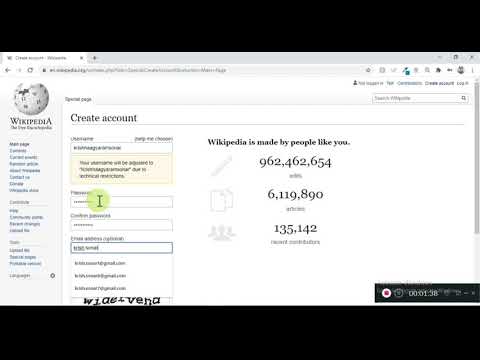
How to create a account in Wikipedia.
ChannelKrishna SonarDescription from the creator
It's super easy to create an account on Wikipedia but its important to be careful in choosing your username.A Wiki user can use his talk page to share information about topics with other editors.
Once you have an account on Wikipedia you can be part of the community that builds the worlds biggest editable encyclopedia.
As an editor you can write articles, edit articles written by others and all this without revealing your IP address to others.
Do's & Don't on Wikipedia Username policy:
1. Forward slash and backslash are not allowed as part of username.
2. You can't have your username similar to a company name.
3. You can have your real name or nick name as your user name but be careful as you you may edit articles that are on controversial subject areas, so you may not want to reveal your real name.
4. Username cannot be an email id or a web URL.
5. You can't have a user name like Secretary at ABC company, as there may be multiple people holding this position over a period of time. At the same time you can have a username as Krishna at ABC company as it clearly denotes an individual.
I hope you found this video useful and learnt how to create account on Wikipedia, Do share it with your friends and feel free to ask any question on this subject through a comment below.
Once you have an account on Wikipedia you can be part of the community that builds the worlds biggest editable encyclopedia.
As an editor you can write articles, edit articles written by others and all this without revealing your IP address to others.
Do's & Don't on Wikipedia Username policy:
1. Forward slash and backslash are not allowed as part of username.
2. You can't have your username similar to a company name.
3. You can have your real name or nick name as your user name but be careful as you you may edit articles that are on controversial subject areas, so you may not want to reveal your real name.
4. Username cannot be an email id or a web URL.
5. You can't have a user name like Secretary at ABC company, as there may be multiple people holding this position over a period of time. At the same time you can have a username as Krishna at ABC company as it clearly denotes an individual.
I hope you found this video useful and learnt how to create account on Wikipedia, Do share it with your friends and feel free to ask any question on this subject through a comment below.
About this tutorial
Krishna Sonar published this 3:24 video tutorial on August 11, 2020. It has been watched 35 times on YouTube.
- Channel
- Krishna Sonar
- Category
- Entertainment
- Duration
- 3:24
- Published
- August 11, 2020
- Views
- 35
- Likes
- 1
Tags
Share
This tutorial in other languages
- FRComment créer un compte dans Wikipedia.
- ESCómo crear una cuenta en Wikipedia.
- PTComo criar uma conta na Wikipédia.
- ITCome creare un account in Wikipedia.
- DEWie man ein Konto in Wikipedia erstellen.
- NLHoe kan ik een rekening in Wikipedia te maken.
- RUКак создать учетную запись в Википедии.
- PLJak założyć konto w Wikipedii.
- JAどのようにウィキペディアでアカウントを作成します。
- ARكيفية إنشاء حساب في ويكيبيديا.
- HIकैसे विकिपीडिया में एक खाता बनाने के लिए।
- IDCara membuat akun di Wikipedia.