Playback starts YouTube’s embedded player (privacy-enhanced mode).
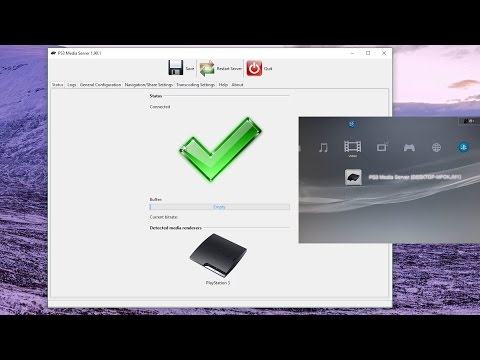
How To Share Media Between Windows 10 And PS3
ChannelTJ's DeskDescription from the creator
Let us learn how to share media between our computer and PS3.
Link To PS3 Media Server:
sourceforge.net/projects/ps3mediaserver/files/
TJ's Desk GoFundMe
gofundme.com/my-youtube-and-video-career-dream
Twitter
twitter.com/TJsDesk
Link To PS3 Media Server:
sourceforge.net/projects/ps3mediaserver/files/
TJ's Desk GoFundMe
gofundme.com/my-youtube-and-video-career-dream
twitter.com/TJsDesk
About this tutorial
TJ's Desk published this 7:49 video tutorial on November 7, 2017. It has been watched 72,733 times on YouTube.
- Channel
- TJ's Desk
- Category
- Entertainment
- Duration
- 7:49
- Published
- November 7, 2017
- Views
- 72,733
- Likes
- 629
Tags
Share
This tutorial in other languages
- FRComment partager des médias entre Windows 10 et PS3
- ES¿Cómo compartir los medios de comunicación entre Windows 10 y PS3
- PTComo compartilhar mídia entre o Windows 10 e PS3
- ITCome condividere file multimediali tra Windows 10 e PS3
- DESo teilen Sie Medien zwischen Windows 10 und PS3
- NLHow To Share Media tussen Windows 10 en PS3
- RUКак обмен мультимедией между Windows 10 и PS3
- PLJak udostępnić multimedia pomiędzy Windows 10 i PS3
- JAどのようにするには共有メディアでは、Windows 10とPS3の間
- ARكيفية مشاركة وسائل الإعلام بين ويندوز 10 و PS3
- HIकैसे करने के लिए शेयर मीडिया Windows 10 और PS3 के बीच
- IDCara Share Media Antara Windows 10 dan PS3