Playback starts YouTube’s embedded player (privacy-enhanced mode).
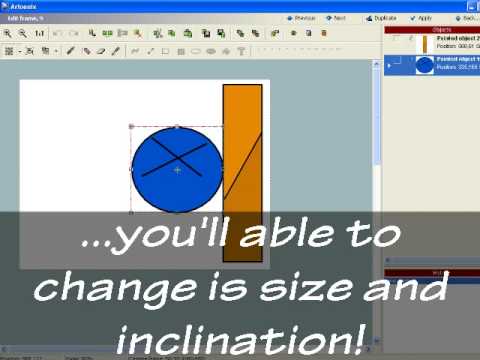
Artoonix Tutorial
ChannelPennaz91Description from the creator
For more videos visit my new channel, where I'm currently uploading new stuff!
youtube.com/user/PennazProductions
---------------------------------------------
I really don't like the first tutorial I made, it wasn't clear at all! Hope this will explains more things!
You can get Artoonix by clicking here!
artoonix.com/en/download.html
You can ask your questions in the Artoonix Forum by clicking here!
artoonix.com/forum/index.php
Here some FAQ:
Q- Is Artoonix free?
A- There is a trial version totally free which doesn't have any kind of "time limit", so it is much more then a demo! But, with the trial version, you won't be able to use some tools, like the "tweening tool"
Q- What's the "tweening"?
A- Basically,if you make one frame with the ball far from the wall, then a frame with the ball touching the wall, with the "tweening tool" the program will create all the frames in between! Way faster, but no essential!
Q- Is it an easy program?
A- If you ask me, absolutely!
Q- How do I export my animation as an .avi file, so I can upload it to YouTube?
A- Go in the projects menu (the first interface, with all your projects), click the project you want export with the right button of the mouse, then select the option "Create movie"!
It will export the file as an .avi and it will work on youtube!
Q- Duuuh... Whut iz the sung at thu ending???2?
A- Check the damn credits, you fool!
youtube.com/user/PennazProductions
---------------------------------------------
I really don't like the first tutorial I made, it wasn't clear at all! Hope this will explains more things!
You can get Artoonix by clicking here!
artoonix.com/en/download.html
You can ask your questions in the Artoonix Forum by clicking here!
artoonix.com/forum/index.php
Here some FAQ:
Q- Is Artoonix free?
A- There is a trial version totally free which doesn't have any kind of "time limit", so it is much more then a demo! But, with the trial version, you won't be able to use some tools, like the "tweening tool"
Q- What's the "tweening"?
A- Basically,if you make one frame with the ball far from the wall, then a frame with the ball touching the wall, with the "tweening tool" the program will create all the frames in between! Way faster, but no essential!
Q- Is it an easy program?
A- If you ask me, absolutely!
Q- How do I export my animation as an .avi file, so I can upload it to YouTube?
A- Go in the projects menu (the first interface, with all your projects), click the project you want export with the right button of the mouse, then select the option "Create movie"!
It will export the file as an .avi and it will work on youtube!
Q- Duuuh... Whut iz the sung at thu ending???2?
A- Check the damn credits, you fool!
About this tutorial
Pennaz91 published this 9:48 video tutorial on November 12, 2009. It has been watched 21,851 times on YouTube.
- Channel
- Pennaz91
- Category
- Film & Animation
- Duration
- 9:48
- Published
- November 12, 2009
- Views
- 21,851
- Likes
- 144