Playback starts YouTube’s embedded player (privacy-enhanced mode).
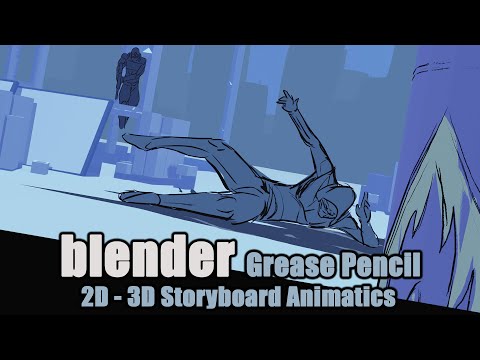
Blender Grease Pencil - 2D 3D Hybrid Storyboard Animatic -Tutorial
ChannelSpitfire StoryboardsChapters
Description from the creator
Using grease pencil in 3d space to create storyboard animatics. (Apologies for audio issues)
If you enjoy the content and wish to own it and support the channel please visit my gumroad:
AUTUMN SALE (20th August - 3rd September 2026)
20% DISCOUNT OFFER - USE THE CODE ' AUTUMN26 ' AT CHECKOUT
spitfirestoryboards.gumroad.com/
Tutorial Contents :
00:00 -Intro and UI/Navigation Tips
02:19 – EXAMPLE SCENE 1 - BASICS
02:54 – Create Grease Pencil Object
04:38 – Draw mode, Canvas modes and Orientation
10:18 – Standard Brushes
11:17 -'Super Simple Man 2D' – Layers and materials
12:57 – Bonus round : Sculpt and Edit modes (brief)
13:37 – EXAMPLE SCENE 1 - LAYOUT STAGE (the real fun starts here)
15:57 – Blocking out a plan / path
18:08 – Roughing out 2D poses
21:48 – 2D -3D Hybrid and its flexibility
22:52 – Refining artwork
25:26 – Cameras : create, keyframing and lenses
27:35 - EXAMPLE SCENE 1 – Step by step
28:18 – Roughing out time lapse
29:04 – Clean up and time lapse
30:27 – Secondary character
30:48 – Exploring camera angles
32:21 -Bonus round : Interpolation modes (Linear v Constant)
33:33 – EXAMPLE SCENE 2 – 3D Object Parenting
34:10 – 3D Object for layout and ref
34:55 – Parenting Grease Pencil to 3D Object
36:49 – FX layer : Rim light ; Modifier : Hue/saturation/ Tint
38:54 – EXAMPLE SCENE 3 – Advanced action , flight path, multiple cameras
39:21 – Camera view
40:48 – 'Super simple man 3D' – basic animation, camera
41:43 – Camera Constraint for camera tracking
42:37 – Make GP Object , parent to 3D
44:28 – Rough and clean layers time lapse
44:46 – Switching Cameras on timeline ; markers + binding
47:10 – EXAMPLE SCENE 4 – Rotoscoping in 3D Space
48:08 – Mixamo and importing FBX animation
49:09 – Setting up GP for rotoscoping
50:13 – Optimal viewport for rotoscoping
IMPORTANT NOTE : The purpose of EXAMPLE SCENE 4 is stated clearly as being specifically geared towards rotoscoping freeware 3d animations, as part of the previs (previsualisation) process. Mixamo is free and allows for the animations to be used in personal, commercial and non profit projects. Please do not use any animations that you do not have the right/permissions to. I am not encouraging the use of rotoscoping for beginners as something to lean on, but for use as part of a particular process.
Credits:
"Scaffold Building pack 1" kit created by StarGraveStudios/copper Stache available on Blendswap.
All other content created by Paul Coulthard, Spitfire Storyboards
If you enjoy the content and wish to own it and support the channel please visit my gumroad:
AUTUMN SALE (20th August - 3rd September 2026)
20% DISCOUNT OFFER - USE THE CODE ' AUTUMN26 ' AT CHECKOUT
spitfirestoryboards.gumroad.com/
Tutorial Contents :
00:00 -Intro and UI/Navigation Tips
02:19 – EXAMPLE SCENE 1 - BASICS
02:54 – Create Grease Pencil Object
04:38 – Draw mode, Canvas modes and Orientation
10:18 – Standard Brushes
11:17 -'Super Simple Man 2D' – Layers and materials
12:57 – Bonus round : Sculpt and Edit modes (brief)
13:37 – EXAMPLE SCENE 1 - LAYOUT STAGE (the real fun starts here)
15:57 – Blocking out a plan / path
18:08 – Roughing out 2D poses
21:48 – 2D -3D Hybrid and its flexibility
22:52 – Refining artwork
25:26 – Cameras : create, keyframing and lenses
27:35 - EXAMPLE SCENE 1 – Step by step
28:18 – Roughing out time lapse
29:04 – Clean up and time lapse
30:27 – Secondary character
30:48 – Exploring camera angles
32:21 -Bonus round : Interpolation modes (Linear v Constant)
33:33 – EXAMPLE SCENE 2 – 3D Object Parenting
34:10 – 3D Object for layout and ref
34:55 – Parenting Grease Pencil to 3D Object
36:49 – FX layer : Rim light ; Modifier : Hue/saturation/ Tint
38:54 – EXAMPLE SCENE 3 – Advanced action , flight path, multiple cameras
39:21 – Camera view
40:48 – 'Super simple man 3D' – basic animation, camera
41:43 – Camera Constraint for camera tracking
42:37 – Make GP Object , parent to 3D
44:28 – Rough and clean layers time lapse
44:46 – Switching Cameras on timeline ; markers + binding
47:10 – EXAMPLE SCENE 4 – Rotoscoping in 3D Space
48:08 – Mixamo and importing FBX animation
49:09 – Setting up GP for rotoscoping
50:13 – Optimal viewport for rotoscoping
IMPORTANT NOTE : The purpose of EXAMPLE SCENE 4 is stated clearly as being specifically geared towards rotoscoping freeware 3d animations, as part of the previs (previsualisation) process. Mixamo is free and allows for the animations to be used in personal, commercial and non profit projects. Please do not use any animations that you do not have the right/permissions to. I am not encouraging the use of rotoscoping for beginners as something to lean on, but for use as part of a particular process.
Credits:
"Scaffold Building pack 1" kit created by StarGraveStudios/copper Stache available on Blendswap.
All other content created by Paul Coulthard, Spitfire Storyboards
About this tutorial
Spitfire Storyboards published this 53:19 video tutorial on April 8, 2020. It has been watched 227,869 times on YouTube.
- Channel
- Spitfire Storyboards
- Category
- Film & Animation
- Duration
- 53:19
- Published
- April 8, 2020
- Views
- 227,869
- Likes
- 9,000
Tags
Share
This tutorial in other languages
- FRGrease Blender Crayon - hybride 2D 3D Storyboard Animatic -Tutorial
- ESBlender Grease Pencil - 2D 3D híbrido Storyboard Animatic -Tutorial
- PTBlender Grease Pencil - 2D 3D híbrido Storyboard Animatic -Tutorial
- ITBlender Grease Pencil - ibrida 2D 3D Storyboard Animatic -Tutorial
- DEBlender Fettstift - 2D-3D-Hybridstoryboard Animatic -Tutorial
- NLBlender Grease Pencil - 2D 3D Hybrid Storyboard Animatic -Tutorial
- RUBlender Grease Pencil - 2D 3D Hybrid Раскадровка Аниматик -Tutorial
- PLBlender Grease Pencil - 2D 3D Hybrid Storyboard Animatic -Tutorial
- JAブレンダーグリース鉛筆 - 2Dから3DハイブリッドストーリーボードAnimatic -Tutorial
- ARخلاط الشحوم قلم رصاص - 2D 3D الهجين القصة المصورة Animatic -Tutorial
- HIब्लेंडर ग्रीस पेंसिल - 2 डी 3 डी हाइब्रिड स्टोरीबोर्ड Animatic -Tutorial
- IDBlender Grease Pencil - Hybrid 2D 3D Storyboard animatic -Tutorial