Playback starts YouTube’s embedded player (privacy-enhanced mode).
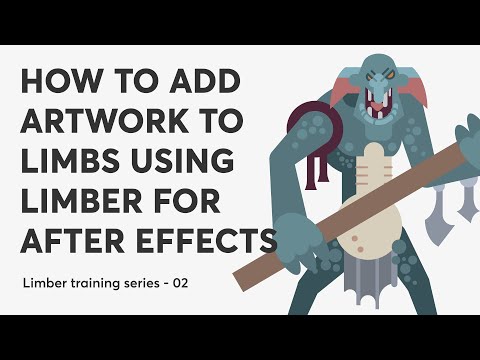
How to add artwork to limbs using Limber for After Effects
Channelaescripts + aepluginsChapters
Description from the creator
*********THIS VIDEO IS FOR AN OUTDATED VERSION OF LIMBER.*****
PLEASE VISIT THE LIMBER PRODUCT PAGE FOR THE LATEST VIDEOS: aescripts.com/limber
How to add artwork to limbs using Limber for After Effects
Limber training series 02
Get Limber: aescripts.com/limber/
Limber User Guide: support.animatable.co/v/limber-user-guide/
Follow Animatable on Instagram: instagram.com/animatabledotco/
------------------
In this tutorial, I'm going to show you Limber’s Rig & Pose functions which allow you to add your own artwork to limbs as well as a method for setting limb properties based on reference layers.
To watch the first video in the training series click here: youtu.be/HV9nxTowr0o where I show you the basics of making and styling new limbs and rigging them in a simple character.
Let me know if you have any questions or requests! Unfortunately, I don’t receive notifications for comments here but you can open a support ticket here: aescripts.com/contact/?direct=1&product_id=…
00:00 Hi there!
00:55 Posing limbs with circles
04:20 Rigging artwork to limbs
06:19 Rigging and posing at the same time
08:33 Rigging demo - Jones & Co
17:10 Rigging demo - Pink Panther
21:00 Drawing your own limb shapes
23:48 Rigging the shapes to the limb
25:09 Wrap up
PLEASE VISIT THE LIMBER PRODUCT PAGE FOR THE LATEST VIDEOS: aescripts.com/limber
How to add artwork to limbs using Limber for After Effects
Limber training series 02
Get Limber: aescripts.com/limber/
Limber User Guide: support.animatable.co/v/limber-user-guide/
Follow Animatable on Instagram: instagram.com/animatabledotco/
------------------
In this tutorial, I'm going to show you Limber’s Rig & Pose functions which allow you to add your own artwork to limbs as well as a method for setting limb properties based on reference layers.
To watch the first video in the training series click here: youtu.be/HV9nxTowr0o where I show you the basics of making and styling new limbs and rigging them in a simple character.
Let me know if you have any questions or requests! Unfortunately, I don’t receive notifications for comments here but you can open a support ticket here: aescripts.com/contact/?direct=1&product_id=…
00:00 Hi there!
00:55 Posing limbs with circles
04:20 Rigging artwork to limbs
06:19 Rigging and posing at the same time
08:33 Rigging demo - Jones & Co
17:10 Rigging demo - Pink Panther
21:00 Drawing your own limb shapes
23:48 Rigging the shapes to the limb
25:09 Wrap up
About this tutorial
aescripts + aeplugins published this 26:47 video tutorial on July 26, 2020. It has been watched 54,176 times on YouTube.
- Channel
- aescripts + aeplugins
- Category
- Film & Animation
- Duration
- 26:47
- Published
- July 26, 2020
- Views
- 54,176
- Likes
- 575
Tags
Share
This tutorial in other languages
- FRComment ajouter des illustrations à l'aide de membres Limber pour After Effects
- ESCómo añadir ilustraciones a las extremidades usando Limber para After Effects
- PTComo adicionar arte para membros usando Limber para After Effects
- ITCome aggiungere un'illustrazione a membra usando Limber per After Effects
- DEWie fügt Kunstwerk zu Gliedmaßen für Limber mit After Effects
- NLHoe kan kunst dragen bij aan ledematen met behulp van Limber voor After Effects
- RUКак добавить обложку к конечности с помощью Limber для After Effects
- PLJak dodać grafikę do kończyn z użyciem Limber dla After Effects
- JAAfter Effectsのためリンバーを使用して手足にアートワークを追加する方法
- ARكيفية إضافة أعمال فنية لأطرافه باستخدام رشيق ل After Effects
- HIअंग को कलाकृति जोड़ने के लिए कैसे प्रभाव के बाद के लिए लचीला का उपयोग कर
- IDBagaimana menambahkan karya seni untuk anggota badan menggunakan Limber untuk After Effects