Playback starts YouTube’s embedded player (privacy-enhanced mode).
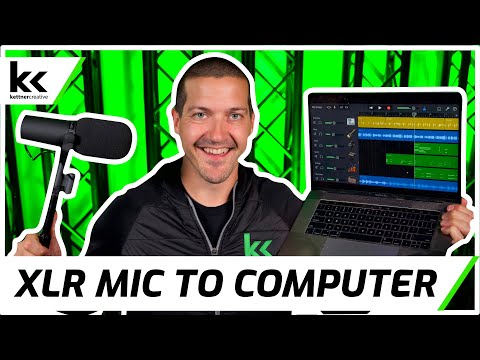
How to Connect XLR Mic To Computer (Mac or PC)
ChannelKettner CreativeChapters
Description from the creator
In this video we show you exactly what you need to know when you want to plug your XLR microphone into your computer (PC or Mac). For each method we use a Shure SM58, Shure SM7B and AKG C 3000 B microphone so you can hear the benefits of each method, complete with demonstration on the computer.
Equipment featured in this video:
► XLR to USB Cable - currentprice.io/xlr_to_usb
► Presonus USB Audio Interface - currentprice.io/audiobox
► XLR Cable - currentprice.io/xlr_cable
► Shure SM58 - currentprice.io/shure_sm58
► Shure SM7B - currentprice.io/shure_sm7b
► AKG C3000 - currentprice.io/akg_c3000
Also Recommended:
► Focusrite Scarlett 2i2 (3rd Gen) USB Audio Interface - currentprice.io/scarlett_2i2
► SSL USB Audio Interface - currentprice.io/ssl2_plus
Not Mentioned In This Video: USB Audio Mixers:
► Yamaha MG10XU Audio Mixing Console: currentprice.io/mg10xu
► Mackie ProFX10v3 Audio Mixing Console: currentprice.io/profx10v3
These are affiliate links and I may earn a commission from Amazon (and others) on qualifying purchases.
XLR CABLE BUYER's GUIDE: kettnercreative.com/buyers-guide/best-xlr-cable…
PODCAST BUYER'S GUIDE: kettnercreative.com/buyers-guide/podcast/
LIVE STREAMING BUYER'S GUIDE: kettnercreative.com/buyers-guide/live-streaming/
MUSIC PRODUCTION BUYER's GUIDE: kettnercreative.com/buyers-guide/music-producti…
CHAPTERS:
0:00 - Introduction
0:21 - Microphones For Test
1:22 - XLR to USB Cable / A/D Converter
3:55 - USB Audio Interface
6:51 - Comparing Both Options
7:45 - Final Thoughts
BECOME A MEMBER OF OUR CHANNEL FOR PERKS & EXCLUSIVES:
youtube.com/channel/UC5JoIc8Mi6glGdfDTm3KCQg/jo…
STUDIO EQUIPMENT:
Camera: currentprice.io/sony_a7iii
Lens: currentprice.io/sigma_24_70
Microphone: currentprice.io/sony_lav
Studio Monitors: currentprice.io/hs5_monitor
Video Recorder: currentprice.io/ninja_v
Video Switcher For Live Stream: currentprice.io/atem_minipro
Key Light: currentprice.io/keylight
Fill Light: currentprice.io/keylight_air
Uplight: currentprice.io/astera_ax5
Truss: currentprice.io/truss_black
Editing Computer: currentprice.io/mac_mini
Editing Monitor: currentprice.io/lg_32in_4k
We Optimize Our YouTube Channel With:
Tubebuddy: geni.us/Md6v
VidIQ: geni.us/dqUyD
Riverside FM Podcast Software: currentprice.io/riversidefm
GeniusLink: geni.us/vss0P
Website: kettnercreative.com
Instagram: instagram.com/kettnercreative/
Facebook: facebook.com/kettnercreative/
Threads: threads.net/@kettnercreative
Disclosure: If you purchase an item or service using one of our links, it provides us with a referral fee.
Equipment featured in this video:
► XLR to USB Cable - currentprice.io/xlr_to_usb
► Presonus USB Audio Interface - currentprice.io/audiobox
► XLR Cable - currentprice.io/xlr_cable
► Shure SM58 - currentprice.io/shure_sm58
► Shure SM7B - currentprice.io/shure_sm7b
► AKG C3000 - currentprice.io/akg_c3000
Also Recommended:
► Focusrite Scarlett 2i2 (3rd Gen) USB Audio Interface - currentprice.io/scarlett_2i2
► SSL USB Audio Interface - currentprice.io/ssl2_plus
Not Mentioned In This Video: USB Audio Mixers:
► Yamaha MG10XU Audio Mixing Console: currentprice.io/mg10xu
► Mackie ProFX10v3 Audio Mixing Console: currentprice.io/profx10v3
These are affiliate links and I may earn a commission from Amazon (and others) on qualifying purchases.
XLR CABLE BUYER's GUIDE: kettnercreative.com/buyers-guide/best-xlr-cable…
PODCAST BUYER'S GUIDE: kettnercreative.com/buyers-guide/podcast/
LIVE STREAMING BUYER'S GUIDE: kettnercreative.com/buyers-guide/live-streaming/
MUSIC PRODUCTION BUYER's GUIDE: kettnercreative.com/buyers-guide/music-producti…
CHAPTERS:
0:00 - Introduction
0:21 - Microphones For Test
1:22 - XLR to USB Cable / A/D Converter
3:55 - USB Audio Interface
6:51 - Comparing Both Options
7:45 - Final Thoughts
BECOME A MEMBER OF OUR CHANNEL FOR PERKS & EXCLUSIVES:
youtube.com/channel/UC5JoIc8Mi6glGdfDTm3KCQg/jo…
STUDIO EQUIPMENT:
Camera: currentprice.io/sony_a7iii
Lens: currentprice.io/sigma_24_70
Microphone: currentprice.io/sony_lav
Studio Monitors: currentprice.io/hs5_monitor
Video Recorder: currentprice.io/ninja_v
Video Switcher For Live Stream: currentprice.io/atem_minipro
Key Light: currentprice.io/keylight
Fill Light: currentprice.io/keylight_air
Uplight: currentprice.io/astera_ax5
Truss: currentprice.io/truss_black
Editing Computer: currentprice.io/mac_mini
Editing Monitor: currentprice.io/lg_32in_4k
We Optimize Our YouTube Channel With:
Tubebuddy: geni.us/Md6v
VidIQ: geni.us/dqUyD
Riverside FM Podcast Software: currentprice.io/riversidefm
GeniusLink: geni.us/vss0P
Website: kettnercreative.com
Instagram: instagram.com/kettnercreative/
Facebook: facebook.com/kettnercreative/
Threads: threads.net/@kettnercreative
Disclosure: If you purchase an item or service using one of our links, it provides us with a referral fee.
About this tutorial
Kettner Creative published this 8:03 video tutorial on September 2, 2020. It has been watched 161,544 times on YouTube.
- Channel
- Kettner Creative
- Category
- Film & Animation
- Duration
- 8:03
- Published
- September 2, 2020
- Views
- 161,544
- Likes
- 2,615
Tags
Share
This tutorial in other languages
- FRComment connecter XLR Mic ordinateur (Mac ou PC)
- ESCómo realizar la conexión XLR de micrófono al ordenador (Mac o PC)
- PTComo conectar XLR Mic To Computer (Mac ou PC)
- ITCome collegare XLR MIC per computer (Mac o PC)
- DEHow to Connect XLR Mic To Computer (Mac oder PC)
- NLHoe te Connect XLR Mic naar computer (Mac of PC)
- RUКак подключить XLR микрофон к компьютеру (Mac или PC)
- PLJak podłączyć XLR mikrofonu do komputera (Mac lub PC)
- JAどのように接続XLRマイクへのコンピュータ(MacやPC)へ
- ARكيفية الاتصال XLR هيئة التصنيع العسكري لللكمبيوتر (ماك أو PC)
- HIकैसे कनेक्ट XLR माइक करने के लिए कंप्यूटर (मैक या पीसी) के लिए
- IDCara Connect XLR Mic Untuk Komputer (Mac atau PC)