Playback starts YouTube’s embedded player (privacy-enhanced mode).
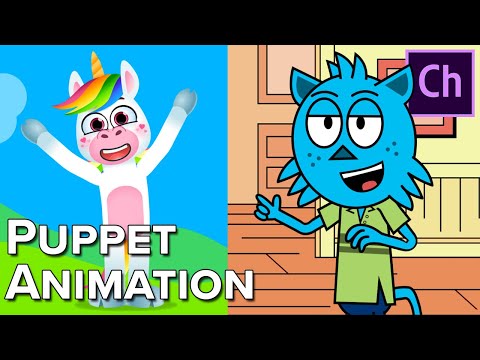
How to Make 2D Animation Quickly & Easily!
ChannelSir Wade NeistadtDescription from the creator
► My New Maya for Animators 2023 Online Course - bit.ly/mayaforanimators
► Sir's Animation Mentoring + Courses - courses.sirwade.com/
► Summer Class Enrollment is Open - bit.ly/animbasics
► Support the Channel - patreon.com/SirWade
Sir Wade's Animation Content ►► bit.ly/sirwade
It's a great animation software to start creating your own animated characters and stories without a ton of experience!
Download Character Animator with the Free Trial Link: bit.ly/adobecreatives
Learn it from Okay Samurai: youtube.com/user/okaysamurai
► Sir's Personal Animation Mentoring - patreon.com/SirWade
► My Site - sirwade.com/
► Adobe Animation Software - bit.ly/adobecreatives
-- Sir Wade's Links --
► Twitter - twitter.com/SirWadeFX
► TikTok - tiktok.com/@sirwade
► Instagram - instagram.com/SirWadeFX
► Twitch - twitch.tv/SirWadeFX
-- Resources --
► Animation Discord - discord.gg/TBasBmhnDe
► Animation Books - bit.ly/animationbooks
► My Workflow Gear: amazon.com/shop/sirwadefx
► Animation PC Builds: kit.co/SirWadeFX
► Splines Shirts + Sweatshirts: bit.ly/animshirts
► Resume & Cover Letter Workshop Replay - bit.ly/2HCKean
► Maya for Animators Workshop - bit.ly/mayaforanimatorsreplay
► Animation Apparel: bit.ly/animshirts
----------------------------------------------------------------------------------------------------------
In three years, I went from having absolutely no experience in 3D Animation to working at DreamWorks Animation Studios teaching just about all of the 3D software used to make movies! After 2 years there, I left to try freelance / independent content creation on YouTube for awhile, before I head back to Feature Film!
This is my journey- the entire process from when I decided I wanted to be an animator until I eventually get there, and everything along the way that will make it possible.
Whether you're chasing a similar dream, or just interested to see where mine takes me, subscribe to follow along with the incredible journey that it takes to become an animator!
You will not be disappointed.
Keep up with the action and connect with me on social!
----------------------------------------------------------------------------------------------------------
Patreon: patreon.com/SirWade
Instagram: instagram.com/sirwadefx
Twitch: twitch.tv/SirWadeFX
Facebook: facebook.com/SirWadeFX
Twitter: twitter.com/sirwadefx
Snapchat: sir-wade
LinkedIn: linkedin.com/in/sir-wade-neistadt-6b021850/
Anchor: anchor.fm/sirwade
SoundCloud: soundcloud.com/sirwadefx
----------------------------------------------------------------------------------------------------------
Thanks for watching!
#adobenab2019 #characteranimator #animation
About this tutorial
Sir Wade Neistadt published this 9:35 video tutorial on October 25, 2019. It has been watched 1,101,526 times on YouTube.
- Channel
- Sir Wade Neistadt
- Category
- Film & Animation
- Duration
- 9:35
- Published
- October 25, 2019
- Views
- 1,101,526
- Likes
- 30,539
Tags
Share
Further reading
-
10 Best 2D Animation Software in 2020 [Free/Paid]
filmora.wondershare.com
It is a powerful and straightforward video maker for all levels from middle to advanced. With keyframing, you can make smooth 2D animation quickly. Auto color correction can save you a lot of time to make high-quality a…
-
How to Animate Faster – 5 Efficiency Tips – RubberOnion Animation
rubberonion.com
Before we get into the tips themselves, I want to cover quickly why you want to animate faster. When people ask me about animation speed, it’s mostly centered around freelance so what they’re really asking indirectly is…
-
How To Quickly Create A 2d Background. - BlenderNation
blendernation.com
In this tutorial, i'll show you how to create backgrounds for you animation quickly by using a 3d software and a 2d image editing software. For this tutorial i used Blender as my 3d software and Krita as my 2d image edi…
This tutorial in other languages
- FRComment faire Animation 2D rapidement et facilement!
- ESCómo hacer animación 2D rápidamente y fácilmente!
- PTComo fazer animação 2D rapidamente e facilmente!
- ITCome fare 2D Animation velocemente e facilmente!
- DEWie man 2D-Animation schnell und einfach!
- NLHoe maak je 2D-animatie snel en gemakkelijk!
- RUКак сделать 2D анимации Быстро и легко!
- PLJak zrobić animację 2D szybko i łatwo!
- JA簡単に2Dアニメーションをすばやく&を作る方法!
- ARكيفية جعل 2D الرسوم المتحركة بسرعة وبسهولة!
- HIकैसे 2 डी एनीमेशन जल्दी बनाने के लिए और आसानी से!
- IDCara Membuat Animasi 2D Cepat & Mudah!