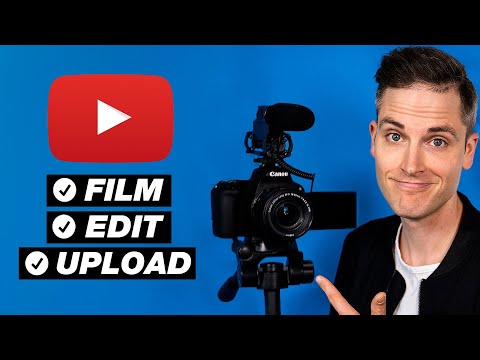
Playback starts YouTube’s embedded player (privacy-enhanced mode).
How to Make A YouTube Video for Beginners START to FINISH!
ChannelThink MediaIn brief
This tutorial walks beginners through the entire process of creating a YouTube video—from filming with a camera (like the Canon M50) to editing in Adobe Premiere Pro and uploading it. It’s ideal for anyone starting out who wants a clear, end-to-end guide, though it leans on specific gear recommendations and software tools.
Key steps
- Set up your camera (e.g., Canon M50) with recommended settings for YouTube
- Design a custom thumbnail using free tools or Photoshop
- Title, tag, and upload your video with SEO best practices
Questions & answers
Do I need expensive gear to follow along?
No—the video includes a smartphone-only section (starting at 20:21) for filming.
What software is used for editing?
Adobe Premiere Pro is demonstrated, but free trials are linked for both Premiere and LinkedIn Learning.
Description from the creator
Learn how to make a YouTube video 2-hour Complete Tutorial! This video covers how to film, edit and upload a YouTube video step-by-step. ***** Looking for the best camera and equipment for YouTube? Download the new "Think Media Video Gear Buyer's Guide" for FREE here ➡️ ThinkGearGuide.com
This video is NOT sponsored. Some product links are affiliate links which mean if you buy something we'll receive a small commission.
📒 Show Notes and Resource Guide With Time Codes 📒
1. (Video Gear) Check out the Canon M50 and all of the video gear I mention in this video in this kit kit.co/SeanCannell/m50-youtube-kit
The Canon M50 is in HIGH DEMAND! Here are the best places to purchase one...
Canon M50 Camera with Lens on Amazon:
geni.us/6O8m4
Canon M50 Canon with Lens on B&H Photo:
geni.us/Gg9WcH (B&H)
✔️ Canon also has a great refurbishment program! They offer used, refurbished cameras like the Canon M50 with a one-year warranty at a steeply discounted price. They also have discounts on lenses like the Canon 11-22 f/4. Availability varies, but check it current deals here: ➡️ bit.ly/CanonRefurbs2020
2. (Video) Sean Cannell's Think Media Office Tour
youtu.be/p4M0XuWLhdI
3. (16:02) 10 Step YouTube Checklist Video
youtu.be/djLH81z4k5I
4. (17:42) Canon M50 Tutorial — 7 Tips and Tricks & Custom Settings youtu.be/8dLMCyD2-UM
5. (18:14) FREE YOUTUBE MASTERCLASS 🎯 Learn how to grow faster on YouTube and monetize your content! ➡️ ThinkMasterclass.com
6. (20:21) How to Make a YouTube Video From Scratch with Your Smartphone youtu.be/am7kaAerVCQ
7. (23:20) Cam Link Camera Live-Streaming Compatibility List:
elgato.com/en/gaming/cam-link/camera-check
8. (24:53) Best Camera for YouTube? Canon M50 VS. Sony A6400
youtu.be/jrJ0P2jeJZk
9. (43:38) Master Thumbnails FREE Facebook Group
facebook.com/groups/masterthumbnails/
10. (47:25) How to Make a YouTube Custom Thumbnail Tutorial — Quick and Easy youtu.be/8YbZuaBP9B8
11. (48:02) FREE Trial of Skillshare to Learn Photoshop
bit.ly/ThinkSkillshare2020
12. (56:51) Adobe Premiere Pro Creative Cloud (MAC and PC)
bit.ly/PremiereProNewTrial
13. (1:34:16) How to Edit a Video Podcast in Adobe Premiere Tutorial (FREE Must-Have App) youtu.be/seenZS6unp0
14. (1:35:36) FREE Trial of LinkedIn Learning to Learn Video Editing Step-By-Step
bit.ly/LinkedInLearningThink
15. (1:38:46) Easy Time-Lapse Video Tutorial — How To Make a Timelapse Video with DSLR youtu.be/10X4GXwE01c
16. (1:57:41) Grow With Video Live 2020 in Las Vegas
growwithvideolive.com/
17. (2:01:01) What is a NAS Drive? (External Hard Drive VS. NAS Explained) youtu.be/DnxW2qxCiO0
18. (2:01:17) How to Title and Tag Your Videos
youtu.be/vRHKeC_3ZmA
19. (2:02:06) The 4K Sony Camera Kit With Use at Think Media
kit.co/SeanCannell/4k-think-media-camera-kit
20. (2:05:31) 3 Easy (and Free) Ways to Get More Views on YouTube
youtu.be/_6U-4L4apoY
21. Create YouTube intros and bumpers, or access marketing, editing, social media, and translation services at Fiverr:
bit.ly/FiverrThinkMedia
Connect with Sean Cannell on Social Media:
seancannell.com
linkedin.com/in/seancannell/
twitter.com/seancannell
instagram.com/seancannell
facebook.com/seanthinks
QUESTION — Have a question about Online Video, Video Production, Tech, Marketing, or Anything Else? Post in comments section of this video!
Subscribe to THiNK Media TV Here: youtube.com/THiNKmediaTV
---------Cameras and Gear Used To Shoot This Video -------
Think Media Video Gear Kit
(The camera we shot this video with)
kit.co/SeanCannell/4k-think-media-camera-kit
DISCLAIMER: This video and description contain affiliate links, which means that if you click on one of the product links, we’ll receive a small commission.
About:
How do you make a youtube video? How to make a youtube video for beginners? This video will teach you how to make a youtube video from scratch and how to edit youtube videos. If you are curious about How to Make Your First YouTube Video or how i make a youtube video at think media, watch this. If you want to learn how to edit videos for youtube or how to make youtube videos, watch this free step-by-step tutorial.
We are ambassadors or affiliates for many of the brands we reference on the channel. As an Amazon Associate, I earn from qualifying purchases.
This video is NOT sponsored. Some product links are affiliate links which mean if you buy something we'll receive a small commission.
📒 Show Notes and Resource Guide With Time Codes 📒
1. (Video Gear) Check out the Canon M50 and all of the video gear I mention in this video in this kit kit.co/SeanCannell/m50-youtube-kit
The Canon M50 is in HIGH DEMAND! Here are the best places to purchase one...
Canon M50 Camera with Lens on Amazon:
geni.us/6O8m4
Canon M50 Canon with Lens on B&H Photo:
geni.us/Gg9WcH (B&H)
✔️ Canon also has a great refurbishment program! They offer used, refurbished cameras like the Canon M50 with a one-year warranty at a steeply discounted price. They also have discounts on lenses like the Canon 11-22 f/4. Availability varies, but check it current deals here: ➡️ bit.ly/CanonRefurbs2020
2. (Video) Sean Cannell's Think Media Office Tour
youtu.be/p4M0XuWLhdI
3. (16:02) 10 Step YouTube Checklist Video
youtu.be/djLH81z4k5I
4. (17:42) Canon M50 Tutorial — 7 Tips and Tricks & Custom Settings youtu.be/8dLMCyD2-UM
5. (18:14) FREE YOUTUBE MASTERCLASS 🎯 Learn how to grow faster on YouTube and monetize your content! ➡️ ThinkMasterclass.com
6. (20:21) How to Make a YouTube Video From Scratch with Your Smartphone youtu.be/am7kaAerVCQ
7. (23:20) Cam Link Camera Live-Streaming Compatibility List:
elgato.com/en/gaming/cam-link/camera-check
8. (24:53) Best Camera for YouTube? Canon M50 VS. Sony A6400
youtu.be/jrJ0P2jeJZk
9. (43:38) Master Thumbnails FREE Facebook Group
facebook.com/groups/masterthumbnails/
10. (47:25) How to Make a YouTube Custom Thumbnail Tutorial — Quick and Easy youtu.be/8YbZuaBP9B8
11. (48:02) FREE Trial of Skillshare to Learn Photoshop
bit.ly/ThinkSkillshare2020
12. (56:51) Adobe Premiere Pro Creative Cloud (MAC and PC)
bit.ly/PremiereProNewTrial
13. (1:34:16) How to Edit a Video Podcast in Adobe Premiere Tutorial (FREE Must-Have App) youtu.be/seenZS6unp0
14. (1:35:36) FREE Trial of LinkedIn Learning to Learn Video Editing Step-By-Step
bit.ly/LinkedInLearningThink
15. (1:38:46) Easy Time-Lapse Video Tutorial — How To Make a Timelapse Video with DSLR youtu.be/10X4GXwE01c
16. (1:57:41) Grow With Video Live 2020 in Las Vegas
growwithvideolive.com/
17. (2:01:01) What is a NAS Drive? (External Hard Drive VS. NAS Explained) youtu.be/DnxW2qxCiO0
18. (2:01:17) How to Title and Tag Your Videos
youtu.be/vRHKeC_3ZmA
19. (2:02:06) The 4K Sony Camera Kit With Use at Think Media
kit.co/SeanCannell/4k-think-media-camera-kit
20. (2:05:31) 3 Easy (and Free) Ways to Get More Views on YouTube
youtu.be/_6U-4L4apoY
21. Create YouTube intros and bumpers, or access marketing, editing, social media, and translation services at Fiverr:
bit.ly/FiverrThinkMedia
Connect with Sean Cannell on Social Media:
seancannell.com
linkedin.com/in/seancannell/
twitter.com/seancannell
instagram.com/seancannell
facebook.com/seanthinks
QUESTION — Have a question about Online Video, Video Production, Tech, Marketing, or Anything Else? Post in comments section of this video!
Subscribe to THiNK Media TV Here: youtube.com/THiNKmediaTV
---------Cameras and Gear Used To Shoot This Video -------
Think Media Video Gear Kit
(The camera we shot this video with)
kit.co/SeanCannell/4k-think-media-camera-kit
DISCLAIMER: This video and description contain affiliate links, which means that if you click on one of the product links, we’ll receive a small commission.
About:
How do you make a youtube video? How to make a youtube video for beginners? This video will teach you how to make a youtube video from scratch and how to edit youtube videos. If you are curious about How to Make Your First YouTube Video or how i make a youtube video at think media, watch this. If you want to learn how to edit videos for youtube or how to make youtube videos, watch this free step-by-step tutorial.
We are ambassadors or affiliates for many of the brands we reference on the channel. As an Amazon Associate, I earn from qualifying purchases.
About this tutorial
Think Media published this 2:05:52 video tutorial on January 5, 2020. It has been watched 2,840,076 times on YouTube.
- Channel
- Think Media
- Category
- Film & Animation
- Duration
- 2:05:52
- Published
- January 5, 2020
- Views
- 2,840,076
- Likes
- 50,094
Tags
Share
This tutorial in other languages
- FRComment faire une vidéo YouTube pour les débutants début à la fin!
- ESCómo hacer un vídeo de YouTube para principiantes principio a fin!
- PTComo fazer um vídeo do YouTube para Iniciantes início ao fim!
- ITCome fare un video di YouTube per i principianti, dall'inizio alla fine!
- DEWie man ein YouTube-Video für Anfänger Anfang bis Ende!
- NLHoe maak je een YouTube-video voor beginners start tot finish!
- RUКак сделать YouTube видео для начинающих от начала до конца!
- PLJak zrobić YouTube Video dla początkujących początku do końca!
- JAどのようにFINISHに初心者のためのSTART A YouTubeのビデオを作るために!
- ARكيفية جعل يوتيوب فيديو للمبتدئين START إلى النهاية!
- HIकैसे खत्म करने के लिए शुरुआती शुरुआत के लिए एक यूट्यूब वीडियो बनाने के लिए!
- IDCara Membuat Sebuah Video YouTube untuk Pemula MULAI ke FINISH!