Playback starts YouTube’s embedded player (privacy-enhanced mode).
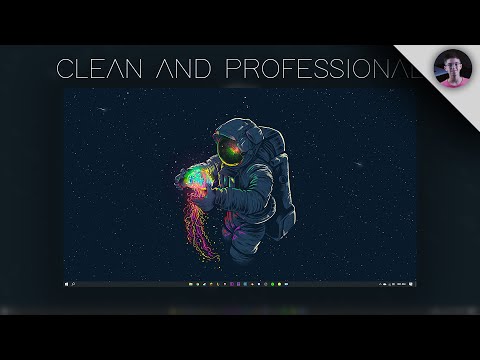
How to make your Windows 10 Desktop look Clean and Professional - No Download Required
ChannelSam AxtellIn brief
You’ll tidy up your Windows 10 desktop to look sleek and polished using built-in settings—no extra downloads needed. This works well for anyone wanting a cleaner workspace without third-party tools.
Description from the creator
UPDATE 2021: I have made an updated 2021 Clean Windows 10 Desktop Guide. It features the new updates and changes. Link is here: youtu.be/eGnTqfwJ7GI
Hey guys, thanks for joining me, and today I will be showing you how to make your Windows 10 desktop look clean and professional. All changes can be made without installing an external theme. Please feel free to comment down below with any questions, comments, or concerns that you may have. I will get back to you as soon as possible. Thank you guys again for watching, and I'll see you next time. See ya!
If you want to check out wallpaper engine, follow this link to the Steam page:
store.steampowered.com/app/431960/Wallpaper_Eng…
Links to my gear:
Camera: amzn.to/3f665Zb
Lens: amzn.to/3f72hXr
Cage: amzn.to/3rDyGdr
Top Handle: amzn.to/3yefLbv
Monitor + Accessory kit: amzn.to/3zG9eXo
Matte Box: amzn.to/3jeOTSH
For business inquiries, please contact me via email at:
[email protected]
Links provided are affiliate links
Hey guys, thanks for joining me, and today I will be showing you how to make your Windows 10 desktop look clean and professional. All changes can be made without installing an external theme. Please feel free to comment down below with any questions, comments, or concerns that you may have. I will get back to you as soon as possible. Thank you guys again for watching, and I'll see you next time. See ya!
If you want to check out wallpaper engine, follow this link to the Steam page:
store.steampowered.com/app/431960/Wallpaper_Eng…
Links to my gear:
Camera: amzn.to/3f665Zb
Lens: amzn.to/3f72hXr
Cage: amzn.to/3rDyGdr
Top Handle: amzn.to/3yefLbv
Monitor + Accessory kit: amzn.to/3zG9eXo
Matte Box: amzn.to/3jeOTSH
For business inquiries, please contact me via email at:
[email protected]
Links provided are affiliate links
About this tutorial
Sam Axtell published this 4:00 video tutorial on May 28, 2020. It has been watched 4,826,137 times on YouTube.
- Channel
- Sam Axtell
- Category
- Film & Animation
- Duration
- 4:00
- Published
- May 28, 2020
- Views
- 4,826,137
- Likes
- 166,848
Tags
Share
This tutorial in other languages
- FRComment faire de Windows 10 regard de bureau propre et professionnel - Pas de téléchargement requis
- ESCómo hacer que su escritorio de Windows 10 luzca limpio - No se requiere descarga
- PTComo fazer o seu Windows Desktop 10 olhar limpo e profissional - não é necessário download
- ITCome rendere il vostro Windows 10 Desktop aspetto pulito e professionale - nessun download richiesto
- DEKein Download erforderlich - So erreichen Sie Ihre Windows-10 Desktop-Look sauber und professionell machen
- NLDownloaden niet nodig - Hoe kunt u uw Windows 10 Desktop uiterlijk schoon en professioneel te maken
- RUКак сделать Windows 10 Desktop выглядеть чистой и Professional - не требуется загрузка
- PLJak zrobić swój wygląd pulpitu systemu Windows 10 Clean and Professional - No Pobierz Wymagane
- JAお使いのWindows 10のデスクトップのルックきれいおよびProfessionalにする方法 - いいえ、ダウンロードは必要ありません
- ARكيفية جعل ويندوز الخاص بك سطح المكتب 10 نظرة نظيفة والمهنية - لا تحميل مطلوب
- HIकिसी डाउनलोड की आवश्यकता - अपने Windows 10 डेस्कटॉप देखो स्वच्छ और पेशेवर बनाने के लिए
- IDCara membuat Windows 10 Desktop tampilan Bersih dan Profesional - Tidak Unduh Diperlukan