Playback starts YouTube’s embedded player (privacy-enhanced mode).
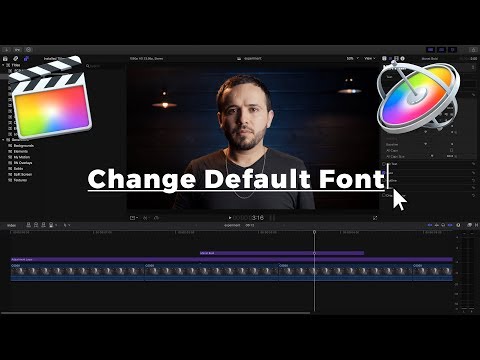
How to quickly change the default font in Final Cut Pro X
ChannelMarcos RochaDescription from the creator
It is important to save time whenever you are editing for long hours. If you are adding a bunch of titles to your timeline, you know how frustrating it is to have to change the font every time. The default font in FCPX is Helvetica, which I don't like using at all. Yet, there's no way to change the default font in Final Cut Pro X every time you add a title to the timeline.
However, there are workarounds to change the font with less of a hassle. In this tutorial I go over a couple of things you can start doing to add and change title fonts much quicker.
Also, I teach you how to use Apple Motion to create a custom title and save it in Final Cut Pro X.
----------
FAVORITE ACCESSORIES 🛠: bit.ly/marcosrochatv
My Main Camera: amzn.to/2iaI4Sf
Favorite Lens: amzn.to/2zKxBUU
The Mic I use all the time: amzn.to/2iclLLY
However, there are workarounds to change the font with less of a hassle. In this tutorial I go over a couple of things you can start doing to add and change title fonts much quicker.
Also, I teach you how to use Apple Motion to create a custom title and save it in Final Cut Pro X.
----------
FAVORITE ACCESSORIES 🛠: bit.ly/marcosrochatv
My Main Camera: amzn.to/2iaI4Sf
Favorite Lens: amzn.to/2zKxBUU
The Mic I use all the time: amzn.to/2iclLLY
About this tutorial
Marcos Rocha published this 7:51 video tutorial on November 10, 2017. It has been watched 24,297 times on YouTube.
- Channel
- Marcos Rocha
- Category
- Film & Animation
- Duration
- 7:51
- Published
- November 10, 2017
- Views
- 24,297
- Likes
- 211
Tags
Share
This tutorial in other languages
- FRComment changer rapidement la police par défaut dans Final Cut Pro X
- ESCómo cambiar rápidamente la fuente predeterminada en Final Cut Pro X
- PTComo mudar rapidamente a fonte padrão no Final Cut Pro X
- ITCome modificare rapidamente il carattere predefinito in Final Cut Pro X
- DEWie schnell die Standardschriftart in Final Cut Pro X ändern
- NLHoe de standaard lettertype in Final Cut Pro X snel veranderen
- RUКак быстро изменить шрифт по умолчанию в Final Cut Pro X
- PLJak szybko zmienić czcionkę domyślną w Final Cut Pro X
- JAすぐにFinal Cut ProのXのデフォルトのフォントを変更する方法
- ARكيفية تغيير بسرعة الخط الافتراضي في Final Cut Pro X
- HIकैसे जल्दी में Final Cut Pro एक्स डिफ़ॉल्ट फ़ॉन्ट बदलने के लिए
- IDCara cepat mengubah font default di Final Cut Pro X