Playback starts YouTube’s embedded player (privacy-enhanced mode).
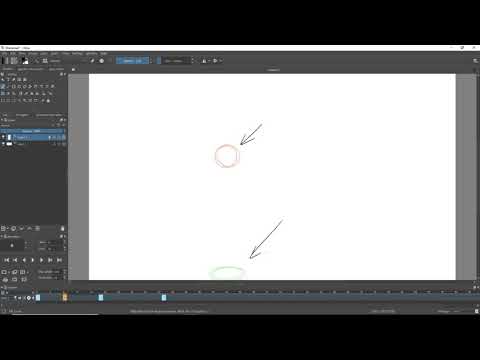
Krita Animation Tutorial - Part 1: Getting Started!
ChannelAndre FelixDescription from the creator
Download Krita:
krita.org/en/
choknater's Tutorial document:
docs.google.com/document/d/1j3nMpU9isJrECoKqIBn…
My Twitch Stream:
twitch.tv/choknater
Leave any comments or questions below!
About this tutorial
Andre Felix published this 10:32 video tutorial on October 25, 2018. It has been watched 295,539 times on YouTube.
- Channel
- Andre Felix
- Category
- Film & Animation
- Duration
- 10:32
- Published
- October 25, 2018
- Views
- 295,539
- Likes
- 7,511
Tags
Share
Further reading
-
Animation with Krita — Krita Manual 4.4.0 documentation
docs.krita.org
Animation curves¶. To create an animation curve (currently only for opacity) expand the New Frame button in the Animation dock and click Add Opacity Keyframe.You can now edit the keyframed value for opacity directly in…
-
Getting Started — Krita Manual 4.4.0 documentation
docs.krita.org
Getting Started¶. Welcome to the Krita Manual! In this section, we’ll try to get you up to speed. If you are familiar with digital painting, we recommend checking out the Introduction Coming From Other Software category…
-
Getting started with Krita (1/3) - David Revoy
davidrevoy.com
The result of this blog post tutorial exercise "Getting started with Krita" is a tutorial series of three blog post. The tutorials were designed for Krita 2.7 in 2013 + my brushkit V3. This brush were added in Krita's d…
This tutorial in other languages
- FRKrita animation Tutorial - Partie 1: Mise en route!
- ESKrita Animación Tutorial - Parte 1: Introducción!
- PTKrita Animação Tutorial - Parte 1: Introdução!
- ITKrita Animazione Tutorial - Parte 1: Introduzione!
- DEKrita-Animation Tutorial - Teil 1: Erste Schritte!
- NLKrita Animation Tutorial - Deel 1: Aan de slag!
- RUKrita Анимация Учебник - Часть 1: Начало работы!
- PLKrita Animation Tutorial - Część 1: Pierwsze kroki!
- JAKritaアニメーションチュートリアル - パート1:はじめに!
- ARكريتا الرسوم المتحركة دروس - الجزء 1: الشروع في العمل!
- HIकेरिता एनीमेशन ट्यूटोरियल - भाग 1: प्रारंभ करना!
- IDKrita Animasi Tutorial - Bagian 1: Memulai!